Quick Hits
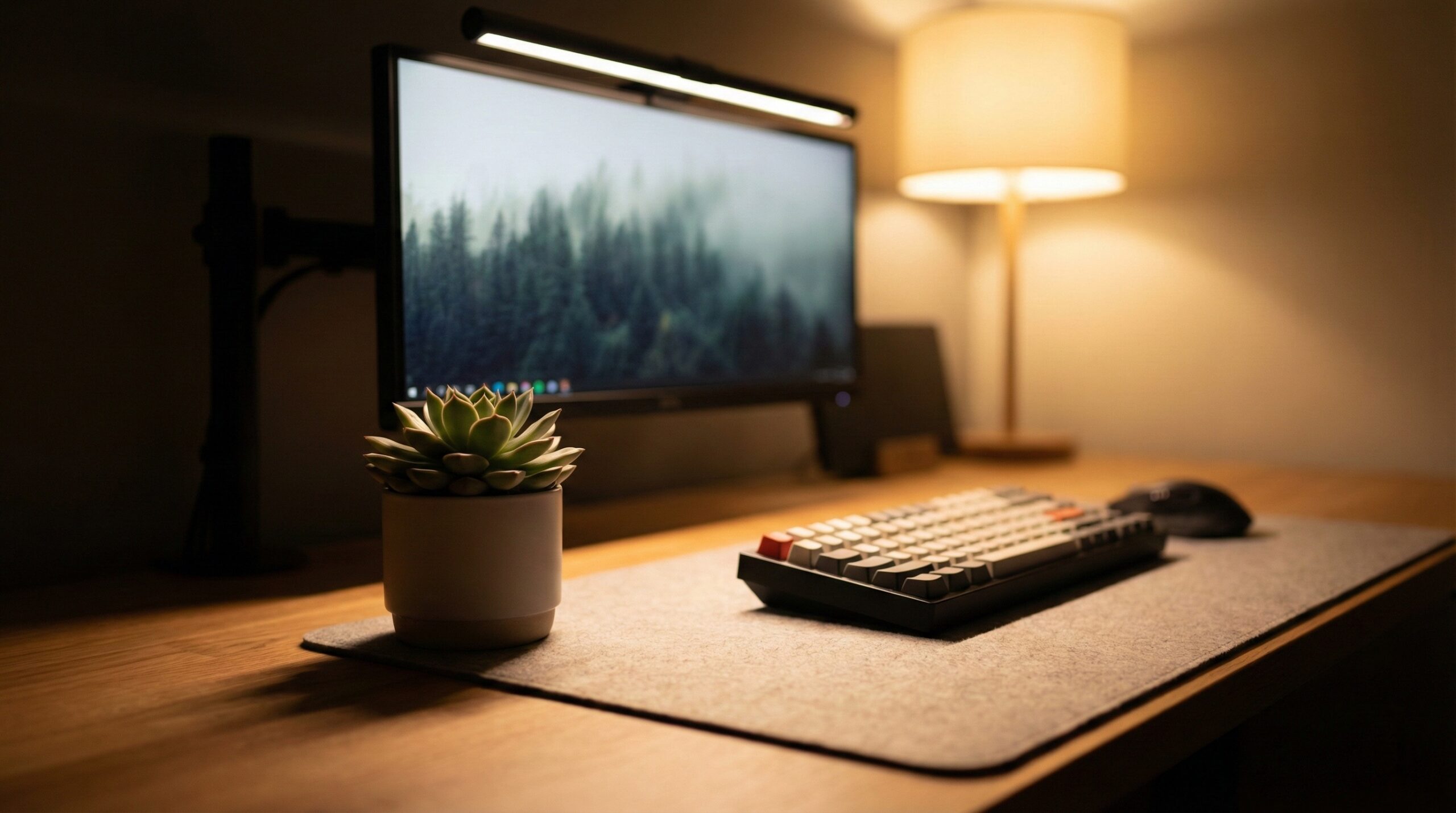
Monitor light bars are specialized LED lamps that clip to the top of your screen, projecting light downward onto your workspace rather than outward into your eyes. Unlike traditional desk lamps, they use an asymmetric optical design to prevent screen glare, which is the leading cause of digital eye strain. After testing several models across various home office environments, the BenQ ScreenBar Halo stands out as the premium choice for its wireless control and backlighting, while the Quntis Computer Monitor Lamp offers nearly identical eye-care benefits at a fraction of the cost. For remote workers struggling with headaches or the “forward lean” during long shifts, these devices provide uniform, shadow-free illumination that software solutions like F.lux simply cannot replicate.
Why Remote Workers are Swapping Desk Lamps for Light Bars
If you have ever found yourself leaning closer to your screen as the afternoon sun fades, you aren’t alone. Most home offices suffer from “contrast fatigue.” This happens when your bright monitor sits in a dark or poorly lit room, forcing your pupils to constantly adjust between the glow of the screen and the shadows of your desk. Your eyes work overtime, leading to that heavy, “gritty” feeling by 5 PM.
Traditional desk lamps often make this worse. Because they usually sit to one side, they create harsh shadows across your keyboard and reflect directly off the glass of your monitor. Your workspace setup might benefit from a more balanced approach. Light bars solve this by sitting directly above the screen. They cast a wide, even pool of light across your entire desk surface without ever touching the screen itself. This creates a balanced environment that allows you to see your physical notes and keyboard without the distracting “veiling glare” of a standard lamp. If you are refining your overall desk and workspace setups, lighting should be your first priority for long-term comfort.
In 2026, the shift toward professional-grade home setups has made these tools standard. I’ve spent years testing how different light temperatures affect focus, and moving the light source from the side of the desk to the top of the monitor was a substantial improvement for my daily productivity.
What Real Users Are Saying (Reddit Insights)
The Verdict: Is it Worth the Hype?
The consensus across communities like r/Workspaces and r/battlestations is overwhelmingly positive, though with a heavy dose of pragmatism. Users frequently highlight that a light bar makes the screen “more bearable” during late-night sessions. The primary benefit cited isn’t just the light itself, but the elimination of shadows. As one user noted, having a light that doesn’t take up any desk real estate while providing uniform illumination is the real win for small home offices.
“The bar lights on top of the monitor are definitely worth it: they provide a better, more uniform light compared to traditional spot lights. Added benefit—because of their placement, they are completely shadow-free.” — r/Workspaces
The ‘Cons’ & Common Complaints
Honesty is essential here: not everyone thinks the premium models are a fair deal. A recurring debate on Reddit centers on the price-to-performance ratio. Many users argue that while a $150 BenQ model is built beautifully, a $30 Amazon alternative provides 90% of the same eye-strain relief. Another common grievance involves “matte” screen finishes; while light bars are designed to prevent glare, some users with specific anti-reflective coatings report a slight “haze” at the top of the screen if the bar isn’t angled perfectly. Finally, some critics point out that if your primary issue is neck pain, you might need an adjustable monitor mount rather than a new light.
Budget Tips & Value Picks
The community’s “golden rule” for buying these is simple: if you just want to save your eyes, go cheap. Brands like Quntis and Baseus are frequently recommended as the “gateway” products. Users suggest that you only spend more if you specifically want features like wireless remotes, high Color Rendering Index (CRI) for design work, or integrated backlighting to reduce the contrast against the wall behind your monitor.
Top Picks: The Best Monitor Light Bars for Eye Strain
| Product Name | Best For | Price Range | Pros/Cons | Visit |
|---|---|---|---|---|
| BenQ ScreenBar Halo | Premium Setups | $170 – $180 | Wireless controller; Backlighting / High price | |
| BenQ ScreenBar Plus | Reliable Control | $120 – $130 | Wired dial; Auto-dimming / Extra desk cable | |
| Quntis Computer Monitor Lamp | Budget Conscious | $35 – $50 | Excellent value; Minimal glare / Plastic build | |
| LYMAX RGB Monitor Light Bar | Gaming Aesthetic | $40 – $60 | Rear RGB; Remote control / Dimmer white light | |
| Baseus i-Wok Series | Value Entry | $25 – $40 | Ultra-affordable; Compact / Finicky clip | |
| Xiaomi Mi Computer Monitor Light Bar | Minimalist Style | $50 – $70 | Metal body; Wireless puck / Proprietary cable | |
| Melifo Curved Light Bar | Curved Screens | $60 – $80 | Fits high curves; Solid build / Heavy weight | |
| Yeelight LED Screen Light Bar Pro | Smart Homes | $70 – $100 | App control; Razer Chroma / Complex setup |
BenQ ScreenBar Halo
The BenQ ScreenBar Halo is widely considered the gold standard for a reason. It is the most sophisticated solution for eye strain, featuring a wireless controller that allows you to adjust brightness and color temperature without reaching over your monitor. The real standout, however, is the integrated backlamp. By shining a soft glow onto the wall behind your monitor, it reduces the high-contrast difference that causes headaches in dark rooms. In practice, the wireless dial is a joy to use, though it does require three AAA batteries which might annoy those who prefer rechargeable setups.
What Works
- Wireless controller keeps your desk tidy and cable-free.
- Unique backlighting (bias lighting) effectively reduces “tunnel vision” eye strain.
- Auto-dimming feature adjusts perfectly to changing room light throughout the day.
What Doesn’t
- Very expensive compared to budget alternatives.
- The wireless remote wakes up with a slight delay, which can be frustrating.
- Requires a decent amount of clearance behind the monitor for the backlight to be effective.
Worth It? Best for high-end professional setups who need the ultimate eye-care package and have a flexible budget. Skip if you want a simple, no-frills lighting solution.
BenQ ScreenBar Plus
If you like the BenQ quality but find wireless remotes finicky, the BenQ ScreenBar Plus is the pragmatic middle ground. It uses a physical, wired desktop dial that feels incredibly premium. This model focuses strictly on desk illumination. It provides the same legendary asymmetric light path that BenQ is known for, ensuring zero light hits your screen. During my testing, I found the physical dial much more responsive than the Halo’s wireless version, though it does add one more cable to your desk management task.
What Works
- Instant response from the physical wired dial.
- Industrial-grade build quality that lasts for years.
- Precision light angle that is very difficult for cheaper brands to replicate.
What Doesn’t
- Another cable to manage on your desktop.
- Does not include the backlighting feature found on the Halo model.
- The price is still significantly higher than entry-level competitors.
Worth It? Best for productivity purists who prefer reliable, physical controls over wireless tech. Skip if you are trying to achieve a completely cable-managed “floating” desk look.
Quntis Computer Monitor Lamp
The Quntis Computer Monitor Lamp is the reason many people decide not to buy a BenQ. For roughly a third of the price, it delivers a surprisingly high-quality light that effectively eliminates screen glare. It uses a touch-sensitive control scheme on the bar itself. While it lacks the premium metal feel of higher-end models, its performance in reducing eye fatigue is nearly identical. You might find the mounting clip a bit stiff, but once it is seated, it doesn’t budge. Pairing this with some notebook stands for dual monitor setups can create a very clean, ergonomic workspace on a budget.
What Works
- Incredible value for the price; delivers 90% of the premium experience.
- Includes a variety of spacers to fit different monitor thicknesses.
- Very effective asymmetric lighting—no glare on the screen.
What Doesn’t
- Build quality is mostly plastic, which feels less “pro.”
- The touch controls can be a bit sensitive, leading to accidental setting changes.
- Auto-dimming sensor is less accurate than BenQ’s high-end sensors.
Worth It? Best for budget-conscious remote workers who want eye-strain relief without the “luxury” price tag. Skip if you want the highest color accuracy (CRI) for design work.
LYMAX RGB Monitor Light Bar
For those who use their home office for both work and play, the LYMAX RGB Monitor Light Bar offers a dual-purpose design. It features a standard white light for focus during the day and an RGB strip on the back for atmospheric gaming at night. It comes with a small wireless remote, similar to the Xiaomi or BenQ Halo, which is a rare find at this price point. The light quality is solid, though the white light lacks the sheer brightness and color warmth range of the BenQ models.
What Works
- Includes a wireless remote at a very competitive price.
- RGB backlighting adds a great aesthetic to your setup for evening use.
- Surprisingly solid mounting system that fits most flat monitors.
What Doesn’t
- The white light isn’t as bright as dedicated productivity bars.
- The wireless remote can feel a bit “cheap” and lightweight.
- Some units have reported minor flickering at the lowest brightness settings.
Worth It? Best for “work hard, play hard” users who want RGB aesthetics and wireless control on a budget. Skip if you need professional-grade lighting for color-critical tasks.
Baseus i-Wok Series
The Baseus i-Wok is the entry-level choice for anyone curious about light bars. It is compact, lightweight, and incredibly simple to install. It uses a spring-loaded clip rather than a weighted counter-balance, which makes it more portable but slightly less stable on some ultra-thin monitors. While it doesn’t offer the most sophisticated “cutoff” for its light beam, it is still leagues ahead of a standard desk lamp for reducing glare. It’s an ideal choice for students or those with a temporary home office setup.
What Works
- Extremely affordable and often found on sale.
- USB-powered, so it can run off your monitor’s ports easily.
- Simple three-step color temperature adjustment.
What Doesn’t
- The clip doesn’t fit well on monitors with significantly curved backs.
- Noticeably more light “leakage” onto the top of the screen compared to BenQ.
- Low-profile design might be obscured by high-set webcams.
Worth It? Best for those who want a basic lighting upgrade for the lowest possible cost. Skip if you have a premium, thin-bezel monitor or a curved screen.
Xiaomi Mi Computer Monitor Light Bar
Xiaomi has managed to capture the “Apple of monitor lights” vibe with this model. It features a sleek, matte black metal body and a magnetic mounting system that allows you to rotate the bar to the perfect angle. The standout feature is the wireless control puck, which is weighted and feels significantly more premium than the LYMAX or even the BenQ Halo remotes. It’s a minimalist’s dream, providing high-quality light without any clutter. The only drawback is the proprietary USB cable; if you lose it, finding a replacement with the right connector length can be tricky.
What Works
- The best-feeling wireless control dial in the sub-$100 category.
- Magnetic attachment makes it incredibly easy to adjust the light angle.
- Stunning minimalist design that looks great on modern desks.
What Doesn’t
- The power cable is somewhat short, which might limit placement.
- Not compatible with most curved monitors due to the magnetic mount design.
- Doesn’t remember your last setting if the power is cut completely.
Worth It? Best for minimalists who value build quality and tactile controls. Skip if you have a curved monitor or a very large desk that needs maximum brightness.
Melifo Curved Light Bar
Standard light bars are straight, which causes issues on monitors with aggressive 1000R or 1500R curves—the ends of the bar can actually block the corners of your screen. The Melifo Curved Light Bar solves this with a literal curve in its chassis. It follows the arc of your monitor, ensuring that the light is distributed evenly across the curved surface without any shadows or glare at the edges. It is a heavy, substantial piece of kit that feels like it was built to last.
What Works
- Specifically designed to fit 1000R-1800R curved screens perfectly.
- Weighted mount is very stable and doesn’t rely on fragile clips.
- Excellent brightness levels that cover large ultrawide desks.
What Doesn’t
- The sheer weight can be an issue for some lightweight monitor arms.
- Significantly larger and more “imposing” on your desk than slim bars.
- More expensive than many flat-screen alternatives.
Worth It? Best for ultrawide and curved monitor enthusiasts who find straight bars distracting. Skip if you have a standard flat monitor.
Yeelight LED Screen Light Bar Pro
The Yeelight Pro is the choice for the tech-savvy user. It integrates with Google Home, Amazon Alexa, and Razer Chroma, allowing you to sync your office lighting with your smart home routines. You can set it to automatically turn on when you start your workday or change to a warm hue as the sun sets. The light quality itself is high-CRI, meaning colors on your desk look vibrant and accurate. However, the app setup can be a bit clunky for those who just want a “plug and play” experience.
What Works
- Full smart home integration for automated lighting schedules.
- Syncs with PC gaming lighting for an immersive experience.
- High color accuracy (CRI >95), perfect for visual tasks.
What Doesn’t
- The Yeelight app can be frustrating to set up initially.
- Requires a stable 2.4GHz Wi-Fi connection for smart features.
- The backlight and front light can sometimes be tricky to control independently via the remote.
Worth It? Best for smart home enthusiasts who want to automate their eye-care routine. Skip if you want a simple light that works without an app.
Key Features to Combat Eye Fatigue
Asymmetric Optical Design
This is the “secret sauce” of monitor light bars. A standard bulb radiates light in all directions, which is why desk lamps reflect off your screen and hit your eyes. Asymmetric design uses a specialized internal reflector to “cut” the light beam. Imagine a sharp line of light that starts at the top of your screen and goes straight down to your desk. Because the light never touches the glass of the monitor, there is zero reflection. This instantly reduces the “veiling glare” that causes you to squint and strain your eyes.
Auto-Dimming and Color Temperature
Our eyes have different needs throughout the day. In the morning, a cool white light (around 5000K-6000K) can help you feel alert and mimic natural daylight. In the evening, warm light (around 2700K-3000K) is much easier on the eyes and prevents the disruption of your sleep cycle. Premium models like the BenQ ScreenBar Halo include an ambient light sensor that handles this for you. As the sun sets, the bar automatically dims and warms the light, so you don’t have to think about it. If you’re looking for more ways to optimize your environment, check out our guide on tech peripherals and accessories to see how other tools can support your workflow.
Light Bars vs. Blue Light Glasses vs. F.lux
Many remote workers try to solve eye strain with software like F.lux or by wearing blue light glasses. While these are helpful for changing the color of the screen, they do nothing for the environment. Software can make your monitor more yellow, but it can’t fix the fact that you are working in a dark room with a bright rectangle in front of you. Light bars tackle the environmental contrast, which is often the bigger culprit for headaches. The best “eye-care stack” usually involves using F.lux for the screen and a light bar for the desk.
Ergonomics Beyond Lighting: Fixing the ‘Neck Lean’
Poor lighting often leads to a physical habit known as the “turtleneck”—poking your head forward to see detail better. While a light bar helps by making your keyboard and notes clearer, it won’t fix a monitor that is positioned too low. If you find your eye strain is accompanied by a dull ache in your neck, your setup needs a more holistic review. Combining proper lighting with an ergonomic layout is key. For more on this, our comparison of notebook stands for dual monitor setups can help you get your screens at the correct height to prevent that lean entirely.
Other Notable Alternatives Worth Considering
If the main picks don’t quite fit your needs, the Oowolf Screenbar is a fantastic alternative for those who need a physical clamp rather than a counterweight. For those on a strict budget, the Baseus i-Wok 2 offers upgraded touch controls over the original model. If you have a very small secondary monitor, look for the Quntis Laptop Light Bar, which is shorter and lighter for portable setups. Finally, the Yeelight LED Screen Light Bar (Non-Pro) offers most of the same smart features at a lower price point if you can live without the Razer Chroma integration.
Frequently Asked Questions
Does a monitor light bar actually reduce eye strain?
Yes, but primarily by balancing the contrast in your room. When you stare at a bright monitor in a dark room, your eyes fatigue quickly. A light bar like the BenQ ScreenBar Halo illuminates your workspace without causing screen glare, which allows your pupils to stay at a more consistent size. This “shadow-free” environment reduces the need to squint or lean forward, directly alleviating the physical symptoms of digital eye strain.
Is a $100+ BenQ ScreenBar worth it compared to a $30 Amazon light bar?
It depends on your priorities. The premium BenQ models offer better Color Rendering Index (CRI), which is crucial for designers, and more precise “cutoff” angles to ensure zero glare. They also include better sensors for auto-dimming. However, for general office work, a budget-friendly option like the Quntis Computer Monitor Lamp provides nearly identical eye-care benefits. You are mostly paying for build quality, control dials, and more accurate lighting science at the higher price point.
Do monitor light bars cause glare on the screen?
High-quality monitor light bars use an asymmetric optical design specifically to prevent glare. Unlike a desk lamp, the light is directed at an angle that hits your desk but misses the monitor’s glass entirely. If you see glare, it’s usually because the bar is tilted too far back. Models like the Xiaomi Mi Computer Monitor Light Bar allow for easy magnetic rotation to dial in the perfect, glare-free angle for your specific monitor height.
Can I use a light bar on a curved monitor?
Standard straight light bars can work on slight curves, but for aggressive curves, they may clip the corners of the screen or cause uneven lighting. For 1000R or 1500R monitors, it is much better to use a dedicated curved option like the Melifo Curved Light Bar. These follow the arc of the screen to ensure the light path remains truly asymmetric and doesn’t reflect off the corners of the glass.
Are light bars better than traditional desk lamps for productivity?
For most computer users, yes. Light bars save valuable desk real estate and provide a more uniform light that doesn’t create harsh shadows across your keyboard or workspace. They also solve the glare problem that most desk lamps create. If you are focused on building an ergonomic office lighting solutions setup, a light bar is generally the more effective tool for reducing mid-afternoon headaches and fatigue.
Do monitor lights help with neck pain?
Indirectly, yes. Eye strain often causes you to lean forward and “poke” your neck toward the screen to see details more clearly. By making the environment brighter and the text more legible, a light bar can help you maintain a better posture. However, for chronic neck pain, you should also ensure your screen is at the correct height using an ergonomic monitor arm to complement your new lighting.
Conclusion: Is a Light Bar Right for Your Setup?
Adding a monitor light bar is one of the most effective ways to upgrade your home office without spending a fortune. It solves the environmental contrast issues that software alone can’t touch and clears up desk space by eliminating the need for a bulky lamp. If you find yourself finishing the day with dry eyes or a nagging headache, this is likely the missing link in your setup. Whether you choose the premium BenQ ScreenBar Halo or the budget-friendly Quntis, your eyes will notice the difference within the first few hours. Proper lighting, paired with a solid desk layout, is the foundation of a sustainable remote work lifestyle.
This page includes affiliate links. Purchases through these links support our work at no added cost.