Quick Hits
Searching for the perfect dual monitor arm often feels like a choice between two philosophies: the over-engineered precision of Ergotron or the streamlined, plug-and-play simplicity of Vari. For data analysts who spend their days toggling between SQL queries and massive Excel workbooks, stability is the only metric that truly matters. Ergotron remains the gold standard for those using heavy ultrawides or requiring millimetric precision, thanks to its patented Constant Force technology. Vari, meanwhile, wins on installation speed and looks great when paired with their own standing desk converters. However, if you are looking for the best value, the open secret of the community is that Amazon Basics offers a licensed version of the Ergotron LX at a fraction of the cost. If your desk is on carpet, be prepared to combat wobble regardless of the brand you choose—though removing one of the extension arms on an Ergotron is a proven pro-tip for increasing rigidity.
After spending years testing workspace configurations that range from makeshift kitchen tables to high-end standing desks, I’ve learned that a monitor arm is more than just a piece of metal. It is the literal backbone of your productivity. When you are deep in a data cleaning session, the last thing you want is a screen that bounces every time you strike a key. I’ve personally used both the Ergotron LX and Vari setups, and while they both “hold” monitors, the way they move and manage weight varies significantly depending on your specific hardware and floor surface.
The Multi-Monitor Challenge for Data Analysts
For a data analyst, screen real estate isn’t a luxury—it’s a requirement. Your workspace setup might benefit from a dual-display configuration where one screen hosts your IDE or terminal while the second displays documentation, stack overflow, or a live dashboard. This “context switching” requires a setup that doesn’t just hold the screens in place but allows you to adjust them effortlessly during long hours.
The challenge arises when you transition to a standing position. Even the sturdiest desks have a slight resonance. If your monitor arms have cheap springs or loose joints, that resonance turns into a distracting “screen shimmy.” This is particularly noticeable if your office is on a carpeted floor, which adds another layer of instability. Achieving a rock-solid display requires a clamp and arm system that can handle the torque of two 27-inch displays without sagging over time. This is where we begin to see the divide between the premium engineering of Ergotron and the user-friendly approach of Vari.
If you are currently planning a complete overhaul of your station, exploring desk and workspace setups can provide a broader context for how these arms fit into different environments. Integrating high-quality arms is only one part of the equation; how they interact with your desk surface and cable management is equally vital.
Ergotron LX Dual Monitor Arm
The Ergotron LX is widely regarded as the industry benchmark. It uses “Constant Force” technology, which is a fancy way of saying it uses a mechanical spring system that allows for smooth movement without the jerky “rebound” often found in cheaper gas-strut models. In my experience, once you dial in the tension with the included hex key, the monitors feel like they are floating. You can move them with a single finger, yet they stay exactly where you leave them.
What Works
- Exceptional build quality with polished aluminum that feels industrial and durable.
- The movement is incredibly fluid, making it easy to swing a monitor around to show a colleague a data visualization.
- Features a foldable arm that can tuck the monitors back, freeing up desk space when you aren’t working.
What Doesn’t
- The assembly is more involved than competitors, requiring several steps to get the tension perfectly balanced.
- It is significantly more expensive than “entry-level” arms, which can be hard to justify if you rarely move your screens.
Worth It? Best for Professionals who frequently adjust their screen positions throughout the day for sharing or ergonomic variety. Skip if you are on a tight budget and plan to “set it and forget it.”
Ergotron HX Dual Monitor Arm
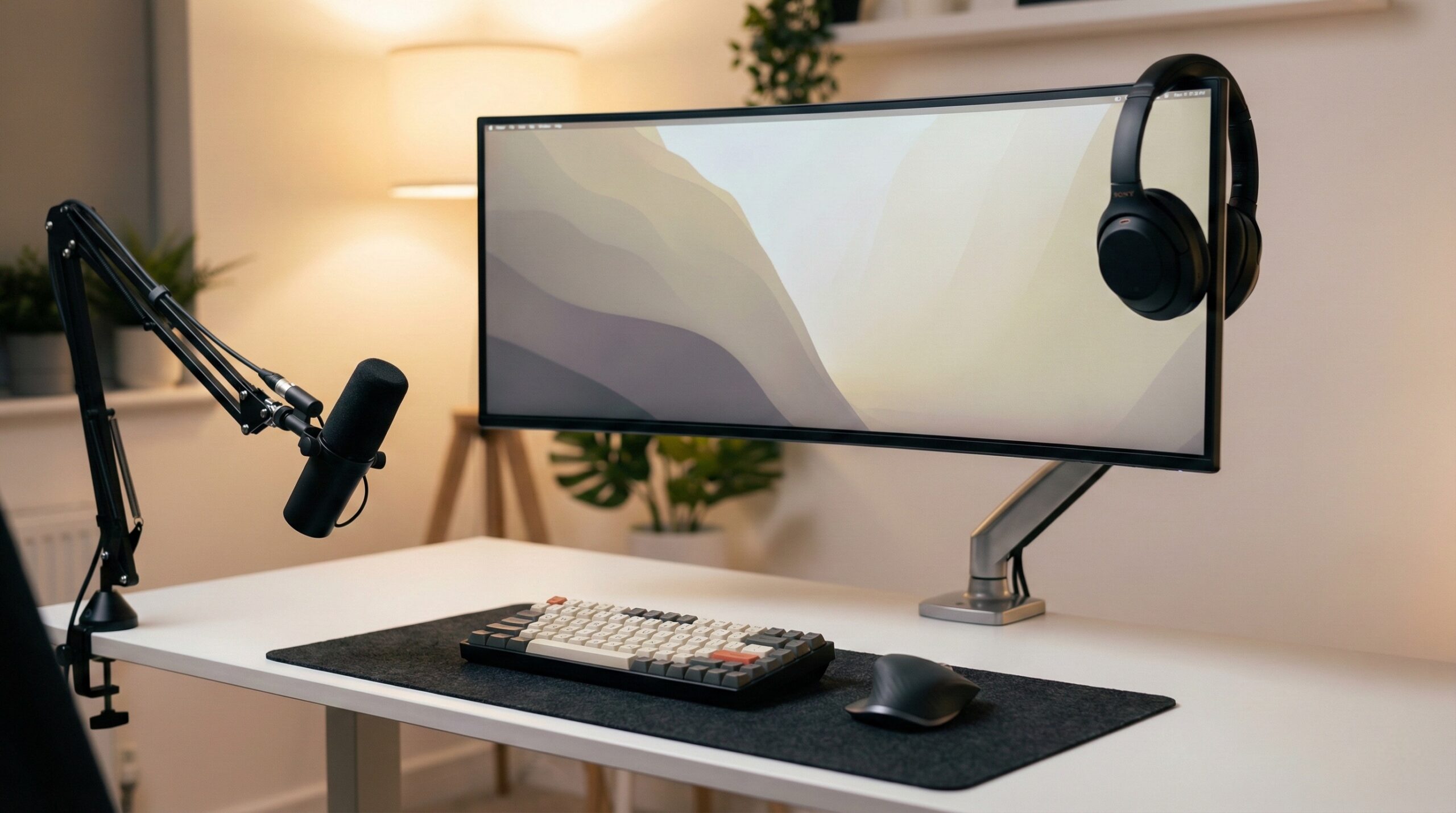
If you have upgraded to a 34-inch ultrawide or a massive 49-inch curved display, the LX won’t cut it. The Ergotron HX is the “heavy lifter” of the family. It is designed to support up to 42 lbs per monitor, which is double what most standard arms can handle. For analysts running a single ultrawide alongside a vertical 27-inch display, the HX provides the structural integrity needed to prevent the “sag of death” that ruins your ergonomic alignment.
What Works
- The only reliable option for heavy-duty ultrawide monitors that require high-tension tilts.
- Incredible stability; even on standing desks, the HX minimizes vibration better than almost any other arm on the market.
- Clean aesthetics that match modern high-end office decor.
What Doesn’t
- The price point is astronomical for a monitor arm, often costing as much as a mid-range monitor itself.
- The arm is quite bulky, which might look overwhelming on a smaller 48-inch desk.
Worth It? Best for Power users with ultrawide or heavy curved monitors who refuse to compromise on stability. Skip if you are using standard, lightweight 24-inch or 27-inch displays.
Vari Dual Monitor Arm
Vari has built its brand on making the home office easy to set up. Their dual monitor arm follows this philosophy perfectly. It features a simplified mounting system that can be installed in minutes without looking for a toolbox. While Ergotron feels like a piece of laboratory equipment, the Vari arm feels like a well-made consumer product. It uses a gas spring mechanism that is snappy and responsive, though perhaps not quite as “fluid” as the Constant Force tech in the LX.
What Works
- Installation is a breeze; the clamp is sturdy and fits most desk thicknesses without a struggle.
- Comes with a 360-degree rotation feature, making it easy to flip one monitor into portrait mode for reading long scripts or data tables.
- The cable management channels are intuitive and help keep your desk looking tidy.
What Doesn’t
- The height adjustment follows an arcing path, which can sometimes push the monitors closer to your face than you’d like as you raise them.
- Some users report that the tension can be difficult to fine-tune for very light monitors, causing them to drift upward.
Worth It? Best for Users who want a quick, reliable setup that integrates perfectly with other Vari products. Skip if you need ultra-precise, linear height adjustments.
Amazon Basics Monitor Arm
This is the “insider’s choice.” It is a poorly kept secret in the home office community that the Amazon Basics Premium arm is actually manufactured in the same factory as the Ergotron LX. It features nearly identical components and the same weight capacity. While you lose the polished finish and the premium Ergotron customer support, you gain the same mechanical performance for roughly half the price.
What Works
- Top-tier Ergotron-level performance at a much more accessible price point.
- Includes the same heavy-duty desk clamp and articulating arm design.
- Highly durable; these arms are known to last for years without losing tension.
What Doesn’t
- The branding is non-existent, and the matte black finish can look a bit “basic” compared to the Ergotron’s silver.
- Customer support for replacement parts or warranty claims can be more difficult through a giant retailer than a specialized manufacturer.
Worth It? Best for Value-conscious buyers who want Ergotron quality without the Ergotron price tag. Skip if you value brand prestige or high-touch customer service.
VIVO Dual Monitor Stand
If you are just starting your career as a data professional and need to get two screens off your desk for the lowest possible cost, VIVO is the go-to. These are simple, pole-mounted arms. They don’t have the fancy gas springs or fluid motion of the others, but they are surprisingly stable because they have fewer moving parts. You adjust the height by sliding a bracket up and down a central pole, then tightening a bolt.
What Works
- Extremely affordable, often costing less than a single dinner out.
- Very stable once tightened down; because they aren’t meant to move frequently, they don’t wobble much.
- Compact footprint that works well on small desks.
What Doesn’t
- Adjusting the height is a manual process that requires clearing your desk and using a wrench—not something you want to do often.
- The aesthetics are purely functional; it looks like office equipment, not a design piece.
Worth It? Best for Students or those on a strict budget who just need their monitors at eye level. Skip if you need to move your monitors daily or want a premium look.
Side-by-Side Comparison: Weight, Reach, and Ergonomics
| Product Name | Best For | Price Range | Pros/Cons | Visit |
|---|---|---|---|---|
| Ergotron LX Dual Monitor Arm | Daily Adjustments | $300 – $380 | Smooth motion / High assembly time | |
| Vari Dual Monitor Arm | Quick 5-Min Setup | $180 – $220 | Easy install / Arcing height path | |
| Ergotron HX Dual Monitor Arm | Ultrawide Screens | $320 – $450 | Heavy duty / Expensive | |
| Amazon Basics Monitor Arm | Maximum Value | $100 – $130 | Ergotron clone / No-frills look | |
| VIVO Dual Monitor Stand | Entry-Level Users | $30 – $50 | Very stable / Hard to adjust |
What Real Users Are Saying (Reddit Insights)
The Stability Factor: Performance on Carpet vs. Hard Floors
Stability is the most discussed topic in the r/StandingDesk community. Many users find that even a premium arm like the Ergotron LX can struggle if the desk is sitting on plush carpet. The consensus is that the floor type matters as much as the arm itself. Users on carpet often report a “sway” that is amplified by the height of the monitor. To mitigate this, community members recommend using a heavy-duty desk mat or even placing plywood under the desk feet to create a solid foundation.
“The key to stability is keeping the monitor as close as possible to the arm base. With the Ergotrons, they come with two extension arms—I actually remove one and push the monitor to be basically on top of the base. It makes it harder to adjust, but at 6’3″ and standing height, I get very minimal wobble.” — r/StandingDesk
The ‘Ergotron Clone’ Secret
Reddit’s r/battlestations is full of users who swear by the Amazon Basics “Premium” line. The design is identical to the Ergotron LX because Ergotron acts as the Original Equipment Manufacturer (OEM) for Amazon. Users frequently point out that while the finish might be slightly different, the internal springs and the casting of the metal parts are the same. This has led many to choose the Amazon version and spend the savings on better tech and peripherals for their setup.
Cons and Complaints: Authenticity Check
Despite the high praise, no product is perfect. One common complaint with the Vari system is the “arcing” movement of the gas spring. Unlike Ergotron, which allows for more independent vertical and horizontal movement, the Vari arm often moves the monitor closer to you as you raise it. For users with shallow desks (less than 30 inches deep), this can lead to the screens being uncomfortably close to the eyes. Additionally, Ergotron users sometimes complain about the “exponential” cost—asking if a $350 arm is really 10 times better than a $35 VIVO. The answer from the community is usually: “Only if you move it every day.”
The Analyst’s Layout: Optimizing for Dual Displays
Horizontal vs. Vertical (Portrait) Configurations
If you are working with long datasets, one of the most effective setups is a “T-Shape” or “L-Shape” layout. This involves one horizontal monitor for your primary work and one vertical monitor for your coding environment or terminal. This allows you to see hundreds of rows of data without scrolling. Both Ergotron and Vari support 360-degree rotation, but the Ergotron LX provides a slightly more “locked-in” feel when you rotate the screen, ensuring it stays perfectly level at 90 degrees.
For those who use a laptop as a secondary screen, pairing these arms with the best notebook stands for dual monitor setups can help align your laptop screen with your primary display, reducing neck strain during long research sessions.
The Extension Arm Hack: How to Reduce Wobble
As mentioned in the Reddit insights, the more “joints” you have extended, the more leverage physics has to create wobble. If you don’t need the monitors to reach far forward over your desk, you can often disassemble the arm and remove the middle “extension” segment. This keeps the center of gravity over the desk clamp and significantly increases rigidity. This is particularly useful for standing desk setups where the entire structure is naturally more prone to movement. If you find your screens are still shaking, check out Twelve South alternatives for dual monitor setups for other creative ways to stabilize your gear.
Other Notable Alternatives Worth Considering
While Ergotron and Vari lead the pack, several other options fit specific niches. The **Vari Cube Corner 36** and **Vari ProPlus 36** are not arms themselves but standing desk converters that work beautifully with the Vari dual arm, creating a cohesive, stable workstation for corner desks. If you are using an older **VariDesk Z-Lift Converter**, be sure to check the weight limits before adding a dual-arm system, as the total weight of the arms and monitors can exceed the lift capacity. For those with a massive budget, looking into specialized ergonomic setups from brands like Herman Miller (Ollin) or Humanscale can offer even more aesthetic “flair,” though the performance gain over the Ergotron HX is marginal.
For more advice on staying efficient while managing your tasks, our productivity tools section offers insights into the software side of the data analyst’s workflow.
Frequently Asked Questions
Is the Ergotron LX stable enough for a 32-inch monitor on a standing desk?
Yes, the Ergotron LX is rated for monitors up to 34 inches, including the 32-inch LG displays popular among analysts. However, stability on a standing desk depends largely on the desk’s quality. If you experience wobble, try the “extension arm hack” by removing one of the middle segments to keep the weight closer to the clamp. For ultra-heavy 32-inch gaming monitors, the Ergotron HX might be a safer long-term bet.
Why is Ergotron significantly more expensive than Vari or VIVO?
Ergotron uses patented Constant Force technology and higher-grade materials like polished aluminum. This allows for a much smoother range of motion compared to the gas springs used in the Vari Dual Monitor Arm or the manual bolts on a VIVO Stand. You are paying for the engineering that allows the monitor to “float” effortlessly, as well as a 10-year warranty that is standard in the professional industry.
Does the Vari Dual Monitor Arm support 360-degree rotation?
Yes, the Vari Dual Monitor Arm features a VESA plate that allows for 360-degree rotation. This is essential for data analysts who need to switch a monitor to portrait mode for reviewing long scripts or SQL queries. The tension can be adjusted to make the rotation easier or firmer depending on your preference, though it may require re-leveling the monitors after a few flips.
Are Amazon Basics monitor arms actually manufactured by Ergotron?
While Amazon does not explicitly advertise it, the Amazon Basics Premium Monitor Arm is widely known to be an OEM version of the Ergotron LX. They share the same internal mechanical spring design and weight specifications. It is a fantastic alternative if you want the high-end performance of an Ergotron without the $300 price tag, though you will miss out on Ergotron’s premium finishes and customer support.
Can I use Vari monitor arms with non-Vari desks?
Absolutely. While the Vari arm is designed to pair perfectly with the Vari Electric Standing Desk and their desktop converters, the clamp is a standard universal design. It will fit on almost any desk with a thickness between 0.5″ and 2.5″. Just ensure your desk surface is solid wood or high-quality MDF, as the pressure from a dual-monitor clamp can crack thin honeycomb-style IKEA desks.
How do I fix screen wobble when typing on a carpeted floor?
Wobble on carpet is usually caused by the desk feet sinking into the padding. First, ensure your desk is perfectly level. Second, tighten the tension on your monitor arms—whether it’s an Ergotron LX or a Vari arm—so there is no “play” in the joints. Finally, consider placing a rigid mat or small wooden blocks under the desk feet to create a more stable base that doesn’t compress when you type.
Final Verdict: Which Setup Wins for Data Professionals?
Choosing between Ergotron and Vari comes down to your tolerance for vibration and your desire for adjustability. If you are a data professional who frequently shares screens or changes from sitting to standing, the investment in an Ergotron LX or HX is justified by the fluid movement and superior build quality. These arms are designed to last for a decade, surviving multiple monitor upgrades. In 2026, we see even more analysts moving toward ultrawide setups where the HX becomes the only viable choice for long-term health and stability.
However, if you are looking for a straightforward, high-quality solution that matches a professional home office aesthetic without the “industrial” look of Ergotron, the Vari Dual Monitor Arm is a fantastic middle ground. And for the budget-conscious analyst, the Amazon Basics arm remains the best value-for-money secret in the industry. Whatever you choose, remember that the goal is to create a space where the tech disappears and the data takes center stage.
Disclosure: We earn a small commission on qualifying purchases through our Amazon links, at no extra cost to you. Our reviews are based on independent research and community feedback.