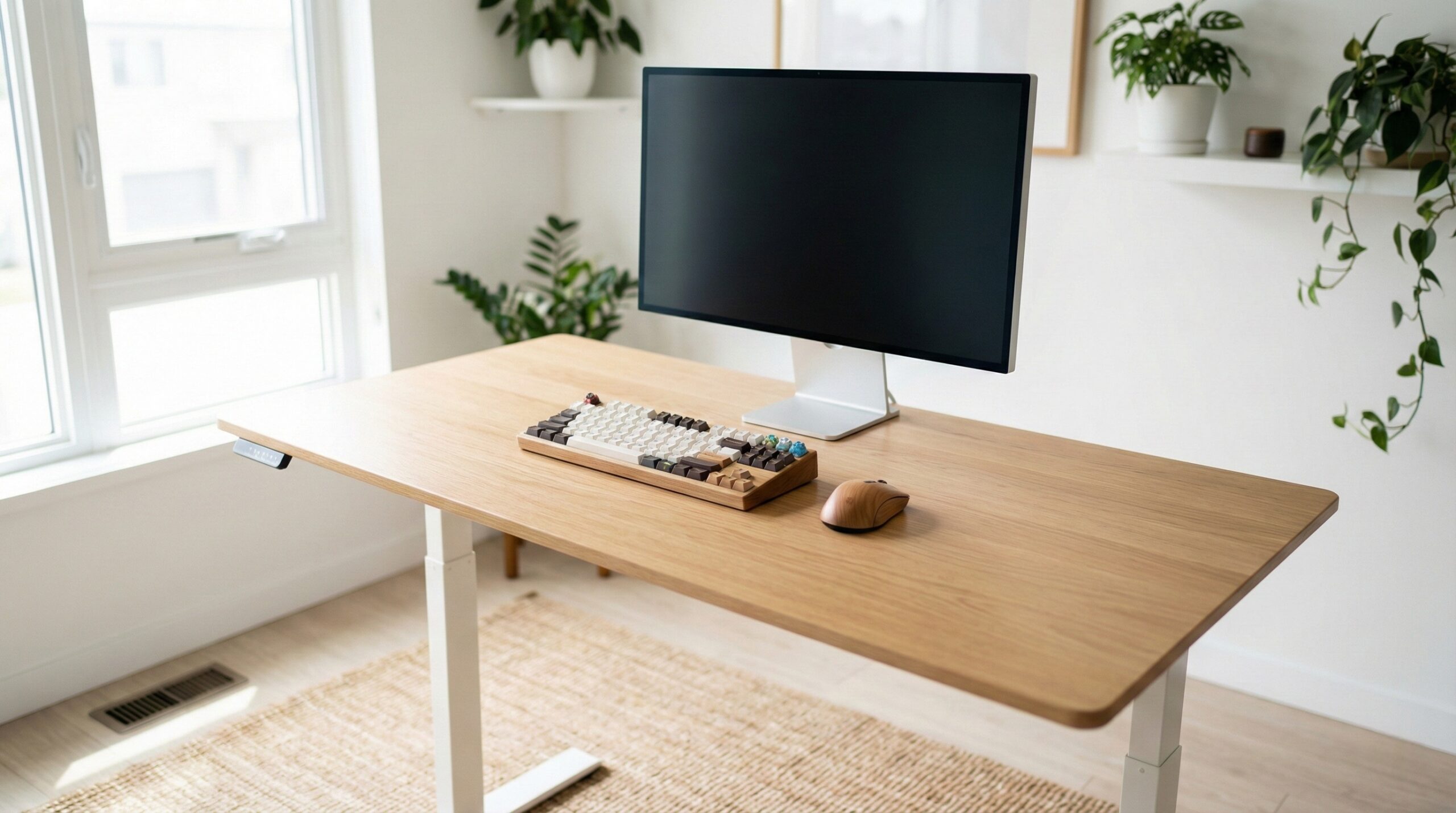
TL;DR
A DIY standing desk makes the most sense when you want a custom top, specific dimensions, or better-looking materials than many prebuilt desks offer. In most cases, the frame matters more than the desktop: get a base that fits your seated and standing height needs, handles your real load, and stays stable before you spend extra on butcher block or solid wood.
For most buyers, a frame-only option like the iMovR P1 ELITE makes sense if you care most about build quality and customization, while a heavier-duty complete base option like the UPLIFT 4-leg design can appeal if you want maximum stability and have the budget for it.
What DIY Standing Desk Actually Is
A DIY standing desk usually does not mean building the lifting mechanism from scratch in a garage workshop. For most home office buyers, it means buying a motorized sit-stand frame and then adding your own desktop. That top might be laminate, MDF, butcher block, or solid wood, depending on your budget, style, and how much finishing work you want to do.
This approach is popular because it gives you more control over the final desk. Maybe you need a nonstandard width for a tight room, extra depth for monitor distance, or a wood species that looks better than a factory top. Maybe you want cleaner cable routing, a custom edge profile, or a top thick enough to feel more substantial. DIY lets you make those choices yourself instead of accepting a one-size-fits-most package.
The catch is that DIY is not automatically the cheapest route. A good frame is often the biggest cost, and premium tops can add a lot once you factor in finishing supplies, mounting hardware, and shipping. User reports often show that people choose DIY less for rock-bottom savings and more for better materials, a cleaner look, or a size they could not buy off the shelf.
Ergonomically, the frame is the critical part. Evidence from OSHA computer workstations and Cornell ergonomics research points to the same basic principle: your work surface should support neutral arm and wrist posture in both seated and standing positions. That means the desk needs to go low enough for your seated keyboard height and high enough for your standing elbow height after your chosen top is installed.
That is why we tell most buyers to think about the formula in this order: frame range, frame stability, frame load capacity, then desktop material and finish. A beautiful walnut top does not fix a desk that wobbles at standing height or bottoms out too high for proper seated posture. Likewise, an oversized top can make a good frame feel worse if it exceeds the frame’s intended footprint or adds too much weight.
If you are planning a build, it also helps to think beyond the visible surface. Monitor arms, power strips, cable trays, and under-desk accessories all compete for space under the top. A DIY desk works best when you plan that layout before drilling, not after everything is assembled.
Who DIY Standing Desk Fits Best
A DIY standing desk fits buyers who care about customization more than convenience. If you already know the width, depth, material, and finish you want, this route can be much more satisfying than settling for a bundled desk with a generic top. It also works well for home office workers who want a shallower desk for a small room, a wider desk for dual monitors, or a real wood top that can be refinished later.
It is also a strong fit for buyers who understand that ergonomics starts with fit, not looks. If you are willing to measure your seated keyboard height, standing elbow height, and total accessory load before ordering, you are more likely to get the benefits of a sit-stand setup without the common mistakes. Guidance from OSHA and Mayo Clinic-style ergonomics advice generally supports adjusting the workstation to the body, not the other way around.
DIY can be especially appealing if you dislike thin factory tops. Laminate still has a place if budget matters most, but buyers who want a warmer, more furniture-like look often prefer butcher block or solid wood. Those materials usually look better and can hold up well over time, though they also weigh more and cost more.
If you like to pre-plan cable routing, controller placement, and monitor arm locations, DIY is a good match. You can drill only where it makes sense for your exact layout, and that often leads to a cleaner daily setup.
The strongest fit in the current options is the iMovR P1 ELITE frame-only package because it is designed specifically for buyers supplying their own top. One owner summed up the appeal clearly: “It is built like a tank (steel frame with crossbar), and has the revered linak motors( there are a couple brands that have this).” — DIY buyer praising build on r/StandingDesk
In plain terms, this category fits you best if you want control. You are not just buying a desk; you are deciding how big it should be, how it should feel at sitting and standing heights, what material you touch every day, and how the underside gets organized. For many home office workers, that extra effort pays off in a desk that feels more personal and more usable long term.
Who Should Skip DIY Standing Desk
You should probably skip the DIY route if your top priorities are the lowest total cost, the fastest setup, or one warranty covering the whole desk. A prebuilt standing desk is usually simpler: fewer decisions, fewer chances to drill in the wrong place, and less concern about whether the desktop weight and dimensions are ideal for the frame.
DIY is also a weaker fit if you are still unsure about your ideal desk size or monitor layout. Building around the wrong top can be expensive, especially if you choose heavy hardwood and later realize the desk is too deep for your room or too wide for the frame to feel stable. Wider and heavier tops can amplify wobble, particularly with monitor arms and taller standing users.
Buyers who are very price-sensitive should also be cautious. Good frame-only options are not cheap, and once you add a quality top, finish, hardware, and accessories, the total can climb quickly. One user report on the iMovR frame captures that downside well: “I chose the iMovR lander frames which were around $799. They were on the pricy side and I got a 10% off coupon.” — DIY buyer noting high price on r/StandingDesk
This path may also frustrate people who do not want to measure carefully. You need to verify minimum and maximum height, supported top dimensions, load capacity, and under-desk clearance before buying. A desk that looks good but forces your shoulders up while seated is not a win. CDC NIOSH ergonomics guidance reinforces that poor workstation fit can contribute to discomfort over time.
Finally, skip DIY if you are not comfortable with assembly logistics. Heavy butcher-block tops may need two people to move safely, screw length matters, and poor cable planning can lead to snags or collisions when the desk travels through its full range. If that sounds more stressful than enjoyable, a well-matched prebuilt desk is likely the better buy.
Price and Value
DIY standing desks can land in very different price bands, which is why it helps to separate frame cost from total project cost.
The iMovR P1 ELITE frame-only option sits around $745 to $795. That is a premium starting point for just the base, but the value case is straightforward: you are paying for a purpose-built DIY frame instead of a full desk package that includes a top you may not want. If you already have a good desktop, or you plan to buy a top that looks far better than standard bundled options, the math can still make sense.
The UPLIFT 4-leg V2-Commercial option falls around $1,000 to $1,100. That puts it in a more premium bracket, and for many buyers it will be overkill. But a 4-leg design can make sense if your priority is stability, especially with a larger work surface, heavier equipment, or a setup that includes multiple monitors and arms.
The bigger value question is not just what the frame costs. It is what your full build costs after the top, finish, hardware, and accessories are added. A low-cost laminate or MDF top can keep a project relatively reasonable. A butcher block or solid wood slab can quickly turn the desk into a premium furniture-style purchase. That is not necessarily bad value; it just means DIY often shifts from a budget strategy to a customization strategy.
In practical terms, we think the best value usually comes from spending enough on the frame to get the right height range and stability, then choosing the least expensive top that still meets your appearance and durability goals. For some buyers, that means saving with laminate. For others, it means paying more for butcher block because they want a desk that looks less like office equipment and more like permanent furniture.
Also remember that a heavier top is not a free upgrade. It can improve feel and aesthetics, but it also eats into the frame’s usable load capacity. That matters if you use large monitors, mounted arms, speakers, or under-desk accessories. If your budget is tight, it is often smarter to buy a better frame and a simpler top than the reverse.
Common Mistakes When Trying DIY Standing Desk
The biggest mistake is focusing on the desktop first and treating the frame like an afterthought. Buyers often get excited about wood species, stains, and edge profiles, but daily comfort comes from whether the desk actually fits your body and stays stable while moving and at standing height.
A close second is failing to check minimum seated height after top thickness is added. A frame might look fine on paper, but if the top adds extra height and your chair, keyboard, and body dimensions need a lower seated position, you can end up with a desk that is too tall to use comfortably. Research suggests this matters more than many buyers assume, since neutral arm positioning is a core part of workstation ergonomics.
Another common error is underestimating total weight. The frame has to lift not just the top, but also monitors, arms, speakers, laptops, docks, and anything mounted underneath. If you choose a thick butcher-block top and then add dual monitor arms, you can eat up capacity fast.
Planning cable management too late is another recurring problem. Many home office worker reviews mention frustration after discovering that a cable tray, power strip, or handset mount conflicts with frame rails or motor housing locations. Mocking up the underside before drilling saves a lot of headaches.
Screw length is another simple but costly mistake. If the screws are too long for the top thickness, you risk puncturing the work surface. If they are too short, the frame attachment may be weaker than intended. This is especially important with custom tops, where thickness can vary more than on bundled desks.
Some buyers also assume that a larger top is always better. More surface area is useful, but oversized tops can reduce stability and may exceed what the frame was really meant to support. That matters more at tall standing heights and with monitor arms clamped toward the back edge.
One user report highlights how buyers can get pulled toward premium gear without fully accounting for budget tradeoffs: “I chose the iMovR lander frames which were around $799. They were on the pricy side and I got a 10% off coupon.” — DIY buyer noting high price on r/StandingDesk
Finally, do not skip the first full travel test after assembly. Cycle the desk through its complete range and watch for cable snags, wall contact, uneven motion, or wobble. This is the moment to correct problems before the desk becomes part of your daily routine.
FAQ
Does a DIY standing desk save money?
Not always. DIY can save money if you already have a usable top, access to affordable materials, or want to avoid paying for a bundled desktop you would replace anyway. But many builds end up costing more once you add a premium frame, hardwood or butcher block, finishing supplies, and accessories. For many buyers, the real benefit is customization rather than the absolute lowest price.
What matters more: the frame or the desktop?
The frame matters more for ergonomics, height fit, lifting performance, and stability. The desktop changes appearance, size, touch feel, and to some extent durability. If you have to prioritize, buy the best frame you can reasonably afford first, then choose a top that fits your budget and style goals.
How do I know whether a frame goes low enough for me?
Measure your ideal seated keyboard height and compare it with the desk’s minimum height after your desktop is installed. Do not rely only on the advertised standing range. Guidance from OSHA computer workstations and Cornell ergonomics research can help you think through neutral seated posture, keyboard position, and monitor placement.
Is a heavier wood top always better?
No. A heavier top can look better and feel more substantial, and solid wood or butcher block may offer better long-term refinishability than thin composite tops. But extra weight reduces the frame’s remaining load capacity and can make a weak base feel less stable. Heavier tops also make installation harder and may require two people to mount safely.
Will a larger desktop make a standing desk wobble more?
It can. A wider or deeper top can increase leverage on the frame, especially at taller standing heights and when using monitor arms. That does not mean you should avoid larger tops, but you should stay within the frame maker’s supported dimensions and think carefully about your load and accessory placement.
What desktop material is best for a DIY standing desk?
The best material depends on your priorities. Laminate and MDF usually cost less, weigh less, and need less finishing work. Butcher block and solid wood usually look better, feel more furniture-like, and can often be refinished later. If your budget is limited, a simpler top paired with a better frame is often the smarter overall setup.
Do I need to plan cable management before assembly?
Yes. It is much easier to map cable routes, controller position, power strip placement, and accessory clearances before you drill. Under-desk rails, control boxes, and motor housings can interfere with trays or mounts if you improvise later. A quick mock-up can prevent snags and collisions during full desk travel.
Should I talk to a professional before setting up a sit-stand desk?
If you have pain issues, unusual body proportions, or trouble getting a comfortable setup, it can help to consult a certified ergonomist or occupational therapist. General guidance from CDC NIOSH ergonomics and OSHA workstation chairs is useful, but a professional can help tailor desk, chair, monitor, and keyboard positions to your specific needs.
Looking for these on Amazon? Browse diy standing desk on Amazon →
Bottom Line
A DIY standing desk is a smart buying path when you want custom dimensions, better materials, or more control over the finished look than a standard prebuilt desk gives you. The key is to treat the frame as the main decision: height range, load capacity, and stability will affect comfort far more than a premium top alone.
If you buy with that order of priorities, DIY can be a very satisfying home office upgrade. Start with the best-fitting frame you can justify, then choose a desktop material that matches your budget, style, and tolerance for extra weight and finishing work.
Affiliate disclosure: This page includes affiliate links. Purchases through these links support our work at no added cost.