Quick Hits
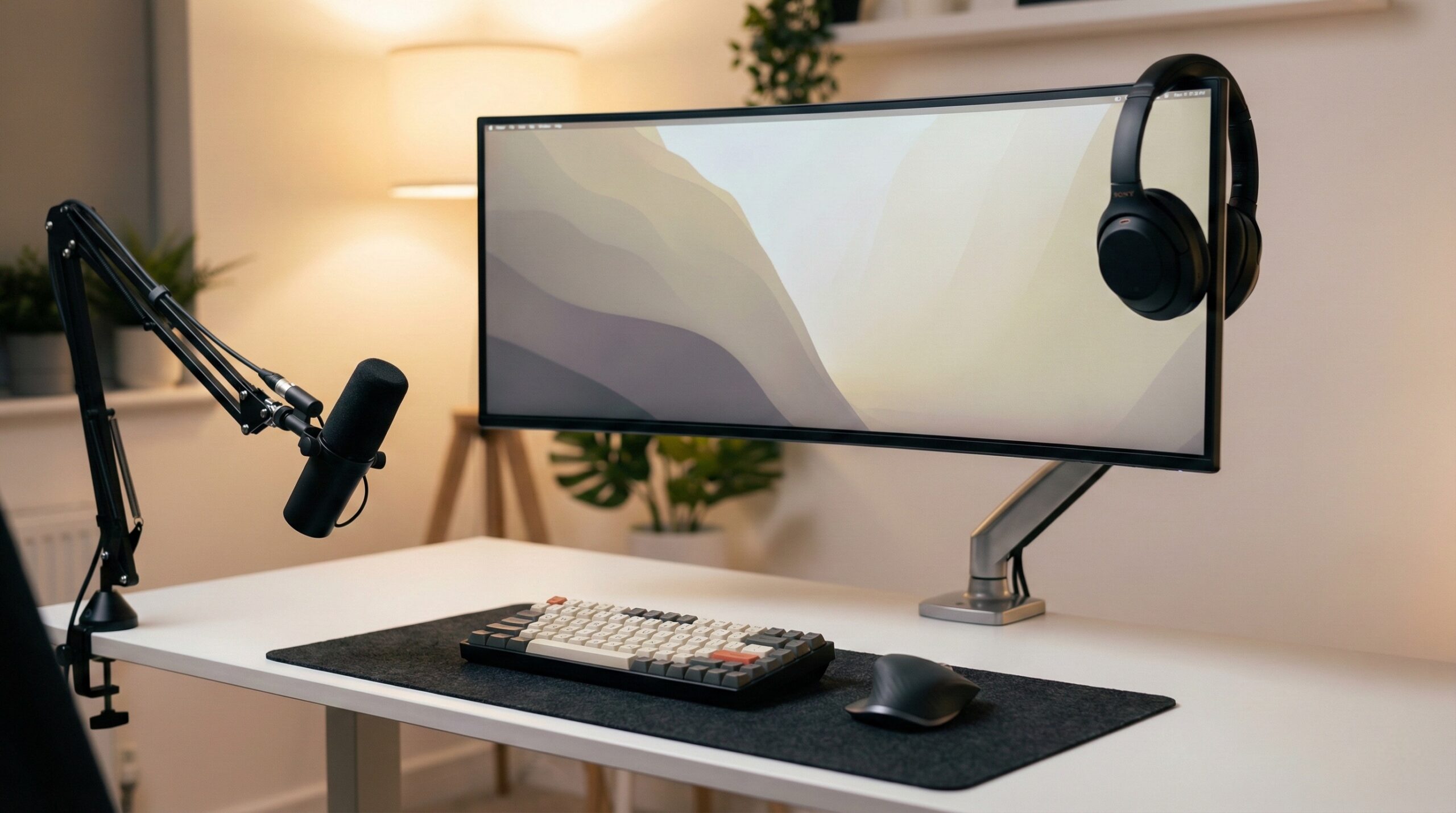
Choosing between a curved and flat monitor often comes down to how you perceive space and how you handle color. Curved monitors, particularly in ultrawide formats, excel at creating an immersive environment that mimics the natural curvature of the human eye, which can reduce neck strain during long sessions. Flat monitors remain the gold standard for creative professionals who require absolute geometric precision and color consistency across the entire panel. While 27-inch curved screens are often debated as being more about marketing than utility, larger 34-inch and 38-inch displays almost necessitate a curve to keep the edges within your peripheral vision. This guide explores the technical nuances, real-world user complaints like corner light bleed, and specific model recommendations to help you decide which setup will best support your daily workflow.
After testing dozens of displays in my own home office over the years, I’ve learned that the “perfect” monitor doesn’t exist—only the one that fits your specific desk depth and task list. I remember switching from dual 24-inch flats to a single 34-inch curved ultrawide and feeling an immediate relief in my neck, but I also missed the crisp, straight lines when I had to jump into a quick photo edit. It’s a trade-off that requires an honest look at your habits.
The Core Technical Differences
Understanding Curvature Ratings (1500R, 1800R, 3800R)
When you browse for curved displays, you’ll see numbers followed by an “R”—like 1500R or 1800R. This refers to the radius of the curve in millimeters. If you were to place enough of those monitors side-by-side to form a complete circle, the radius of that circle would be 1500mm or 1800mm. Paradoxically, a lower number means a more aggressive curve. A 1500R monitor is “curvier” than an 1800R one.
Your choice here depends on your desk depth. If you sit very close to your screen, a more aggressive 1500R curve helps keep the entire display at an equal distance from your eyes. If your desk is deeper and you sit further back, a subtle 3800R curve provides just enough wrap-around feel without making the screen feel like it’s swallowing your vision.
Field of View and the Human Eye
Our vision isn’t flat; it’s arc-shaped. Curved monitors leverage this by directing light from the edges of the screen toward your eyes rather than past them. This reduces the need for your eyes to constantly refocus as you look from the center to the corners. If you find yourself leaning in or squinting at the edges of a large flat screen, your workspace might benefit from a more thoughtful desk and workspace setup that prioritizes these ergonomic angles.
The Case for Curved Monitors: Immersion and Ergonomics
Why Ultra-Wides Demand a Curve
Once you cross the threshold into ultrawide territory (21:9 aspect ratio or higher), a flat panel becomes a liability. On a flat 34-inch or 49-inch screen, the far edges are significantly further from your eyes than the center. This creates a “distorted” perspective where the edges look washed out because of the viewing angle. A curve brings those edges back into the “sweet spot,” ensuring color and contrast remain consistent from edge to edge.
Reducing Neck Strain in Professional Setups
In a dual-flat monitor setup, you are constantly swiveling your neck to look at the secondary screen. Over an eight-hour day, this micro-movement adds up. A single large curved display allows you to move your eyes more and your neck less. For those already dealing with discomfort, pairing a curved screen with the right ergonomic seating reviews can significantly improve your long-term health in 2026 and beyond.
The Case for Flat Monitors: Precision and Predictability
Color Accuracy and Lack of Distortion for Designers
If your work involves drawing straight lines—think architecture, CAD, or graphic design—a curved monitor can be your worst enemy. The physical bend of the glass creates a subtle optical illusion where perfectly straight horizontal lines appear slightly bowed. While your brain usually adjusts to this for text and gaming, it makes “eyeballing” a design layout nearly impossible. Flat monitors provide a true-to-life representation of geometry.
Consistency in Backlighting and Contrast
Curved panels, especially those using VA (Vertical Alignment) technology, often struggle with uniform backlighting. Because the layers of the screen are physically bent, the tension can cause light to “leak” from the corners or create “clouding” in dark scenes. Flat IPS panels are generally superior for achieving a uniform black level across the entire surface, which is vital for high-end photo editing.
What Real Users Are Saying (Reddit Insights)
User Sentiment: The 27-Inch Debate
On forums like r/buildapc, the consensus on 27-inch curved monitors is mixed at best. Many users argue that at this size, the screen isn’t wide enough for a curve to provide any actual ergonomic benefit. As one user noted:
“Are 27-inch curved monitors worth it? No difference noticeable after a couple of minutes. It feels like a marketing gimmick at that size.” — r/buildapc
The general advice is to stick with flat for 27 inches unless you simply prefer the aesthetic.
Professional Workflow: Editing and Motion Graphics
For video editors on r/editors, the shift toward curved ultrawides is driven by timeline management. Having a massive, seamless timeline that wraps around your field of view is often cited as more efficient than having the timeline cut in half by the bezels of two flat monitors. However, many still keep a smaller, high-accuracy flat monitor off to the side for final color grading.
Cons & Complaints: The Real-World Downside
- Batman Light Bleed: A frequent complaint on Reddit regarding curved VA panels is the “Batman” bleed—light patches in the corners that look like bat wings. This is a side effect of the manufacturing process of bending the panel.
- The Distance Factor: If you like to lean back in your chair to watch a movie, a curved monitor can be frustrating. The “sweet spot” is very specific; sit too far back, and the image can look distorted.
- Pixel Loss: Users on r/ultrawide masterrace often point out that one 3440x1440p ultrawide actually has fewer pixels than two 1080p monitors. You gain seamlessness but sometimes lose total vertical or horizontal “real estate.”
| Product Name | Best For | Price Range | Pros/Cons | Visit |
|---|---|---|---|---|
| LG 38-inch (3840×1600) | Maximum Productivity | $850 – $1,100 | + Massive workspace – Expensive |
|
| ViewSonic ColorPro | Design & Color Work | $350 – $600 | + Precise colors – Flat immersion |
|
| LG 34-inch Ultrawide | General Office Sweet Spot | $300 – $500 | + Great value – Standard height |
|
| Monoprice 42772 | Budget Gaming | $250 – $350 | + Affordable 144Hz – Build quality |
|
| ViewSonic Gaming Series | Competitive FPS | $200 – $400 | + Low latency – Smaller size |
LG 38-inch (3840×1600)
If you have the desk space and the budget, this is often considered the “end-game” for productivity. The 3840×1600 resolution gives you the width of two 1080p screens but adds significantly more vertical space than a standard 34-inch ultrawide. In my experience, those extra vertical pixels are the difference between seeing a few rows of a spreadsheet and seeing the whole picture.
What Works
- Huge amount of vertical real estate compared to standard 1440p ultrawides.
- The gentle curvature feels natural and keeps all windows within reach without massive head movements.
- Built-in USB-C power delivery often simplifies cable management.
What Doesn’t
- The price tag is substantial, often double that of 34-inch models.
- Requires a very sturdy desk and potentially a premium monitor arm like those found in our Ergotron vs Vari comparison.
Worth It? Best for Power Users who live in complex spreadsheets or multiple browser windows. Skip if you have a shallow desk or a limited budget.
ViewSonic ColorPro
The ViewSonic ColorPro series is built for people who care about the difference between “Navy” and “Midnight Blue.” These are flat panels designed to provide a perfect canvas. When I used this for photo editing, I appreciated that I didn’t have to worry about the edges of my frame shifting in color as I moved my head.
What Works
- Industry-leading color accuracy out of the box with Pantone validation.
- The flat panel ensures that every horizontal and vertical line is physically straight.
- Uniformity calibration ensures the backlight is consistent across the entire screen.
What Doesn’t
- Lacks the “wrap-around” immersion of curved models.
- Refresh rates are typically lower (60Hz), making it less ideal for high-speed gaming.
Worth It? Best for Graphic Designers and Photographers who need visual truth. Skip if you primarily use your monitor for gaming or immersive cinema.
LG 34-inch Ultrawide
This is the standard-bearer for the curved monitor world. It’s wide enough to feel like a significant upgrade from a single flat screen but affordable enough for most home office budgets. It strikes a balance that works for about 80% of users.
What Works
- The 21:9 aspect ratio is perfect for side-by-side window snapping.
- IPS panel provides much better viewing angles than budget VA curved screens.
- Generally fits well on standard 48-inch to 60-inch desks.
What Doesn’t
- The 1440p vertical resolution can feel cramped if you are used to 4K displays.
- Stand adjustments are sometimes limited on the entry-level SKUs.
Worth It? Best for General Productivity and casual multitasking. Skip if you require 4K-level pixel density for fine detail work.
Monoprice 42772
This model is a favorite in the budget community because it brings a 144Hz refresh rate and a curved ultrawide panel to a price point that usually only buys a basic flat screen. It uses a VA panel, which means deep blacks but potentially more issues with corner light bleed.
What Works
- Incredible value for the specs provided.
- High refresh rate makes the entire Windows UI feel smoother.
- Deep contrast ratios typical of VA technology.
What Doesn’t
- Users report inconsistent quality control, particularly regarding dead pixels.
- The “Batman light bleed” mentioned by Reddit users is more common here.
Worth It? Best for Gamers on a Budget who want the ultrawide experience. Skip if you are sensitive to backlight uniformity issues.
ViewSonic Gaming Series
The ViewSonic Gaming Series (often branded as OMNI) focuses on speed. While many gaming monitors are going curved, ViewSonic offers several high-refresh flat options that are favored by competitive shooter players who want zero distortion when aiming.
What Works
- Fast response times that eliminate ghosting in fast-moving scenes.
- Flat screen is preferred by many professional FPS players for consistent muscle memory.
- Relatively affordable compared to “designer” flat screens.
What Doesn’t
- Standard 16:9 aspect ratio offers less “work” space for multitasking.
- The aesthetic is often “gamery,” which might not fit a minimalist professional office.
Worth It? Best for Competitive Gaming and those who prefer a traditional aspect ratio. Skip if you need to open three windows side-by-side.
Best Curved vs Flat Setup by Work Style
Best for Competitive Gaming (Fast Shooters)
For high-stakes gaming, a flat 24-inch or 27-inch monitor like the ViewSonic Gaming Series is often the winner. You want your entire field of view to be predictable, and a flat screen ensures that a target on the edge of the screen is physically the same size as one in the middle. If you decide to go dual, consider using notebook stands for dual monitor setups to keep your laptop screen as a secondary reference.
Best for Creative Professionals (Video & Photo)
Go with a high-end flat IPS display like the ViewSonic ColorPro for your primary work. If you must have a curve for timeline management, the LG 38-inch (3840×1600) is the best compromise, as its larger size and higher resolution mitigate many of the “cramped” feelings of smaller ultrawides.
Best for Productivity and Office Work
The LG 34-inch Ultrawide is the champion here. The curve makes the wide screen comfortable for all-day use, and the extra horizontal space allows you to keep Slack, a browser, and a document open simultaneously without the clutter of multiple monitor stands and cables.
Other Notable Alternatives Worth Considering
- ViewSonic WorkPro: A solid middle-ground for office use that balances price with ergonomic stands. Check Price
- ViewSonic Essential Series: The best choice for those who just need a reliable, flat 1080p screen for a basic home office setup. Check Price
- VA Curved Panels (Generic): Often found in 27-inch sizes, these offer high contrast for movie watching but be wary of the “Batman bleed.” Check Price
Optimizing Your Workspace: Tools and Software
Managing Windows on Ultra-Wide Displays
The biggest hurdle with a curved ultrawide is that the default Windows snapping only allows for two side-by-side windows. To truly leverage the space, use FancyZones (part of Microsoft PowerToys) or Divvy. These allow you to create custom grids—for example, a large center window for your main task and two narrow windows on the curved edges for email and chat.
Color Calibration Tools for Curved Panels
Because curved screens can suffer from viewing angle shifts, calibrating them is essential. Tools like the Datacolor Spyder can help ensure that what you see on your curved display matches what will eventually be printed or viewed on other devices. This is especially important for the tech peripherals and accessories you use to maintain a professional output.
Frequently Asked Questions
Are 27-inch curved monitors actually worth it?
Generally, no. At 27 inches, the screen isn’t wide enough for your eyes to benefit from the curve’s ergonomic wrap. Most users find that a flat 27-inch display like the ViewSonic ColorPro offers a more consistent experience. A curve only becomes truly beneficial once you move into the 34-inch ultrawide category where the edges are physically further from your eyes.
Why do curved monitors have more light bleed than flat ones?
This is primarily a physical issue. To create a curved monitor, manufacturers have to bend the panel layers. This creates tension, particularly at the corners, which can allow the backlight to “leak” through. This is most common in VA panels like the Monoprice 42772. Flat panels don’t face this physical stress, resulting in more uniform blacks.
Is a curved monitor better for FPS and fast shooters?
It depends on your preference for immersion versus precision. Many competitive players prefer a flat screen from the ViewSonic Gaming Series because it maintains consistent geometric proportions. A curved screen can make the edges feel more immersive, but it can also subtly change how you perceive distances when aiming at targets in your peripheral vision.
Do curved monitors distort lines for graphic designers?
Yes, slightly. Because the screen is physically bent, a straight line on the screen will appear to have a subtle arc. While this is unnoticeable for general office work or gaming, it can be a major problem for designers who need to ensure perfect alignment. Most creative professionals opt for flat panels for their primary design work to avoid this optical distortion.
What is the difference between 1500R and 1800R curvature?
The number represents the radius of the curve in millimeters. Therefore, 1500R is a “tighter” or more aggressive curve than 1800R. If you sit very close to your monitor, a 1500R curve like that on the Monoprice 42772 might feel more comfortable. If you sit further back at a deep desk, a gentler 1800R or 3800R curve is usually preferred to prevent the “wrap-around” from becoming overwhelming.
Final Verdict: How to Choose Your Next Display
The choice between curved and flat isn’t about which technology is “better,” but which one complements your daily tasks. If your day consists of juggling five different apps, a 34-inch or 38-inch curved ultrawide will likely change the way you work for the better by reducing neck strain and increasing usable space. However, if your work requires absolute precision or you are a competitive gamer who thrives on consistency, the classic flat panel remains unbeaten.
Take a look at your current desk depth before buying. If you’re using a shallow desk, an aggressive curve might feel too close for comfort. For more advice on building out your ideal workspace, check out our guides on tech and peripherals to see how your monitor choice interacts with the rest of your gear.
This page includes affiliate links. Purchases through these links support our work at no added cost.
Affiliate disclosure: This page includes affiliate links. Purchases through these links support our work at no added cost.