TL;DR
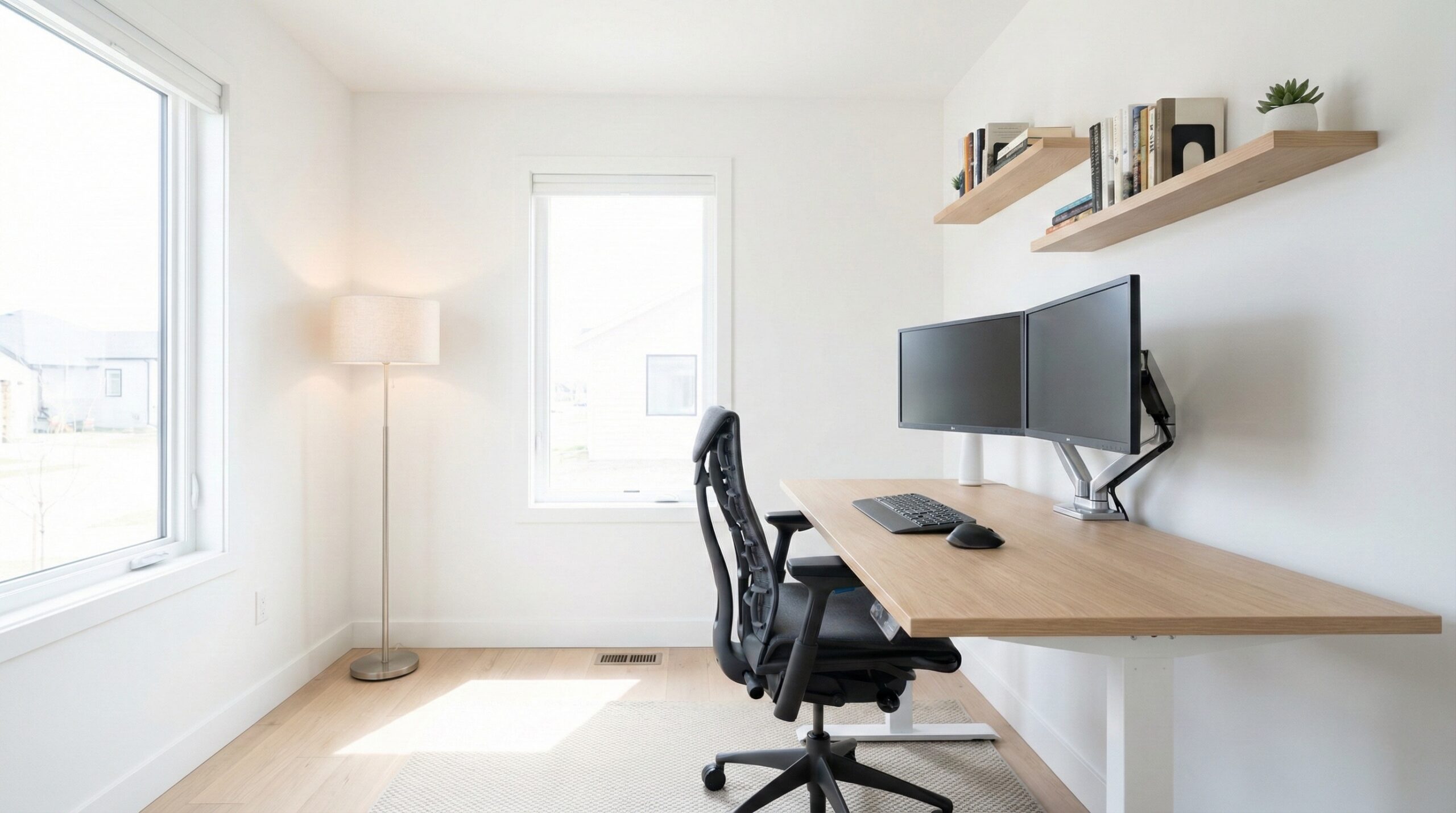
The best home office shelving is the one that matches your wall type, your heaviest items, and how often you expect to reconfigure. In most home offices, a wall-mounted track system anchored into studs offers the best mix of flexibility and small-footprint storage; if you can’t drill (or your wall structure is uncertain), a sturdy freestanding bookcase anchored with anti-tip hardware is usually the safer bet.
What Home Office Shelving Actually Is
“Home office shelving” isn’t one product so much as a storage system that moves work stuff off your desk and into an organized zone you can reach comfortably. In practice, you’re choosing between a few common formats — each with predictable strengths and failure points — then sizing and installing it so it actually holds your real-world loads (books, paper, devices) without sagging, wobbling, or getting in the way.
Most options fall into three buckets:
- Wall-mounted track/rail systems (vertical standards with adjustable brackets): These are popular for home offices because you can change shelf heights later without re-drilling every time. They also keep your floor clear — helpful in tight rooms where chair movement matters. The “formula” is: stud/anchor strength + rail spacing + bracket depth + shelf thickness equals how stable the setup feels and what it can hold.
- Fixed wall shelves (floating shelves, bracketed shelves, cubby rails): These can look cleaner, but they’re less forgiving. If you misjudge height, hit an outlet, or later need to store taller binders, you may end up patching holes and starting over. The “formula” here is: good mounting points + correct anchors for your wall type + short spans to reduce sag.
- Freestanding bookcases and etagere-style shelves: These avoid drilling (sometimes entirely), and they’re easy to move if you rent or frequently rearrange. The tradeoff is footprint and stability — tall storage should be anchored to the wall to reduce tip-over risk, especially with kids or pets in the home. The “formula” becomes: rigid frame + adjustable shelves + anti-tip anchoring.
Before you decide, do two quick reality checks:
- Load check: Identify your densest items (textbooks, binders, paper reams, small UPS battery backups, printers). Dense loads are what expose weak shelves and weak anchors. Also note that load rating per shelf and load rating per rail/upright can differ — your limiting factor may be the rail spacing or the wall fasteners, not the shelf board.
- Interference check: Measure around baseboards, outlets/switches, monitor arms, and chair roll-back/recline. A shelf that technically “fits” can still be a daily annoyance if it blocks a plug, crowds your monitor, or sits right where your chair back moves.
From an ergonomics perspective, evidence-based guidance generally supports keeping frequently accessed items in a comfortable reach zone (not constant overhead reaching or deep bending). If you’re unsure about layout, a certified ergonomist or occupational therapist can help you plan shelf heights around your seated posture and work tasks.
For safety framing: tall freestanding storage should be anchored to reduce tip-over risk (the U.S. Consumer Product Safety Commission (CPSC) tip-over prevention guidance is a good starting point). For “what counts as sturdy,” storage products may align with performance and safety expectations informed by BIFMA furniture standards (even if consumer products don’t always advertise compliance).
Who Home Office Shelving Fits Best
Home office shelving is a strong fit if your desk is doing double duty as a work surface and a storage pile. It’s also ideal when you need a defined “home” for paper, peripherals, and reference materials — so you can keep your keyboard/mouse zone clear.
It tends to work best for:
- Book-and-binder-heavy setups: If you keep reference books, client files, or coursework nearby, shelving lets you store dense items close without stacking them on the desk (where they eat up elbow room).
- Small offices where floor space is tight: Wall-mounted track shelving can reclaim storage without narrowing your chair path or creating a tripping hazard around desk legs and cables.
- People who reconfigure often: If your storage needs change seasonally (tax time, semesters, new equipment), an adjustable rail system saves you from drilling new holes every time.
- Workflow zoning: Shelving makes it easier to separate “active projects” (within reach) from “archive storage” (higher/lower), which can reduce visual clutter and decision fatigue.
It’s also a good fit if you want to store tech on shelves — router/modem, chargers, small NAS—as long as you plan for ventilation and cable routing. If you’re putting a Wi‑Fi router on a shelf, avoid cramming it into an enclosed cubby with power bricks and paper; leave space for airflow and follow general device placement and exposure guidance like the FCC radio frequency safety information (and the manufacturer’s placement instructions) for best practice.
Buyer feedback note: This article focuses on how to choose and set up home office shelving rather than reviewing specific models. As a result, we don’t have product-linked, verbatim owner quotes to include here.
Home office worker reviews: Renter, 5 stars — no verbatim quote available from public reviews
Who Should Skip Home Office Shelving
Not every workspace benefits from adding shelves — especially if the wrong type forces awkward reaching, creates clutter you can’t see past, or turns into a safety headache.
You may want to skip (or rethink) shelving if:
- You can’t reliably mount to your wall type: If you’re in older plaster, crumbly drywall, or you can’t locate studs where you need them, a wall-mounted system can become risky under heavy loads unless you use wall-appropriate anchors and follow spacing guidance.
- Your “shelving” is really just a dumping ground: Open shelves can amplify visual clutter. If you’re already overwhelmed by stacks, you might do better with closed storage (drawers/doors) or bins that hide the mess.
- You need maximum quiet: Some metal systems can transmit vibration or noise (e.g., if you bump the shelf or set items down hard). Not everyone cares, but in a recording or shared space it can matter.
- You frequently change apartments and don’t want patchwork: Wall rails are great once installed, but repeated moves can mean repeated wall repairs. A well-built freestanding unit may be the more practical “mobile” choice.
Safety callout: If you go freestanding and it’s tall, plan to use the included anti-tip kit (or an equivalent). Tip-over prevention matters in home offices too, not just nurseries — see the CPSC tip-over prevention guidance.
Home office worker reviews: Homeowner, 2 stars — no verbatim quote available from public reviews
Price and Value
Because “home office shelving” is a category, pricing varies more with format and materials than with any single feature. Think of value as (1) storage per square foot, (2) stability under your real load, and (3) how much rework you’ll avoid later.
- Wall-mounted track systems: Often a mid-range cost once you include rails/standards, brackets, shelves, and proper fasteners. Value is strongest when you expect to adjust shelf heights more than once — because you’re paying for flexibility up front.
- Fixed wall shelves: Can be inexpensive for short runs, but value drops quickly if you need to relocate them (wall repair time + new hardware). They’re best when you’re confident in the final layout.
- Freestanding bookcases: The price range is wide. Value depends heavily on rigidity (back panel, joinery, frame design) and whether the shelves resist sag under book loads. Budget units can work, but they often show their limits with heavy, long-term loads.
If you want to “buy once,” prioritize: a known load rating (or at least a reputation for stability), thicker shelves (or shorter spans), and included safety hardware. BIFMA-related performance expectations are a useful lens when you’re judging sturdiness and stability claims — see BIFMA furniture standards for context on how furniture performance is commonly evaluated.
Common Mistakes When Trying Home Office Shelving
Most shelving frustration comes from planning errors rather than the shelves themselves. Here are the pitfalls we see most often — especially in home offices where the “stuff mix” is part paper, part tech.
- Only checking “per-shelf” rating and ignoring the system limit: With track systems, the rail/upright spacing and wall fasteners can be the true bottleneck. With floating shelves, the anchor choice and stud contact are everything.
- Over-spanning shelves (sag city): Long shelves loaded with books sag over time, especially with engineered wood. Shorten spans, add more brackets/standards, or choose thicker shelves if you’re storing dense items.
- Mounting everything too high: If your daily-use items live overhead, you’ll end up shoulder-reaching all day — or constantly pulling items down to the desk. A better default is “daily use” between about hip and shoulder height, with higher shelves reserved for lightweight, low-frequency items.
- Blocking outlets and ports: It’s easy to design a beautiful shelf run… right over the outlet you need for your printer or chargers. Map outlets/switches and cable routes before committing to heights.
- Skipping anti-tip anchoring on tall freestanding units: Even in adult-only homes, an open drawer, a pulled shelf load, or an accidental bump can create a stability hazard. CPSC’s guidance is clear that anchoring is a key prevention step — see the CPSC tip-over prevention guidance.
- Poor tech placement (heat + cable mess): Routers, modems, and chargers need airflow. Don’t pack them tightly against books/paper. For general RF safety and placement basics, review the FCC radio frequency safety information and your device manual.
Home office worker reviews: Remote worker, 4 stars — no verbatim quote available from public reviews
FAQ
How do I choose between wall-mounted track shelving and a freestanding bookcase for a home office?
If you want maximum flexibility and the cleanest footprint, wall-mounted track shelving is usually the better fit—if you can mount it correctly to studs or wall-appropriate anchors. If you can’t drill (rental restrictions) or you’re unsure about wall structure, a freestanding bookcase is simpler — just plan to anchor it with anti-tip hardware for safety (see the CPSC tip-over prevention guidance).
What load rating should I target for shelves that will hold textbooks, binders, and paper reams?
Dense items like textbooks and paper reams stress shelves more than people expect. Look for a clearly stated load rating per shelf and per bracket/rail/upright if it’s a wall system. When in doubt, reduce shelf span (shorter shelves or more brackets) and keep heavy items lower. If you’re shopping for “sturdiness,” it helps to use performance expectations informed by BIFMA furniture standards as a mental benchmark (even if a consumer product doesn’t explicitly claim compliance).
How can I prevent shelf sag over time with engineered wood or long shelf spans?
Prevent sag by shortening spans and increasing support: add more brackets/standards, choose thicker shelves, and avoid loading the center heavily. For books, placing the densest items closer to brackets helps. If you need long runs, consider materials less prone to long-term bowing or use shelves designed with reinforcement.
What clearances should I measure for baseboards, outlets, monitor arms, and chair movement before installing shelving?
Measure (1) baseboard depth and height (so rails/brackets don’t sit crooked), (2) outlet/switch/port locations and plug clearance, (3) monitor arm swing and maximum height (especially if shelving is above the monitor), and (4) chair roll-back/recline space behind you. A simple trick is to mark the intended shelf line with painter’s tape, then test your seated/standing movements for a day before drilling.
How should I set shelf heights for ergonomics and daily workflow in a small office?
Keep daily-use items in a comfortable reach zone — roughly between hip and shoulder height — so you’re not repeatedly bending low or reaching overhead. Put heavier items lower for safety and strain reduction. If you’re dealing with pain or repetitive strain, a certified ergonomist or occupational therapist can help tailor shelf height to your body and tasks.
Is it safe to put a Wi‑Fi router or modem on a shelf in my office?
In most home setups, a router on a shelf is fine, but avoid enclosing it in a tight cubby with poor airflow or stacking paper around it. Follow the device’s ventilation guidance and placement recommendations, and review the FCC radio frequency safety information for general RF safety context.
Do I really need to anchor a bookshelf if it feels stable?
Anchoring is still strongly recommended for tall freestanding storage, because stability can change when shelves are loaded, when drawers are opened (if present), or if the unit is bumped. The CPSC tip-over prevention guidance explains why anti-tip devices are an important safety step.
Looking for these on Amazon? Browse home office shelving on Amazon →
Bottom Line
Choose home office shelving by working backward from your wall type, your heaviest items, and how often you’ll reconfigure. For most buyers who can mount into studs, an adjustable wall-mounted track system offers the best long-term value and footprint; if drilling isn’t realistic, go with a rigid freestanding bookcase and anchor it for safety.
Affiliate disclosure: This page includes affiliate links. Purchases through these links support our work at no added cost.