TL;DR
A “Steelcase office chair” usually means you’re shopping in the premium ergonomic category — where fit and adjustability matter more than the model name. Prioritize seat depth, armrest range, and a smooth, stable recline; then compare prices only after you’ve confirmed the exact configuration (arms, lumbar, fabric, casters).
What Steelcase Office Chairs Actually Are
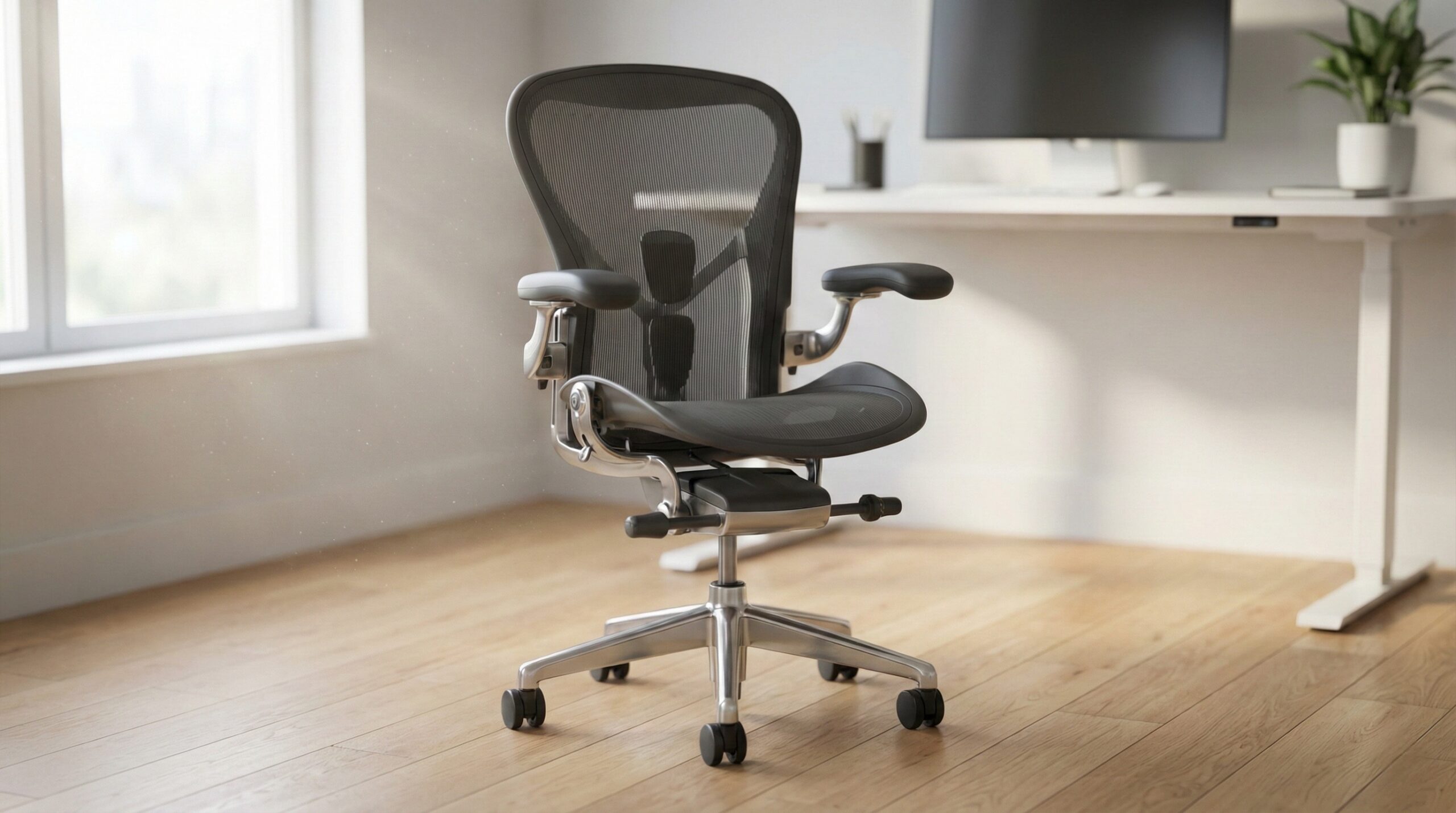
When people say “Steelcase office chair,” they’re usually talking about a line of commercial-grade ergonomic task chairs designed for long hours at a desk — often the same types of chairs you’d find in corporate offices, universities, and healthcare admin settings. The core idea isn’t flashy looks; it’s consistent support, lots of adjustability, and mechanisms that are built to hold up under daily use.
In practical terms, the “product” you’re paying for is a set of adjustable systems:
- Seat fit controls (seat height, and ideally seat depth) so your feet can stay planted and you don’t get pressure behind the knees.
- Back support that feels even across your mid-to-upper back in your real working posture (not just for a quick sit test), plus optional lumbar components depending on the model/configuration.
- Armrest range (height, width, pivot, and sometimes depth) so your forearms can rest lightly while your shoulders stay relaxed — especially important if you type and mouse for hours.
- Tilt/recline behavior that moves smoothly, doesn’t feel like it “drops,” and can be tuned (tension/limits) for how you actually work: upright typing, frequent recline for calls, or a mix.
This “fit-first” approach lines up with mainstream workstation guidance: adjust the chair so your feet are supported, your knees aren’t jammed into the seat edge, and your arms/shoulders aren’t forced into a shrugged position. If you want a plain-language baseline for chair and workstation setup, OSHA’s guidance is a solid reference point: OSHA computer workstation guidance. For broader context on why ergonomics matters (and why a chair is only one part of the system), NIOSH has an overview here: NIOSH ergonomics and musculoskeletal disorders.
One more thing that trips buyers up: “Steelcase” isn’t one single chair experience. The same model can feel very different depending on configuration (arm type, lumbar option, upholstery, headrest, cylinder height) and also condition (new vs refurbished vs used). That’s why we recommend locking your must-have adjustments first — then shopping for the best price and warranty terms on that exact build.
Who Steelcase Office Chairs Fits Best
Steelcase office chairs tend to fit best when you want a premium, adjustable chair for long sessions and you’re willing to spend a little time dialing it in. Specifically, they’re a strong match for:
- Home office workers who sit 6–10 hours a day and feel pressure points in cheaper chairs (seat numbness, shoulder tension, low-back fatigue).
- People who need arms that can come low/close—for example, if you work close to the desk edge, use a keyboard tray, or do mousing-heavy work where shoulder relaxation is the main issue.
- Mixed-posture sitters who alternate between upright typing and reclined reading/calls, and want a chair that stays supportive across positions.
- Buyers who care about build stability (less wobble, fewer squeaks, a more controlled recline) and are upgrading from a budget chair.
In general, these chairs work best when your workstation is set up to match — chair height, desk height, keyboard/mouse position, and monitor height all interact. If you’re not sure what “neutral” looks like, it can be worth a quick consult with a certified ergonomist or occupational therapist, especially if you’re dealing with recurring discomfort.
Important caveat for this article: we have limited verbatim buyer-quote data available for this keyword set, so we can’t include the usual direct “home office worker review” quotes inside the sections below.
Buyer feedback note: Steelcase’s premium chairs commonly earn praise for adjustability and long-session comfort, but whether you love one depends heavily on whether the seat depth, arm range, and tilt behavior match your body and work style.
Who Should Skip Steelcase Office Chairs
Steelcase chairs aren’t automatically “best” for everyone — especially when you factor in price and the reality that fit is personal. You may want to skip (or at least test first) if:
- You’re on a strict budget and won’t use the adjustability. Paying for features you won’t set up is a common regret in premium seating.
- You want a very soft, lounge-like seat. Many ergonomic task chairs prioritize support and pressure distribution over plush cushioning.
- You can’t tolerate a learning curve. Getting a chair “right” can take multiple short adjustment sessions over a week.
- You’re buying used without a return option. Worn cylinders, noisy tilt mechanisms, or loose arm assemblies can erase the value fast.
- You have persistent pain, numbness, or radiating symptoms. A chair can help reduce strain, but it’s not medical treatment — talk to a clinician for ongoing symptoms.
Important caveat for this article: we have limited verbatim buyer-quote data available for this keyword set, so we can’t include the usual direct critical review quotes inside this section.
Also keep in mind: a premium chair can’t compensate for a workstation mismatch. If your desk is too high, your monitor is too low, or your keyboard/mouse placement forces awkward reach, you can still end up uncomfortable even in a top-tier chair.
Price and Value
Steelcase pricing varies widely because “the same chair” can be sold in very different configurations (arm type, lumbar option, upholstery grade, headrest, caster type), and through very different channels (direct retail, authorized dealer, workplace surplus, refurbishers).
From the pricing data we have available here, the Steelcase Gesture Office Chair commonly shows up around $1500–$1600 in new retail listings, depending on options and seller. That’s firmly in the premium category, so value comes down to:
- Fit ROI: If the chair’s seat depth, arm range, and tilt actually reduce your pressure points, it can be cheaper than cycling through midrange chairs every couple years.
- Mechanism quality: One of the main “you get what you pay for” differences is a quieter, steadier recline and fewer rattles or loose-feeling parts over time (especially compared to bargain chairs).
- Resale/retention: Premium chairs can hold value better than generic seating, but only if the configuration is desirable and the condition is clean (no sagging seat, no noisy tilt, no torn upholstery).
- Warranty and returns: A good return policy is worth real money when fit is the deciding factor.
Our advice: pick the adjustments you need first, then price-shop the exact configuration. Comparing prices across listings without matching arm type/lumbar/fabric is one of the easiest ways to overpay — or buy the wrong build.
Common Mistakes When Trying Steelcase Office Chairs
Most disappointment with premium chairs comes from setup errors or buying the wrong configuration for your body and workstation. Here are the most common mistakes we see (and how to avoid them):
- Setting seat height based on desk height alone.
Your feet should be supported (flat on the floor or on a footrest) and your knees shouldn’t be forced high above your hips. If your desk is fixed and too high, you may need a footrest rather than raising the chair until your feet dangle. OSHA’s guidance is a helpful reference for chair/keyboard positioning: OSHA computer workstation guidance.
- Ignoring seat depth until your legs go numb.
Seat depth should leave a small gap behind your knees so the seat edge doesn’t press into soft tissue. If you’re shorter or longer-legged, a seat depth slider is often a make-or-break feature.
- Using armrests to “hold yourself up.”
Armrests should support your forearms lightly while keeping shoulders relaxed — not force your shoulders upward. Too-high arms are a common cause of neck/shoulder tension (and can make you feel like the chair is “wrong” when it’s really a setup issue).
- Buying based on model name, not configuration.
Arms, lumbar options, and even cylinder height range can change whether the chair fits. Get the options confirmed in writing before you compare prices or buy used.
- Testing for 60 seconds instead of 10 minutes.
Pressure points and “hot spots” often show up after you’ve typed, moused, and reclined a few times. Sit in your real working posture and make small changes one at a time.
Important caveat for this article: we have limited verbatim buyer-quote data available for this keyword set, so we can’t include the usual direct “setup regret” quotes inside this section.
If you’re struggling to get comfortable, don’t keep forcing it for weeks. If you can’t get both seat height and seat depth correct at the same time, that’s usually a sign you need a different configuration — or potentially a different chair model — rather than more “getting used to it.”
FAQ
How do I know if a Steelcase chair fits me?
Start with the basics: you should be able to set seat height so your feet are supported and your knees aren’t jammed, and set seat depth so there’s a small gap behind your knees. If you can’t get both right, changing configuration (like adding a seat depth slider) or choosing a different model is usually smarter than trying to adapt your body to a bad fit. For a setup baseline, see OSHA computer workstation guidance.
Which adjustments matter most for all-day typing and mousing?
Armrest range and seat fit usually matter most: arms that can come low enough (so shoulders stay relaxed), close enough (so you’re not reaching outward), and a seat depth that doesn’t cut off circulation behind the knees. Stable upright support helps, too — your back should feel supported without you having to brace with your core all day.
Why do Steelcase chair prices vary so much for what looks like the same chair?
Because options and sales channels can change the real product. Arm style, lumbar option, upholstery grade, headrest, cylinder height, and casters can all affect both price and feel. Then there’s channel: new retail, authorized dealers, workplace surplus, used, and refurbished listings often bundle different policies and warranty coverage. Compare prices only after you’ve matched configurations line-by-line.
Are Steelcase chairs supposed to squeak or wobble?
Minor sound can happen with moving parts, but frequent squeaks/clunks or noticeable side-to-side play can indicate wear (especially on used units) or a part that needs service. If you’re buying used, ask about the chair’s history and whether the mechanism was inspected.
Can a good chair fix my back pain?
A well-fitted chair can reduce strain and help you stay in more neutral postures, but it isn’t medical treatment and can’t diagnose or cure underlying conditions. If you have persistent pain, numbness, or symptoms that radiate, talk to a clinician. For general context on ergonomics and musculoskeletal risk factors, see NIOSH ergonomics information.
What’s the fastest way to set up a new ergonomic chair?
Adjust in this order: (1) seat height for supported feet, (2) seat depth for knee clearance, (3) back support/lumbar to feel even pressure, (4) arm height so shoulders stay relaxed, then (5) recline tension/limits for how you work. Make one change at a time and test for a few minutes before changing something else.
Looking for these on Amazon? Browse steelcase office chair on Amazon →
Bottom Line
Steelcase office chairs are premium ergonomic task chairs where the value comes from fit, adjustability, and stable mechanisms — not just the brand name. If you match seat depth, armrest range, and recline behavior to how you actually work, a Steelcase chair can be a long-term home office investment; if you can’t dial in the fit (or you’re buying used without safeguards), it’s easy to overspend on the wrong configuration.
Affiliate disclosure: This page includes affiliate links. Purchases through these links support our work at no added cost.