TL;DR
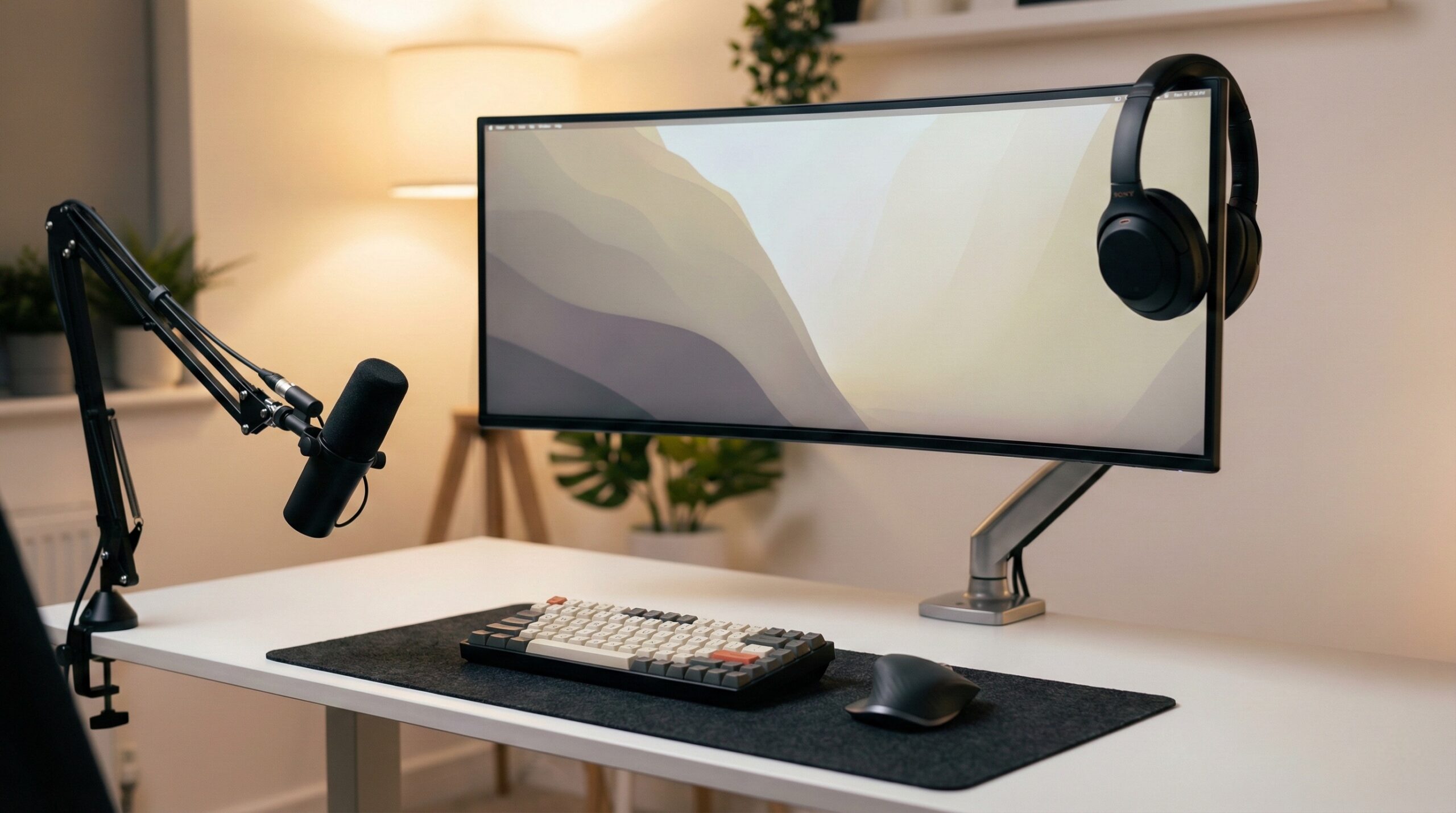
Keyboard “sizes” (60%, 65%, 75%, TKL, 96%, 100%) are shorthand for which key groups you’re getting — not a strict standard — so the best pick depends on what keys you need every day. For most home office setups, a 75% or TKL (tenkeyless) gives the best balance of desk space and dedicated keys, while 96%/100% is still king for heavy spreadsheet and data-entry work.
What Keyboard Sizes Actually Is
“Keyboard sizes” refers to a set of common labels — usually expressed as a percentage (60%, 65%, 75%, 96%, 100%) or a name (TKL/tenkeyless)—that describe how much of a “full-size” keyboard layout is retained. The important nuance: these labels are conventions used by manufacturers and the keyboard community, not strict standards. Two keyboards that are both marketed as “65%” can still differ in how tightly keys are packed, which navigation keys exist, or where Delete/Page Up/Page Down end up. Keychron’s size-and-layout guide is a good example of how brands explain the categories while still acknowledging real-world variation.
Think of size labels as a checklist of key clusters:
- Alphas: the main typing area (letters, number row, punctuation).
- Function row: F1–F12.
- Arrow keys: dedicated arrow cluster (or not).
- Navigation cluster: Insert/Delete, Home/End, Page Up/Page Down (sometimes reduced or moved).
- Numpad: the 10-key keypad for fast numeric entry.
Here’s what the common sizes generally mean in practice:
- 60%: alphas only; you typically lose arrows, function row, and nav cluster as dedicated keys and access them through an Fn layer.
- 65%: a 60% plus dedicated arrow keys and usually a small right-side column for a couple of nav keys.
- 75%: keeps a function row, usually keeps arrows, and compresses spacing to stay compact.
- TKL (80% / ~87-key): like a full-size keyboard without the numpad; typically keeps a more “standard” function row and navigation cluster placement.
- 96% / 1800-compact: keeps the numpad but tightens spacing so the board is narrower than a traditional full-size.
- 100% / full-size: everything is dedicated — alphas, function row, nav cluster, arrows, numpad.
From a home office ergonomics standpoint, the size decision isn’t only about desk aesthetics. Evidence-based workstation guidance (like NIOSH computer workstation ergonomics principles) tends to emphasize neutral posture and avoiding excessive reach. A smaller keyboard can reduce how far you have to reach for the mouse — potentially helping keep your shoulder and upper arm in a more neutral position. The trade-off is that smaller boards often push you into more “Fn-layer” shortcuts, which can slow you down at first if your work relies on navigation keys or function keys.
Finally, “size” isn’t the same thing as “layout” in the standards sense. Standards context like ISO/IEC 9995 discusses keyboard layouts and key groupings, but the consumer market’s percentage labels don’t guarantee identical key shapes or positions. That’s why checking a layout diagram matters even after you’ve picked a size category.
Who Keyboard Sizes Fits Best
This topic is most useful if you’re buying a keyboard for a home office and you want fewer regrets after the first week — when muscle memory, shortcuts, and desk ergonomics start to matter more than first impressions.
- Spreadsheet-heavy and data-entry workers who use a numpad constantly. If you live in Excel, accounting software, or inventory tools, a 96% or 100% layout usually keeps you fastest with the fewest compromises.
- Knowledge workers who want desk space without “learning layers”. A TKL keeps the function row and nav cluster in familiar places while removing the numpad so your mouse sits closer.
- Mixed work + play users who want compact, but still need arrows and some navigation keys. A 75% or 65% is often the sweet spot — especially if you’re okay with a couple of secondary-layer shortcuts.
- Small desk setups where mouse space is limited. Going smaller (65% or 60%) can help you stay centered at the desk rather than “keyboard in the middle, mouse way off to the side.”
Home office worker reviews frequently mention that the “best” size is the one that matches your daily shortcut habits. For example, buyers talking about keyboard kits from enthusiast retailers often emphasize overall satisfaction with the category when you’re intentionally choosing a layout for your workflow: “KBDfans is a reliable store with great products for keyboard enthusiasts, and I would definitely recommend them and order again in the future.” — Trustpilot reviewer, 5 stars.
Who Should Skip Keyboard Sizes
If you already know you want “whatever I’m used to,” you may not need to go deep on keyboard size categories — just buy the same form factor you’ve been productive on for years. More specifically, you may want to avoid downsizing (or avoid certain compact sizes) if any of these describe you:
- You rely on the numpad daily and don’t want to change habits. A TKL/75%/65% will likely frustrate you unless you add an external numpad — which can cancel out the space-saving benefit.
- You use function keys constantly (certain developer workflows, finance apps, some design/video tools, MMO-style bindings). A 60% (and some 65% boards) can be annoying unless you enjoy heavy remapping.
- You can’t stand relearning navigation (Home/End/Page Up/Page Down/Delete). Compact layouts vary a lot, even within the same “size” label.
- You plan to swap keycaps later and you want maximum compatibility. Compact boards are more likely to use non-standard modifier sizes or bottom rows, which can complicate keycap set shopping.
It’s also fair to say that not every “TKL” or “75%” is the same experience. Even among positive feedback, you’ll see occasional frustration about fit and expectations with keyboard purchases, like: “Really happy with my keyboard kit. It came a lot sooner than I expected and was very affordable for the quality provided. Also, the Typeplus x YIKB stabilisers are probably the” — Trustpilot reviewer, 5 stars. (That trailing thought is common in real-world reviews — and a reminder to read beyond star ratings when you can.)
Price and Value
Keyboard size itself doesn’t determine price, but it often correlates with what you’re shopping for:
- Mass-market prebuilt keyboards (often full-size, TKL, and some 75%) can be relatively affordable — especially wired models.
- Enthusiast-grade custom kits (common in 60%/65%/75%/TKL) can get expensive quickly once you add switches, keycaps, stabilizers, and tools.
- Premium boutique boards exist in many sizes, but they’re often purchased for materials/finish/collectability as much as layout.
Using the products we referenced as price anchors:
- Keychron K8 TKL wireless (87-key): roughly $50–$75, which is a typical “value TKL” range for a mainstream prebuilt.
- KBDfans Odin 75 kit: roughly $290–$340 for the kit, and your final cost can go higher after switches and keycaps. That’s normal for enthusiast kits that prioritize build feel and customization.
- Keycult No. 2/TKL Raw: roughly $540–$640, which sits firmly in the premium/boutique end of the market.
Value comes down to two things:
- Productivity value: does the size reduce friction (fewer awkward reaches, fewer missing keys) for the way you work?
- Ergonomics value: can you keep a more neutral posture — especially minimizing awkward reach to the mouse — without forcing uncomfortable wrist positions or excessive tension?
If you’re shopping primarily for comfort, don’t assume “smaller is automatically better.” A compact keyboard can help mouse reach, but overall workstation setup matters more: desk/chair height, keyboard tilt, and keeping wrists neutral. If you have ongoing discomfort, consider checking in with a certified ergonomist or occupational therapist for individualized guidance.
Common Mistakes When Trying Keyboard Sizes
- Buying by the percentage label only (e.g., “I want a 65%”) without checking a layout diagram. Two “65%” boards can place Delete, Page Up/Down, or even the right Shift differently — small differences that can be big annoyances.
- Underestimating Fn-layer reliance. A 60% typically means arrows and navigation are on layers; if you edit text all day, that can be a major workflow change. If you’re unsure, 65%/75%/TKL tends to be an easier transition.
- Ignoring keycap compatibility. Compact layouts can use non-standard bottom rows or odd-sized modifiers. If you care about custom keycaps, confirm compatibility before you commit.
- Assuming ISO vs ANSI is “a size”. It’s not. It’s a different physical key shape/position standard (most noticeably Enter and left Shift). You can have ISO or ANSI in multiple size categories.
- Going too small too fast and then doing a marathon typing day. Give yourself an adaptation period. If discomfort shows up, take breaks and reassess positioning (keyboard angle, chair height, wrist posture) rather than forcing it.
One useful lesson from buyer feedback in the keyboard-kit world is that expectations matter almost as much as the product. A review like “Really happy with my keyboard kit. It came a lot sooner than I expected and was very affordable for the quality provided.” — Trustpilot reviewer, 5 stars, is positive — but it also hints at a common pitfall: people focus on shipping/price excitement and don’t double-check the day-to-day usability details (layout specifics, layers, keycap fit) before ordering.
FAQ
What keyboard size is best for working from home?
For many home office workers, TKL or 75% is the most comfortable “default” because you keep function keys and arrows while gaining mouse space. If you do heavy numeric entry, a 96% or 100% is usually better. If you’re trying to minimize mouse reach on a small desk, 65% can work well if you’re okay with a few shortcuts.
Is a 75% keyboard the same as a TKL?
No. Both usually keep a function row, but 75% layouts tend to compress spacing and may rearrange the navigation cluster, while TKL layouts more often preserve traditional spacing and a fuller nav cluster. If you want the most “plug-and-play familiarity,” TKL is typically easier.
Do all 65% keyboards have the same keys?
No. Most 65% keyboards include dedicated arrows, but the number and placement of keys on the right side (like Delete or Page Up/Down) varies by model. Always check the layout image before buying — even within the same brand family. For a practical overview of the categories, see Keychron’s keyboard size and layout buying guide.
Will a smaller keyboard help with ergonomics?
It can, mainly by reducing reach to the mouse and helping you keep your arms closer to your body. But it’s not guaranteed — wrist posture, keyboard angle, and overall workstation setup matter more. For evidence-based setup principles, start with NIOSH ergonomics guidance and aim for neutral wrist positioning and relaxed shoulders.
Is a 60% keyboard bad for productivity?
Not inherently, but it’s the most “layer-dependent” common size. If your work uses arrows, Home/End, Page Up/Down, or function keys all day, a 60% can slow you down unless you’re comfortable remapping and building muscle memory for layers. For many office workflows, 65%/75%/TKL is a more forgiving compromise.
Are keycaps interchangeable across keyboard sizes?
Not always. Some compact boards use non-standard modifier widths, bottom-row spacing, or unusual right Shift/Backspace sizes. Before buying keycaps, check the exact layout diagram for your keyboard. For standards context around layouts and key groupings, ISO/IEC 9995 layout standards information is a helpful reference point (even though consumer “percent sizes” aren’t strict standards).
Is ISO vs ANSI a keyboard size?
No. ISO vs ANSI describes different physical key shapes/positions (especially Enter and left Shift), independent of whether the keyboard is 60%, 65%, TKL, or full-size. You can choose your preferred physical standard and then pick a size category that matches your workflow.
Looking for these on Amazon? Browse keyboard sizes on Amazon →
Bottom Line
Keyboard sizes are best treated as a practical shorthand: they tell you which key clusters you’re keeping, but you still need to verify the exact layout before you buy. If you want the safest all-around pick for a home office, start with 75% or TKL; move to 96%/100% if you need a numpad, and consider 65% if desk space and mouse reach are top priorities and you’re fine using a few layers.
Affiliate disclosure: This page includes affiliate links. Purchases through these links support our work at no added cost.