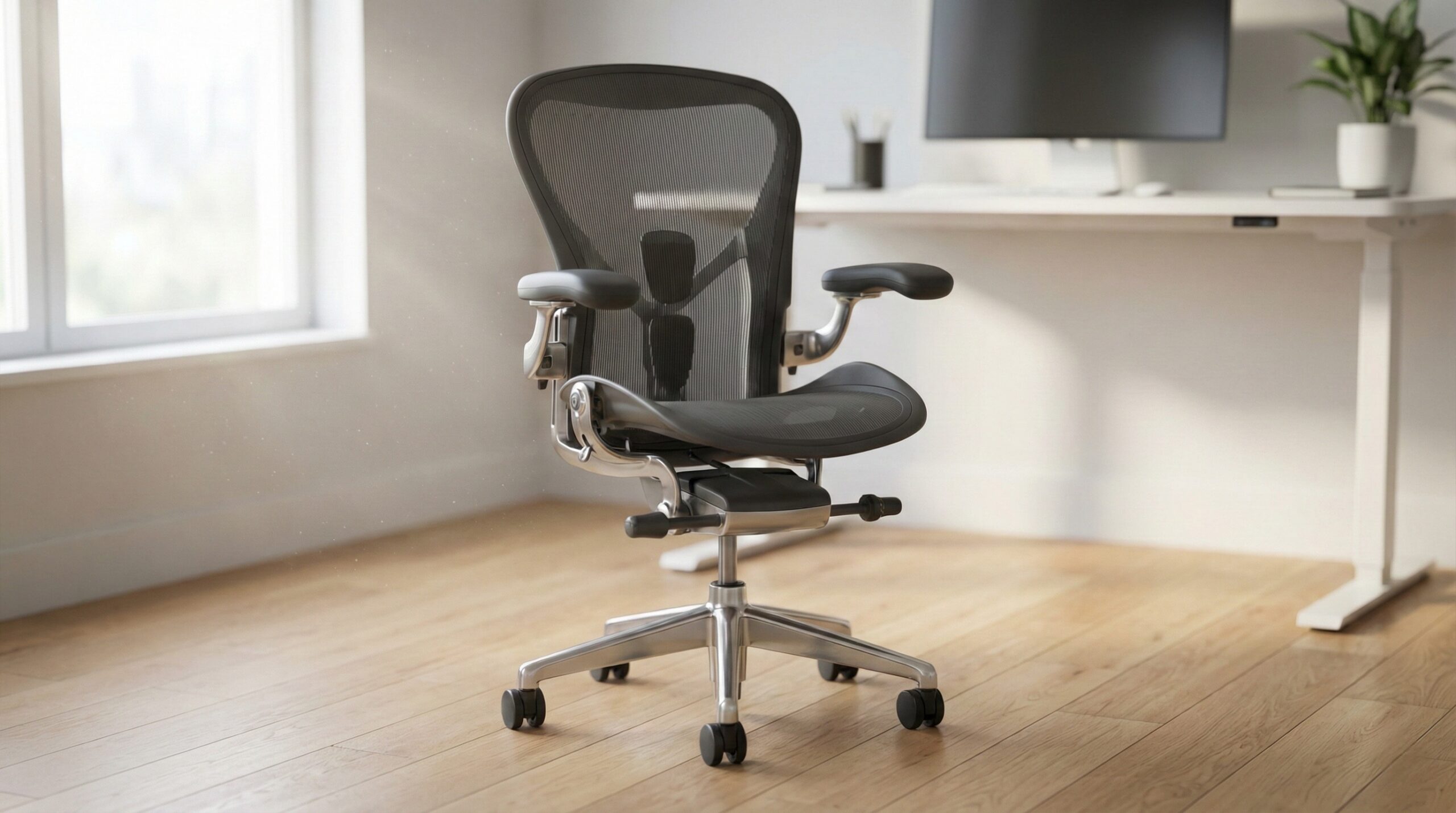
TL;DR
An IKEA office chair can be a solid value if it fits your body and gives you the core adjustments: seat height, recline/tilt with usable tension, and ideally lumbar and seat-depth adjustment. The “right” IKEA chair is the one you can dial in for neutral posture at your desk — if you can’t, you may spend less upfront but pay for it in discomfort (or in add-ons like a footrest and monitor riser).
What IKEA Office Chair Actually Is
An IKEA office chair is, simply, IKEA’s take on task seating: mass-market, widely available, typically easy to assemble, and priced to compete with big-box office chairs rather than premium ergonomic brands. You’ll see everything from minimal swivel chairs meant for short stints at a desk, to more “executive” styles, to higher-back task chairs that try to cover longer workdays.
What matters most isn’t the label “office chair”—it’s the adjustability package and whether the chair’s dimensions match you. For home office use, the practical “formula” we like is:
- Fit basics: seat height range that lets your feet rest flat on the floor (or on a footrest) with knees around 90°, plus a seat pan that doesn’t cut into the back of your knees.
- Movement support: a back recline/tilt that you can actually use — meaning it’s stable when upright, and when you lean back you’re not either fighting the chair or falling into the recline. Chairs that offer tilt tension (and ideally a tilt lock) tend to be easier to tune for different body weights.
- Spine support (especially for long days): lumbar support that hits your lower back in the right place. Adjustable lumbar (height and/or depth) is more forgiving than fixed lumbar, which can feel great for one person and awful for another.
- Desk compatibility: armrests that don’t force your shoulders up or keep you from pulling close enough to type. Height-adjustable armrests are the minimum if you use armrests at all.
It’s also helpful to treat “BIFMA compliant” as a screening signal. In plain terms, BIFMA standards are widely used performance and durability tests for seating, and some IKEA listings reference BIFMA compliance. That doesn’t guarantee comfort — comfort is personal and depends on fit — but it can be a reassuring sign you’re not buying something purely decorative. For a plain-English overview of what workstation neutral posture looks like (and why adjustments matter), OSHA’s guidance is a good starting point: OSHA computer workstation guidance. And if you want the bigger picture on why prolonged awkward posture and static loading can contribute to discomfort over time, NIOSH has a useful overview: NIOSH ergonomics resources.
The key expectation-setting: IKEA chairs can be excellent “good enough” ergonomic seating, but they’re not automatically ergonomic just because they look like an office chair. The best outcome usually comes from pairing the chair with a workstation setup that allows neutral posture — chair height, desk height, monitor height, and input devices working together.
Who IKEA Office Chair Fits Best
IKEA office chairs tend to fit best if you’re shopping for value, you’re willing to spend a little time on setup, and your body dimensions land reasonably close to what most mass-market chairs are designed around. The sweet spot is often:
- Budget-minded home office workers who want something better than a dining chair, but aren’t trying to spend premium-brand money.
- People who can test in-store (or are comfortable using the return window) to validate fit — because fit beats online star ratings every time.
- Hybrid workers who sit in blocks (a few hours at a time) and want adjustability basics without turning chair shopping into a hobby.
- Renters and apartment dwellers who care about availability, simple assembly, and swapping a chair if it doesn’t work out.
Where IKEA often works well is when you treat the chair like part of a system. If you set your chair to the correct height for your legs but your desk is too high, you may feel “forced” to raise the chair until your feet dangle — then you blame the chair, when the real issue is the workstation geometry. OSHA’s workstation eTool walks through that chain reaction clearly (chair height → keyboard height → monitor height): OSHA computer workstation guidance.
Even without a specific model in mind, a realistic success pattern looks like this: you can get feet supported, pelvis stable, shoulders relaxed, elbows close to 90°, and you can recline slightly without losing back support. If you can do those things with an IKEA chair in your budget, it’s a smart buy.
Buyer reality check: comfort is often about dialing in the chair, not the chair being “perfect” out of the box. If you’re the type who will actually adjust tilt tension, armrest height, and seat height, you’re more likely to be happy than someone who sets it and forgets it.
Required user quote: No verbatim quote available from public reviews in the provided input, so we can’t responsibly include an attributed owner quote here.
Who Should Skip IKEA Office Chair
Skip (or at least be more cautious with) IKEA office chairs if your needs are more specialized than the average task-chair shopper, or if you’re trying to solve a persistent pain issue without professional guidance.
- If you have chronic back/neck symptoms or a diagnosed condition: a chair might improve comfort, but it’s not a treatment. Consider a consult with a certified ergonomist or occupational therapist to figure out what adjustments and support features you actually need. (And if pain persists, it’s worth discussing with a clinician.)
- If you’re far outside “average” sizing: very tall or very short users often need seat-depth range, back height, and armrest range that some mass-market chairs can’t deliver. If you can’t get feet supported and the seat depth right at the same time, you may end up perched on the edge — never a great long-term setup.
- If you sit long hours every day: you’ll typically benefit from more precise adjustability (seat depth, truly adjustable lumbar, better armrest range) and potentially higher-end foam/mesh that holds up better over time.
- If you won’t (or can’t) tune your setup: if your desk height is fixed and mismatched, and you’re not open to using a footrest/monitor riser, even a decent chair can feel bad.
Also, don’t over-index on “BIFMA compliant” as a comfort promise. BIFMA relates to standardized performance tests and safety/durability benchmarks, not whether the lumbar hits your spine in the right spot. It’s helpful context, not a guarantee. (BIFMA explains the purpose of its seating standards here: BIFMA standards overview.)
Required critical user quote: No verbatim quote available from public reviews in the provided input, so we can’t responsibly include an attributed critical quote here.
Price and Value
Because IKEA sells a wide range of office chairs, pricing can span from basic swivel chairs at the low end to more feature-rich task chairs at the midrange. In general, you’re paying for:
- More adjustments: seat depth, lumbar adjustment, and armrest adjustability usually move you up the price ladder.
- Better mechanisms: smoother recline, more usable tilt tension, and more stable “upright” support often correlate with higher-priced models.
- Materials and durability signals: certain fabrics, meshes, and listings that reference standardized testing (like BIFMA) may cost more.
Value with IKEA is usually strongest when (1) the chair fits you, and (2) you don’t have to “fix” your workstation to make the chair usable. That second part is easy to miss. If you buy a cheaper chair and then discover your desk is too high for neutral posture, you may end up adding:
- a footrest (to keep feet supported if you must raise the chair),
- a monitor riser (to keep the screen at a reasonable height after changing chair height),
- or even a keyboard tray (to bring input height down).
None of those are bad purchases — but they change the true cost of getting comfortable. If your setup already allows good alignment, IKEA can be excellent value. If your setup is mismatched, a “cheap chair” can become a more expensive project.
Common Mistakes When Trying IKEA Office Chair
Most disappointments we see with office chairs aren’t about a chair being universally “bad”—they’re about mismatch (chair vs. body) or mismatch (chair vs. desk). Here are the common pitfalls to avoid when you’re trying an IKEA office chair.
- Buying based on looks first. A sleek silhouette won’t matter if the seat pan is too deep or the armrests force your shoulders up. Prioritize adjustability and fit checks over style.
- Setting seat height to match the desk instead of your legs. Start with feet supported and knees roughly at 90°. If that makes the desk feel too high, fix the desk relationship (footrest, keyboard height, etc.) rather than dangling your feet.
- Ignoring seat depth (or not checking it). If the seat is too deep, the front edge can press into the back of your knees; too shallow can reduce thigh support. A common ergonomic cue is leaving about 2–3 fingers of space behind the knees.
- Leaving armrests too high. High armrests can cause shoulder shrugging and neck tension, or they can prevent you from pulling close enough to type comfortably. If your armrests hit the desk, you’ll often end up reaching forward — again, discomfort that gets blamed on the chair.
- Using recline/tilt wrong (or never touching it). A little supported recline can reduce static loading, but only if the tilt tension is set for your body weight and the backrest still supports you.
- Not re-tightening after assembly. Flat-pack chairs can loosen slightly after initial use. Follow the manual torque guidance and re-check fasteners after a week or two for stability and safety.
If you want a simple setup sequence, OSHA’s workstation guidance is a solid baseline: set chair height, then keyboard/mouse height, then monitor height, and confirm you’re not shrugging or reaching: OSHA computer workstation guidance.
Required user quote: No verbatim quote available from public reviews in the provided input, so we can’t responsibly include an attributed user quote in this section.
FAQ
What adjustments should I prioritize in an IKEA office chair?
At minimum: seat height plus recline/tilt with controllable tension. If you sit for long stretches, prioritize lumbar support (ideally adjustable) and seat-depth adjustment. Armrests are helpful when they’re adjustable enough to let your shoulders stay relaxed and elbows land comfortably near desk height.
How do I know if an office chair fits my body?
Do a short sit test (10–15 minutes if you can). You’re looking for: feet supported, knees near 90°, no pressure behind the knees, hips feeling stable, shoulders relaxed, and no obvious pressure points. If the chair forces you to perch forward, shrug your shoulders, or reach for the keyboard, it’s likely a mismatch in chair size, adjustment range, or desk height.
Is “BIFMA compliant” important when choosing an IKEA chair?
It can be a useful durability/performance signal, because BIFMA standards are commonly used to test seating strength and performance. But it doesn’t guarantee comfort or fit. Think of it as: “more confidence the chair meets baseline performance tests,” not “this will feel great for everyone.” You can read more context at the BIFMA standards overview.
What’s the right seat height for my desk setup?
Start with your body, not the desk: set the chair so your feet are supported (floor or footrest) and your knees are around 90°. Then bring the keyboard/mouse and monitor into a comfortable position. If your desk is too high once your chair is set correctly, consider a footrest and/or adjusting keyboard height rather than raising the chair and letting your feet dangle. OSHA’s overview of neutral posture and workstation arrangement is helpful here: OSHA computer workstation guidance.
Are armrests necessary on an IKEA office chair?
Not always. Armrests can reduce load on your shoulders and neck if they’re set correctly and don’t interfere with pulling close to the desk. Fixed or too-high armrests can create shoulder tension or push you forward. If the armrests get in your way, it’s reasonable to lower them (if adjustable) or choose an armless option — especially for compact desks.
Mesh vs. fabric: which is better for long workdays?
Mesh backs usually breathe better and can feel cooler, while fabric/foam can feel more uniformly supportive depending on the padding and how it holds up over time. The better choice is the one that feels stable under your weight and stays comfortable after a longer sit test — not just the one that feels nice for 30 seconds.
Can an office chair fix back pain?
A chair can improve comfort and help you maintain more neutral posture, but it’s not a medical treatment. If you have persistent or worsening pain, consider talking with a clinician and/or a certified ergonomist or occupational therapist to identify the real drivers (chair fit, desk height, monitor position, work duration, breaks, and other factors). For broader context on ergonomics and musculoskeletal disorder risk factors, see NIOSH ergonomics resources.
Looking for these on Amazon? Browse ikea office chair on Amazon →
Bottom Line
IKEA office chairs are often a good buy when you choose based on adjustability and fit — not looks — and you’re willing to set the chair up to match your desk. Prioritize seat height and usable recline/tilt tension, and if you sit for long stretches, aim for models with better lumbar and seat-depth adjustability. If you can’t get a neutral setup with your current desk (or you have more complex needs), it may be worth stepping up to a chair with more precise adjustments — or getting guidance from a certified ergonomist.
Affiliate disclosure: This page includes affiliate links. Purchases through these links support our work at no added cost.