TL;DR
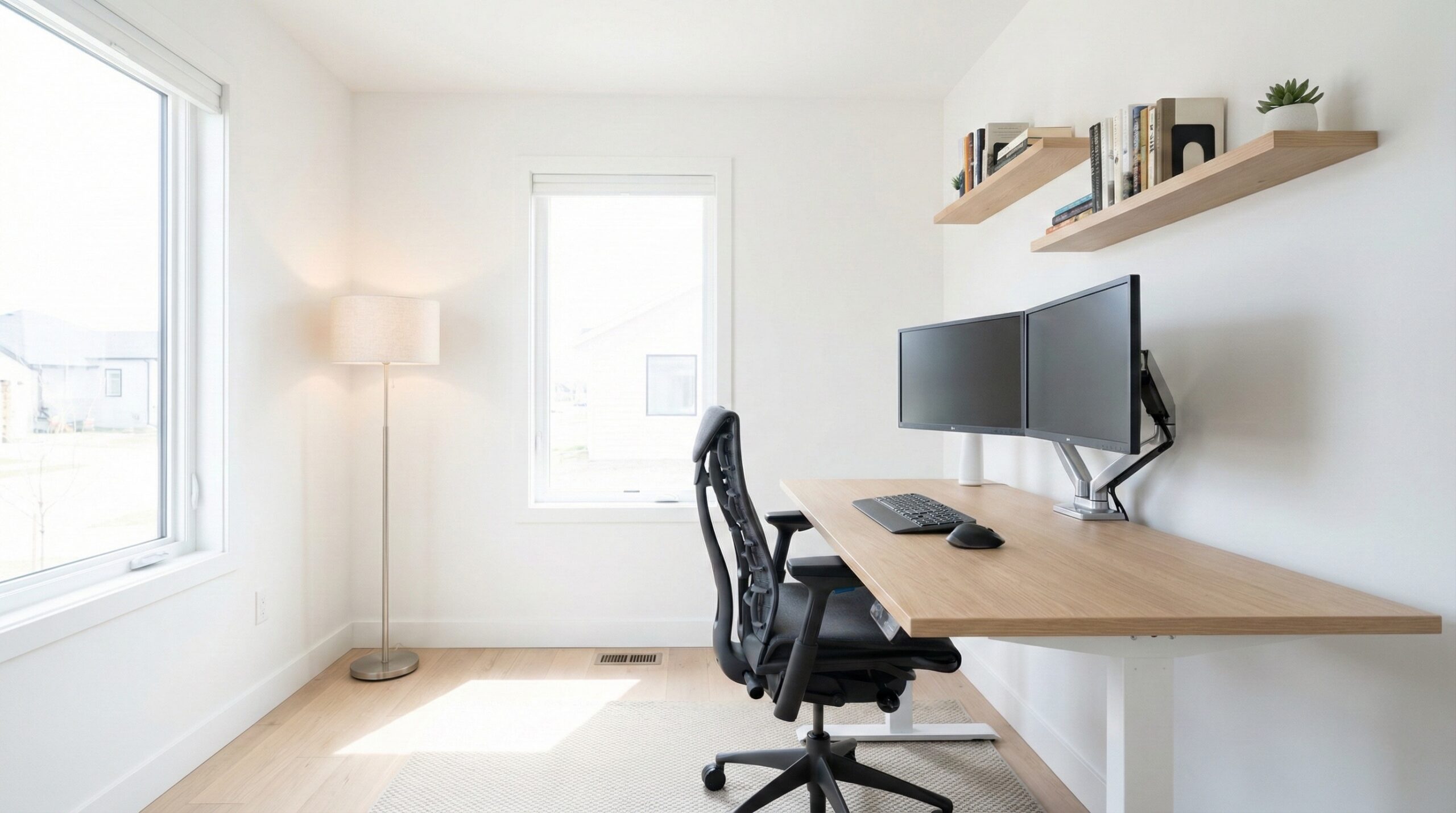
The best home office furniture isn’t a specific “set”—it’s the mix of a properly sized desk, an adjustable chair, and storage that matches how you work. Start by measuring your room and your actual equipment footprint, then prioritize stability, adjustability, and cable/power planning so the setup stays comfortable and functional long-term.
What Home Office Furniture Actually Is
A useful way to think about it is this simple formula:
Home office furniture = fit (space + gear) + adjustability (posture support) + stability (real-world loads) + organization (storage + cables)
Fit starts with measurements. Your desk has to fit the room and your equipment: monitor(s), keyboard/mouse zone, laptop dock, speakers, printer, and any writing space you actually use. Many people buy a desk based on looks, then end up with monitors too close, not enough depth for a comfortable viewing distance, or drawers that crash into the chair. Guidance from sources like OSHA computer workstation guidance and the NIOSH ergonomics overview points to the same idea: set up to support a neutral posture and reduce strain, which is hard to do if the furniture doesn’t physically fit your body and gear.
Adjustability matters most in the chair (seat height, lumbar support, and arm adjustments) and, if you choose one, a sit-stand desk (height range and stability at standing height). Evidence-based ergonomics resources (including OSHA and academic ergonomics guidance like Cornell’s workstation recommendations) consistently emphasize neutral joint positions, which are easier to achieve when your chair and desk can be tuned to you — not the other way around.
Stability and load ratings are the unglamorous “make or break” details. A desk that wobbles when you type, or shelving that sags under books, becomes a daily frustration. For higher-confidence durability claims, it’s a good sign when brands reference recognized testing norms such as BIFMA standards for office furniture.
Finally, organization (drawers, filing, shelves, plus cable routing and power placement) is what keeps the setup from turning into a floor-of-wires situation. Planning cable paths early — grommets, under-desk trays, and a sensible power strip location — prevents the most common “I didn’t think of that” regrets.
Who Home Office Furniture Fits Best
Home office furniture is for anyone trying to create a workspace that’s comfortable for hours at a time — not just a place to put a laptop. It tends to fit best if you recognize yourself in one (or more) of these scenarios:
- You work at a computer most days and want a desk/chair setup that supports a neutral posture, with room for keyboard/mouse and a comfortable monitor position.
- You’re building a setup around real equipment (two monitors, a laptop dock, a mic, speakers, a printer) and need furniture that won’t feel cramped.
- You share space (guest room, living room corner) and need compact pieces or designs that don’t visually overwhelm the room.
- You’re trying to reduce discomfort (back/neck/shoulder fatigue) by improving fit and adjustability — ideally with guidance from a certified ergonomist or occupational therapist if pain is persistent.
- You’re tired of clutter and want storage sized to your workflow: paper/file heavy vs mostly digital.
Lighting is a good example of a “small” furniture decision that can have an outsized effect on comfort and focus, especially if you work early mornings or evenings. A simple adjustable task lamp can be the difference between a workable desk corner and constant screen glare or shadowy paperwork.
IKEA 601.467.64 Forsa Work Lamp (an adjustable task lamp) is a type of add-on that fits well for people who need targeted light without committing to a full office overhaul. It has a large pool of home office worker reviews and a high average rating on major retail listings, suggesting it’s a common “practical upgrade” purchase when overhead lighting isn’t cutting it.
Who Should Skip Home Office Furniture
Not everyone needs to buy “office” pieces immediately. You can reasonably skip new furniture (or postpone parts of it) if:
- Your space is temporary (short-term rental, frequent moves) and you can’t justify bulky items — consider a compact desk and a supportive chair first, then add storage later.
- You only work at home occasionally and a dining table setup is truly rare and short-duration (though you may still want a basic task chair or cushion support for comfort).
- You’re expecting furniture to fix medical issues—ergonomic improvements can reduce risk and discomfort, but they’re not treatment. If you have persistent pain, numbness, or tingling, get medical guidance.
- You can’t measure or plan the setup right now. Buying before you know your monitor placement, walking clearances, and cable routing often leads to returns or “good-looking but unusable” results.
Even smaller items can be mismatched if you don’t know what you’re trying to solve. For example, a task lamp may not help if your real issue is the monitor being placed in a way that creates glare, or if you’re working in a spot with no practical way to route a cord safely.
Price and Value
“Home office furniture” spans a huge price range, and value depends on what problem you’re solving:
- Desks range from budget flat-pack options to heavier, more stable frames and tops (especially for sit-stand desks). Stability, usable depth, and surface durability tend to be the value drivers.
- Chairs range from basic task chairs to fully adjustable ergonomic models. Value tends to come from adjustability (seat height, lumbar support, armrests) and durability (base, casters, warranty, and build quality). When you’re on a limited budget, shifting dollars from “style” into adjustability usually pays off in daily comfort.
- Storage ranges from small under-desk drawers to full file cabinets. Value comes from slide quality, load capacity, and whether the storage matches your workflow (paper-heavy vs mostly digital).
- Lighting and accessories (task lamps, monitor arms, cable trays) are often comparatively low-cost ways to improve comfort and usability without replacing the desk/chair immediately.
For the one specific item we have verified product data on here — the IKEA Forsa Work Lamp—pricing varies by retailer and sales, and the listing data provided doesn’t include a reliable price range. In general, a lamp like this is worth it when it lets you: (1) position light where your eyes and hands need it, (2) reduce glare on a monitor, and (3) avoid awkward leaning or hunching just to see paperwork.
If you’re trying to allocate budget across the whole room, our general advice is: chair and desk first, then add storage and accessories once you’ve lived with the core setup for a week or two and can see what’s actually missing.
Common Mistakes When Trying Home Office Furniture
Most regrets we hear about home office furniture aren’t about color or style — they’re about fit and planning. Here are the mistakes that tend to cost the most (in money and annoyance):
- Buying a desk that’s too shallow for your monitor setup. If the monitor ends up too close, you’ll compensate by craning your neck or leaning back awkwardly. Measure your monitor stand/arm footprint plus the keyboard/mouse zone, then check usable depth.
- Ignoring chair adjustability. A chair that only changes height might “work” for 30 minutes, then feel rough over a full day. Seat height plus lumbar support is usually the minimum baseline; arm adjustments help reduce shoulder/neck fatigue for heavy typing days.
- Skipping stability checks. Wobble isn’t just annoying — if your monitor shakes when you type, it can contribute to fatigue. For sit-stand desks, stability at standing height is a common pain point.
- Not planning power and cables. If you don’t decide where the power strip goes, you’ll end up with cords across walking areas or snagging points (especially risky with rolling chairs or sit-stand movement). Pick a path: grommet to tray to mounted power strip is a common, tidy solution.
- Choosing storage that blocks movement. Under-desk file cabinets can steal knee space or prevent you from sitting centered. Map drawer open paths and chair clearance before you commit.
- Overloading shelves or flimsy drawers. Shelving and drawer slides fail when you treat them like filing cabinets for heavy books or gear. Check load ratings and look for sturdier construction for anything weight-bearing.
Lighting gets overlooked, too. People often buy a lamp without thinking about glare and placement. If your lamp can’t be aimed precisely, you may create reflections on your screen or cast shadows across your writing area — so adjustability (arm, head tilt) matters more than aesthetics.
FAQ
What pieces count as “home office furniture”?
A functional home office usually starts with a desk and an adjustable chair. From there, storage (drawers/shelves), lighting (a task lamp), monitor support (stands/arms), and cable/power organization round out the setup based on your workflow.
How do I choose the right desk size for my space and equipment?
Measure the room and your “equipment footprint” first: monitor(s), keyboard/mouse area, laptop/dock, and anything else that must live on the desk. Leave clearance for chair movement and drawers/doors to open. Ergonomics guidance such as the OSHA computer workstation eTool reinforces that layout and positioning matter for neutral posture — so buy the desk that lets you place your screen and input devices comfortably, not just the one that fits the wall.
Which chair adjustments matter most if I’m on a budget?
Prioritize seat height first (so feet can rest flat and knees are roughly level), then lumbar support. After that, adjustable armrests help keep shoulders relaxed during typing and mousing. If discomfort persists, a certified ergonomist or occupational therapist can help you dial in fit and workstation setup.
Do I need built-in cable management on my desk?
Not strictly, but it helps. Desks with grommets or channels make it easier to keep cords off the floor and away from chair wheels. If your desk doesn’t have it, you can add a cable tray, adhesive clips, and a mounted power strip — just plan the cable path so cords don’t snag when you move the chair (or when a sit-stand desk changes height).
How can I tell if a desk or shelf will be stable enough?
Look for published load ratings, a rigid frame design, and construction details that resist wobble (solid fasteners, good joinery, bracing where needed). Claims that align with recognized performance testing norms can be a positive sign; for example, many reputable manufacturers reference BIFMA standards for durability and safety testing.
Is a sit-stand desk necessary for a healthy home office?
No. Sitting comfortably with good support is still the foundation. A sit-stand desk can help you vary posture during the day, but it only works well if it’s stable at standing height and fits your height range. Regardless of desk type, ergonomics guidance from organizations like NIOSH emphasizes reducing strain through good fit and task variation.
What storage should I buy if I’m mostly paperless?
Skip big filing cabinets and focus on small, convenient storage: a drawer for peripherals, a shelf for reference items, and a place for chargers and cables. If you rarely print, a compact rolling cabinet or a slim drawer unit can keep clutter off the desktop without eating leg room.
Looking for these on Amazon? Browse home office furniture on Amazon →
Bottom Line
Good home office furniture is the combination of pieces that fit your room and gear, support healthy posture through adjustability, and stay stable under daily use. Measure first, prioritize the chair and desk, and plan power/cable routing upfront — you’ll avoid most expensive mistakes and end up with a setup that’s comfortable to work at for the long haul.
Affiliate disclosure: This page includes affiliate links. Purchases through these links support our work at no added cost.