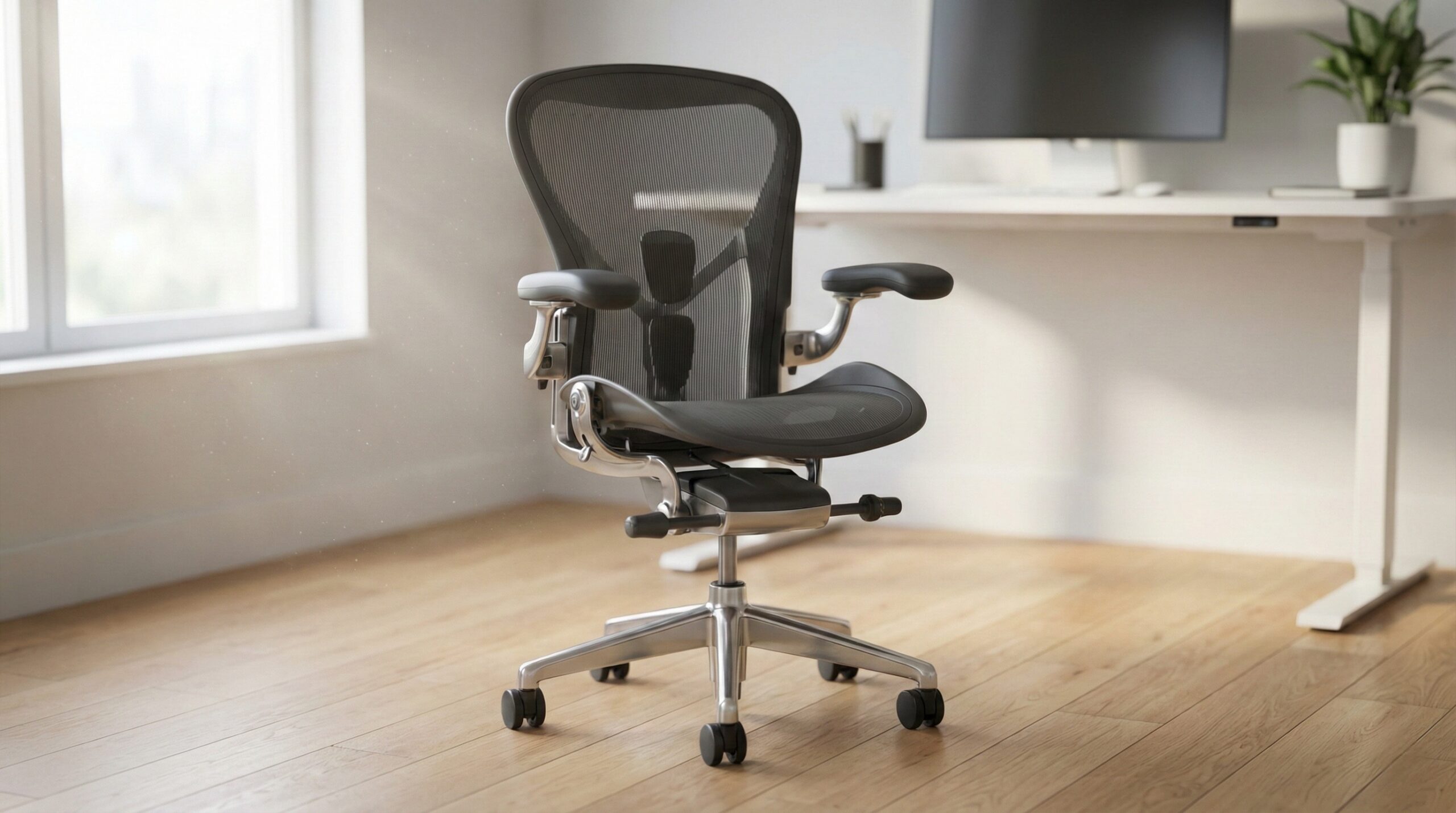
TL;DR
An ergonomic reading chair is less about a specific “ergonomic” label and more about fit: seat height that lets your feet rest flat (or on a footrest), a back that supports your lower spine, and arm support that keeps your shoulders relaxed while you hold a book or e-reader. If you want a classic lounge-style setup many readers gravitate toward, the IKEA Poäng is a popular baseline shape — but you’ll still want to measure for fit and consider pairing it with a footrest/ottoman for longer sessions.
What Ergonomic Reading Chairs Actually Are
An “ergonomic reading chair” isn’t one single product type like an office task chair. It’s a category of seating that helps you maintain a more neutral, supported posture while you read — whether you read upright with a lamp and side table, or semi-reclined for long sessions. In practice, ergonomics here comes down to how well the chair’s dimensions and support points match your body and reading habits.
A simple way to think about it is this formula:
Ergonomic reading comfort = (seat height + seat depth + lumbar/back support + arm support) matched to (your body + your reading posture + your room setup).
Here’s what that means in real life:
- Seat height: You’re aiming for feet flat on the floor (or solidly on a footrest) so you’re not getting pressure behind the thighs or sliding forward. OSHA’s seating guidance for neutral posture generally maps to this principle: stable, supported lower body helps everything above it stay more relaxed. (See OSHA computer workstation chair guidance.)
- Seat depth: A seat that’s too deep often forces you to perch forward, which defeats the back support and encourages slouching. A seat that’s too short can feel like you’re balancing on the edge during longer reads. Cornell’s ergonomics guidance frequently emphasizes matching the chair to the user so the back can be used without cutting off circulation behind the knees. (See Cornell University Ergonomics Web (CUergo).)
- Back support (especially lumbar): You want the chair to “fill in” your lower back so your spine isn’t rounding into a C-shape over time. NIOSH’s general ergonomics approach is consistent with this: reduce sustained awkward postures and provide support to lower physical strain. (See CDC/NIOSH ergonomics resources.)
- Arm support for reading: This is the reading-specific piece people underestimate. When your forearms aren’t supported, your shoulders and neck tend to do extra work — especially with heavier hardcovers or when holding a tablet up for 30+ minutes. Armrests don’t have to be adjustable to help, but they do need to sit at a height that lets your shoulders stay relaxed.
Finally, “ergonomic” also includes the room reality: a chair can be great on paper but wrong for your space if it blocks walkways, can’t clear a wall when reclining/rocking, or simply won’t fit through your doorway. And if you prefer a lounge posture, a footrest/ottoman is often what turns a decent chair into a genuinely sustainable reading setup by reducing load on the lower back — provided it doesn’t make you slide forward and round your spine.
Who Ergonomic Reading Chairs Fits Best
Ergonomic reading chairs make the most sense for home office workers and at-home readers who spend real time in the seat — think 30 minutes at a stretch, or multiple sessions per day. You’ll likely benefit if you recognize any of these patterns:
- You read long enough to “melt” into a slouch. A chair with better back/lumbar shaping (or that works well with a small lumbar pillow) can reduce that slow collapse that leads to low-back fatigue.
- Your neck/shoulders get tight while holding a book or device. Armrests that actually support your forearms at a natural height are a big deal for reading comfort, even if you’re not typing.
- You’re setting up a dedicated reading corner. If you have (or can add) a side table and lamp, you can make a more upright, supported posture easy to maintain.
- You want a lounge-style chair but still want “support.” Many people want something cozier than an office chair while still avoiding the worst posture traps (too-low seat, too-deep cushion, no arm support).
If you’re considering a widely used lounge-style frame like the IKEA Poäng, it tends to fit readers who like a gentle recline and want a chair that’s commonly paired with a footrest/ottoman for longer sessions. That said, fit is individual — if you’re unsure, consider checking in with a certified ergonomist or occupational therapist, especially if you’re trying to accommodate an existing back/neck issue rather than just improve general comfort.
Who Should Skip Ergonomic Reading Chairs
“Ergonomic reading chair” shopping can also be a trap if the real issue isn’t the chair — or if the chair style you want doesn’t match your needs. Consider skipping (or changing approach) if:
- You have persistent pain, numbness, or tingling. A chair can help reduce strain, but it’s not medical treatment. If symptoms persist, it’s worth talking to a clinician rather than trying to solve it with furniture alone.
- You need high adjustability. Many reading chairs (especially lounge styles) don’t offer seat-height, seat-depth, or lumbar adjustments. If you need that level of tuning, you may be better off with an ergonomic task chair plus a reading-friendly footrest and a cozy throw/blanket for “reading corner” vibes.
- Low seats make it hard for you to stand up. Some lounge chairs sit low and can be tough for people with mobility concerns — especially without firm arm support.
- Your space is tight. Reclining/rocking clearance and walkway space matter. A chair that forces awkward twisting to stand up or reach a side table can undermine the ergonomic benefits.
Also: don’t assume a chair is ergonomic because it’s popular. Popular chairs can still have mixed quality and service experiences depending on where and how you buy them (shipping, returns, assembly, and materials). If you’re the type who hates hassle, consider focusing on retailers with easy returns and straightforward replacement parts.
Price and Value
Ergonomic reading chairs range from budget lounge chairs to premium recliners and high-end ergonomic loungers. In general, you’re paying for some mix of (1) better foam/cushioning that holds up, (2) stronger frames, (3) better upholstery options, and (4) adjustability or built-in recline mechanisms.
For the IKEA Poäng specifically, pricing varies by cushion and upholstery choices, and the available data here doesn’t provide a reliable current price range. As a value proposition, the Poäng-style setup is often appealing because it’s a known, common lounge-chair form factor — and many buyers treat it as a “base chair + optional footrest” system rather than a one-piece ergonomic solution.
Value tip: budget for the whole reading posture, not just the chair. A small ottoman/footrest, a lumbar pillow (if needed), and a properly placed reading light can matter as much as the chair itself.
Common Mistakes When Trying Ergonomic Reading Chairs
- Buying based on “cozy” instead of fit. Overly deep, soft seats can feel great for five minutes and then encourage slouching for an hour.
- Ignoring seat height and foot support. If your feet don’t rest flat, you’re more likely to slide forward and lose back support. If the seat is too tall for you, plan on a footrest instead of tolerating dangling feet.
- Forgetting arm support for reading. People often prioritize back comfort but then end up with shoulder/neck fatigue because their arms are unsupported while holding a book or tablet.
- Not measuring clearance for the real setup. You need space not just for the chair footprint, but for any recline/rock, plus room for a side table and a clean path to stand up.
- Trying to “fix” the wrong thing. If your pain is driven by overall workload, stress, or long uninterrupted sitting, a chair helps — but it won’t replace breaks, movement, and a better overall workstation setup.
FAQ
What seat height is best for an ergonomic reading chair?
A good target is a seat height that lets your feet rest flat on the floor with steady support. If the chair you like is a bit tall, a footrest can solve it; if it’s very low, it may feel relaxing at first but can be harder to stand up from and can encourage a more rounded posture over time. OSHA’s chair fit principles for neutral posture translate well here — stable lower-body support helps reduce strain. See OSHA computer workstation chair guidance.
How do I know if the seat is too deep?
Sit all the way back so your lower back is against the backrest. If the front edge presses into the backs of your knees (or you can’t comfortably sit back without losing circulation), the seat is likely too deep for you. A too-deep seat often makes shorter users perch forward, which removes back support and encourages slouching. For practical fit checks, Cornell’s ergonomics resources are a helpful baseline. See Cornell University Ergonomics Web (CUergo).
Do I need an ottoman for ergonomic reading?
Not always, but it can help a lot — especially if you read slightly reclined or you tend to feel low-back fatigue during longer sessions. Elevating your feet can reduce load on the lower back, but only if it doesn’t cause you to slide forward and round your lower spine. If you notice you’re scooting forward to get comfortable, try adjusting footrest height/distance or adding a small lumbar cushion.
Are armrests necessary for reading comfort?
Armrests aren’t mandatory, but supportive arm contact often reduces shoulder and neck tension during reading, since you’re holding weight in front of your body. If your chair doesn’t have arms, consider using a small pillow to prop your elbows/forearms, or shift to a setup where your book/e-reader is partially supported (for example, on a lap pillow) so your shoulders can relax.
What should I measure before buying a reading chair?
Measure (1) the space where the chair will live (width/depth), (2) clearance behind/around it if it rocks or reclines, (3) the walkway you need to get in and out easily, and (4) access routes — doorways, hallways, stairs, tight turns. If you’re setting up a true reading corner, also plan space for a side table within easy reach and a lamp position that doesn’t make you crane your neck.
Is a recliner automatically more ergonomic for reading?
No. Recline can be great for comfort, but ergonomics still depends on whether your lower back is supported, whether your head/neck stay in a neutral position, and whether your arms have support. Some recliners encourage a “C-shaped” slouch if the lumbar area isn’t supported or if the footrest position makes you slide forward.
Looking for these on Amazon? Browse ergonomic reading chair on Amazon →
Bottom Line
The best ergonomic reading chair is the one that matches your body and your reading posture: feet supported, lower back “filled in,” seat depth that doesn’t force you to perch, and arm support that keeps shoulders relaxed. If you want a common lounge-chair style that many readers build a setup around, the IKEA Poäng is a familiar starting point — just treat fit, measurement, and (often) a footrest/ottoman as part of the purchase, not an afterthought.
Affiliate disclosure: This page includes affiliate links. Purchases through these links support our work at no added cost.