TL;DR
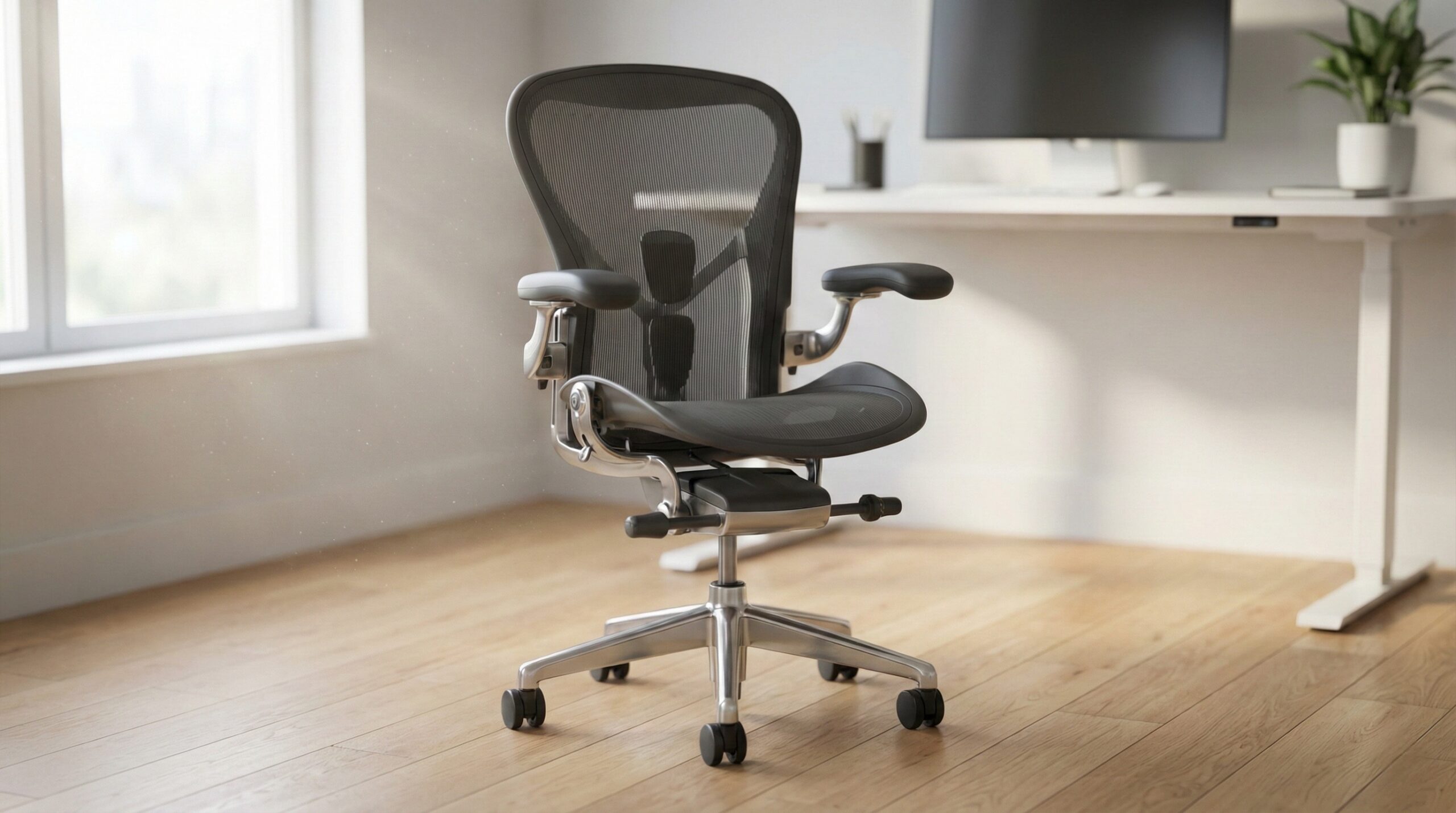
If you want a Branch office chair, focus on fit and adjustment range first, not just looks. For long workdays, the stronger bet is Branch’s more adjustable ergonomic route, while buyers who care more about a clean, design-led setup may prefer the sleeker option if its shape fits their body well.
Across the lineup, the key things to check are seat depth, armrest range, lumbar feel, back material, and support after hours of sitting. Guidance from OSHA computer workstations and CDC NIOSH ergonomics also supports the same basic idea: a chair works best when it adjusts to you and your workstation, not the other way around.
What Branch Office Chairs Actually Are
Branch office chairs sit in the middle of the ergonomic seating market: above basic budget desk chairs, but below the very high-end enterprise chairs that can cost far more than most home office shoppers want to spend. In plain terms, Branch is appealing to people who want a chair that looks modern in a spare bedroom, apartment office, or living-space desk setup, while still offering more ergonomic substance than the cheapest online options.
The big split in the category is between support-first chairs and style-first chairs. With Branch, that usually means deciding whether you want the most adjustment possible or a cleaner visual design with somewhat simpler tuning. That matters because chair comfort is highly body-dependent. A chair that feels excellent to one person can feel awkward to another if the seat pan is too short, the lumbar curve hits the wrong spot, or the armrests do not line up with desk height and shoulder position.
That is why we would treat a Branch chair as a fit purchase, not a decor purchase. Research and ergonomic guidance consistently point toward adjustability and workstation setup as central factors in seated comfort. OSHA workstation chairs emphasizes stable support, correct seat height, and adjustability, while Cornell ergonomics research has long supported the idea that posture and workstation fit affect strain over long work sessions.
In Branch’s current chair range, the practical formula is simple: more adjustment points usually mean a better chance of dialing in comfort for long days, shared users, and bodies outside the average middle. Fewer adjustments can still work well if the chair’s shape naturally suits you, but it is a riskier buy for all-day use. Buyer feedback especially suggests paying attention to lumbar stability, seat comfort over time, and whether the chair’s dimensions truly match your height and proportions.
Price-wise, this is also a category where long-term value matters. When chairs land roughly in the $450 to $650 band, buyers should expect not just decent day-one comfort, but solid support, reasonable durability, and replacement help if something wears or drifts out of place. In a home office, that often matters more than a slightly nicer silhouette.
Who Branch Office Chairs Fit Best
Branch office chairs fit best for home office workers who want a more refined-looking chair than a bulky commercial task seat, but still need real ergonomic features for daily work. If you spend several hours a day at a desk, want a chair that looks appropriate in a shared room, and are willing to compare dimensions and adjustment points carefully, Branch is a sensible brand to consider.
The best fit is usually someone choosing between two priorities: maximum adjustability or cleaner styling. If you work long stretches, jump between typing, meetings, and focused tasks, or share the chair with another person, the more adjustable Branch option makes more sense. The Ergonomic Chair Pro is the clear pick in that situation because it is positioned around deeper adjustability, including a broader set of controls than the design-led Verve. More tuning tends to matter when your workday is long or your body proportions are not close to the average.
It can also fit buyers moving up from low-cost seating who are ready for better posture support but are not ready to spend premium enterprise-chair money. One positive owner quote captures that upgrade experience well: “The chair was easy to assemble. I have worked in an office type job for over 30 years for all kinds of companies.” — verified buyer, 5 stars.
Branch also makes sense for people who run warm while working. Mesh or knit-backed chairs can feel cooler than fully padded backs during longer sessions, though cooling alone does not guarantee comfort. The seat cushion, back curve, and lumbar pressure still have to suit your body. Evidence indicates that chair comfort comes from the overall interaction of posture, support, and workstation fit, not a single feature.
Buyers who tend to do best with Branch are:
- Home office workers who want a modern-looking chair without dropping into luxury pricing
- People willing to measure desk height, legroom, and body proportions before ordering
- Users who want more support than a generic task chair provides
- Shoppers choosing the ergonomic-focused model for all-day work, not just visual appeal
- People who understand that proper chair adjustment works together with monitor, keyboard, and desk setup
One important note: even a well-made ergonomic chair cannot fix a poor workstation by itself. If your monitor is too low, your desk is too high, or your keyboard position keeps your shoulders raised, discomfort can continue no matter how nice the chair is. That is where guidance from OSHA and a certified ergonomist or occupational therapist can be useful if you are troubleshooting persistent pain.
Who Should Skip Branch Office Chairs
Branch is not the best match for everyone. If you need very specialized ergonomic tuning, have a history of difficult back pain, or know that many mainstream office chairs do not fit your frame, you may want a chair with broader sizing options or more advanced adjustability than Branch’s style-forward models provide.
Buyers should also be cautious if they are shopping mostly on appearance. Branch chairs are attractive, and that is part of the appeal, but user reports suggest that visual design does not guarantee a universal fit. In particular, lumbar feel seems to be one of the more polarizing parts of the experience. A notable critical owner report on the Ergonomic Chair Pro says: “If you have the lumbar support set all the way out, it will shift downwards, out of position, every time you lean back against it or sit down.” — verified buyer, 2 stars.
That kind of complaint matters because lumbar support that drifts or presses in the wrong place can turn an otherwise promising chair into a frustrating one for long sessions. If you are very sensitive to lumbar pressure, or you need support that stays locked exactly where you put it, Branch may require more caution than a blind buy based on branding and photos would suggest.
You may also want to skip Branch if:
- You need a chair for clinical back issues rather than general ergonomic support
- You prefer soft, plush seating over a firmer ergonomic feel
- You are outside typical fit ranges and need unusual seat depth or back-height accommodation
- You expect every model at this price to feel equally supportive without careful adjustment
- You are not willing to spend time dialing in seat height, armrest position, and recline tension
The Verve Chair, in particular, is more likely to be a fit gamble for buyers who need detailed customization. Its cleaner design is part of the draw, but fewer adjustments generally leave less room to solve mismatches between the chair and your proportions. If your work involves eight-hour-plus days or you frequently deal with shoulder, hip, or lower-back discomfort, that tradeoff may not be worth it.
Finally, anyone with persistent numbness, radiating leg pain, or worsening back symptoms should not treat chair shopping as the full solution. That is the point where a clinician, occupational therapist, or certified ergonomist is a better next step than trying yet another office chair.
Price and Value
Based on current pricing, Branch office chairs land in a meaningful midrange. The Branch Ergonomic Chair Pro sits around $450 to $550, while the Branch Verve Chair is roughly $600 to $650. That puts both firmly in the zone where buyers should expect more than just a stylish shell and easy assembly. At these prices, value comes from fit, adjustability, durability, and after-sale support.
The better value for many home office workers is likely the Ergonomic Chair Pro, especially if you sit for long periods. The reason is straightforward: when a chair offers more adjustment points, it gives you a better shot at getting the seat height, armrests, recline feel, and support relationship right. For a daily-use chair, that often matters more than premium styling details.
The Verve may still be worth the extra money for buyers who strongly prefer its look and happen to match its shape well. If your workspace is visible in meetings or doubles as part of your living area, that cleaner aesthetic can carry real value. But from a pure ergonomics-per-dollar view, paying more for fewer adjustments is usually harder to justify unless the chair’s design fits you naturally.
When judging value, we would weigh these questions:
- How many hours a day will you actually sit in it?
- Does the chair have enough adjustments to match your body, not just an average user?
- Will the back material help with heat during long sessions?
- Do user reports suggest stable lumbar support and good day-to-day comfort?
- Is the warranty and replacement support strong enough to protect a $500-plus purchase?
That last point matters more than many buyers think. A chair in this range is not disposable. If a mechanism loosens, an arm pad wears, or a support component starts drifting, responsive support can make the difference between a chair that lasts and one that becomes a regret purchase. For home office workers, total cost of ownership is often the real value metric, not the sale price alone.
Common Mistakes When Trying Branch Office Chairs
The most common mistake is buying based on photos and general brand reputation without checking body fit. Branch chairs can look like a safe middle-ground choice, but buyer feedback suggests they are still sensitive to differences in torso height, leg length, and lumbar preference. Do not assume that because a chair is marketed as ergonomic, it will suit every body.
Another mistake is underestimating how much adjustment range matters. A chair with more controls may seem complicated at first, but that complexity is often what lets it work across longer workdays and more body types. If you skip that and choose only by appearance, you may end up with a chair that is attractive but fatiguing after a few hours.
A third mistake is not testing your setup as a system. Chair comfort depends on desk height, keyboard position, monitor placement, and foot support too. OSHA guidance stresses this connection, and it is one reason some buyers blame the chair when the workstation is really the bigger issue.
Owner feedback also points to a specific setup pitfall with lumbar adjustment. As one buyer put it, “If you have the lumbar support set all the way out, it will shift downwards, out of position, every time you lean back against it or sit down.” — verified buyer, 2 stars. That does not mean every user will have the same issue, but it is a good reminder to test whether the support stays secure in the exact position you plan to use every day.
Other common mistakes include:
- Ignoring seat depth and focusing only on seat height
- Setting armrests too high, which can raise the shoulders and create tension
- Expecting a mesh or knit back to solve comfort issues caused by a poor seat cushion fit
- Failing to re-adjust the chair after the first few days of use
- Assuming a more expensive Branch model will automatically be more comfortable for you
We would also avoid judging a chair in the first 10 minutes only. A quick sit can tell you if something feels obviously wrong, but many comfort issues show up after an hour or two, especially around the lower back, hips, and shoulder blades. If a chair feels slightly off at the start, that usually does not improve by magic after a full workweek.
FAQ
Are Branch office chairs good for all-day work?
They can be, but all-day comfort depends on whether the chair’s seat depth, lumbar shape, armrest range, and recline behavior match your body. For long workdays, the more adjustable ergonomic-focused Branch option is usually the safer choice because it gives you more ways to fine-tune posture. Guidance from OSHA workstation chairs also supports prioritizing adjustability and stable support for prolonged desk work.
What matters more in a Branch chair: mesh back or seat cushion?
Both matter, but the better question is how they work together. A breathable back can help if you run warm, yet long-session comfort still depends heavily on seat density, pressure distribution, and whether the lumbar support lands in the right place. Buyer feedback suggests that cooling features are helpful, but they do not override poor fit.
How should I choose between Branch chair models?
Start with your body and work habits. If you sit for many hours, share the chair, or know you need more ergonomic tuning, lean toward the model with the broader adjustment range. If your home office is part of a living space and you care strongly about appearance, a design-forward model may be worth considering, but only if its dimensions and support profile suit you.
Are Branch office chairs worth the price?
They are more likely to be worth it when the fit is right and the adjustment range solves a real need. Around $450 to $650, these chairs should deliver more than decent looks; they should provide reliable support over long sessions and enough durability to justify the spend. The value case gets stronger when the chair helps you maintain a better working posture and avoids the trial-and-error cycle of buying multiple cheap chairs.
What complaints should I watch for before buying?
Pay closest attention to repeated user reports about lumbar stability, overall fit, and comfort after several hours rather than the first few minutes. A chair can earn praise for easy assembly and still have pressure-point or adjustment issues for some users. Reviews are most useful when you compare them against your own height, torso length, and seating preferences.
Can an ergonomic chair fix back pain by itself?
No. A better chair can help reduce strain, but it cannot fully offset a poor workstation setup or an underlying medical issue. Evidence from CDC NIOSH ergonomics suggests that musculoskeletal comfort is affected by the whole work setup, including desk height, monitor placement, and input-device position. If pain is persistent or worsening, it is smart to consult a clinician or occupational therapist rather than relying only on chair changes.
What should I measure before buying a Branch office chair?
Measure your desk height, seated elbow height, lower-leg length, and how much seat depth you usually need for comfortable thigh support without pressing behind the knees. Also check how much armrest clearance you have under the desk. Those basic measurements can tell you far more than product photos about whether a chair will actually work in your space.
Looking for these on Amazon? Browse branch office chair on Amazon →
Bottom Line
Branch office chairs make the most sense for home office buyers who want a modern look with real ergonomic intent, but the right pick comes down to fit and adjustment range. For most people working long hours, the more adjustable ergonomic-focused Branch chair is the smarter starting point than the more design-led alternative.
If you shop carefully, measure first, and treat the chair as part of a full workstation setup, Branch can be a solid midrange buy. If you need highly specific support or you are very sensitive to lumbar fit, be more cautious and prioritize body match over aesthetics.
Affiliate disclosure: This page includes affiliate links. Purchases through these links support our work at no added cost.