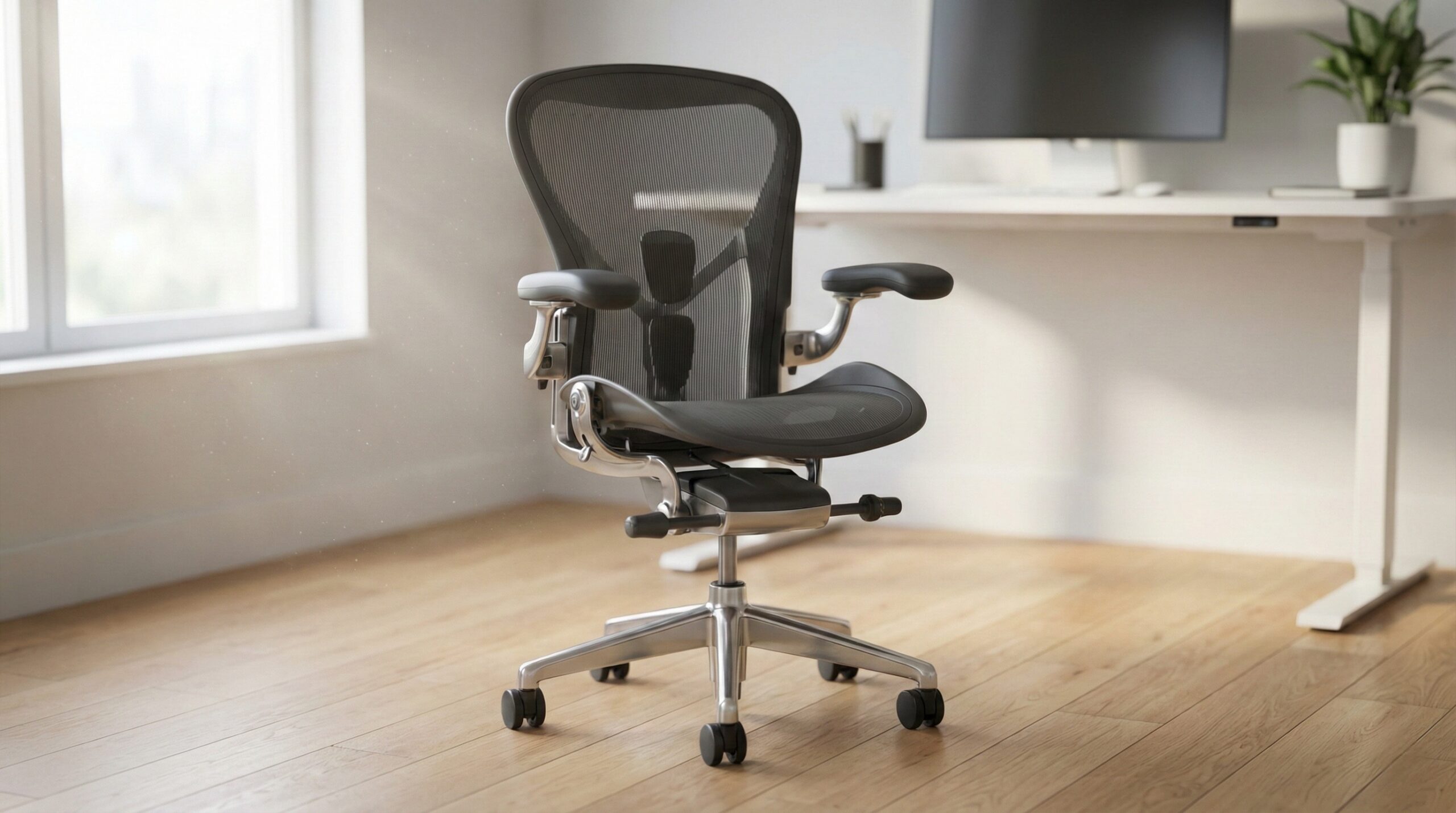
TL;DR
“Big and tall office chairs” aren’t just standard chairs with a higher weight rating — they’re chairs that actually fit wider hips/thighs, longer legs, and taller torsos while staying stable under load. Start by matching seat width/depth, back height, and arm spacing to your body, then verify heavy-duty construction (base, cylinder, tilt mechanism) and buy from a seller with a sane return policy.
What Big and Tall Office Chairs Actually Are
A true big-and-tall office chair is less about the marketing label (“XL,” “executive,” “heavy-duty”) and more about a specific fit-and-durability formula:
- Fit dimensions that match bigger bodies: seat width, usable seat space (not pinched by bolsters), seat depth, and back height that supports where you actually need it.
- Adjustment ranges that still work at higher loads: seat-height range that lets your feet land flat (or works with a footrest), armrests that can move wide enough and low/high enough, and a recline/tilt system with tension that won’t “dump” you backward.
- Construction that’s built to take daily stress: a stable 5-star base, robust casters, a durable gas lift/cylinder, and a tilt mechanism that doesn’t feel loose or underbuilt.
Here’s the practical way to verify “big and tall” claims before you buy:
- Confirm seat width and “real” usable space. Some chairs advertise a wide seat, then eat up space with side bolsters or aggressive contours. If you’ve ever felt squeezed at the hips or thighs, prioritize a flatter seat pan.
- Match seat depth to your leg length. A seat that’s too deep can cut into the back of your knees; too shallow can leave you feeling unsupported. A good starting point is leaving a couple fingers of space behind the knee when seated upright.
- Check back height and head/neck needs. Taller users often need a higher back or an adjustable headrest that actually reaches; otherwise you end up slouching to “find” support.
- Validate armrest range and clearance. You want arms that can go wide enough to avoid squeezing your torso, and adjustable height so shoulders can stay relaxed — consistent with general workstation guidance like OSHA computer workstation guidance.
- Don’t treat weight capacity as the whole story. A rating is a baseline; durability also depends on base size, cylinder quality, hardware, and how the chair behaves when you lean back, shift, and roll — especially if you’re in the chair for long days.
Finally: chair comfort is personal. Evidence indicates “ergonomics” is system-level (chair + desk + monitor + keyboard/mouse + breaks), and that interventions vary widely by person. Organizations like NIOSH ergonomics guidance emphasize reducing strain through overall setup and habits — not just buying one “perfect” chair.
Who Big and Tall Office Chairs Fits Best
Big-and-tall chairs tend to work best when you have one (or more) of these real-world problems:
- You feel pinched or perched on standard seats. If the seat sides press into your thighs/hips or the “usable” seat area feels smaller than advertised, you’ll usually do better with a genuinely wider, flatter seat pan.
- You need a sturdier recline that stays controlled. If you like to lean back during calls, you’ll appreciate tilt mechanisms with enough tension range to support you smoothly.
- You’re tall enough that typical chair backs hit the wrong spot. Bigger-and-taller chairs are more likely to offer higher backs, taller headrests, or geometry that doesn’t force you to slouch for support.
- You work long sessions and need firmer, more supportive foam. Softer seats can bottom out under higher loads; many big-and-tall designs lean firmer to maintain support over time.
User reports often highlight this “support-first” benefit in heavier-duty designs. For example, one home office worker wrote: “I have a bad back and I work from home. I’ve previously come across no chair that helps my back.” — verified buyer, 5 stars.
If you’re unsure how to dial in fit (especially arm height, seat height, and lumbar positioning), a certified ergonomist or occupational therapist can help you match a chair to your body and workstation constraints.
Who Should Skip Big and Tall Office Chairs
These chairs aren’t automatically better for everyone. Consider skipping (or being extra cautious) if any of the below describe you:
- You prefer plush, sink-in cushioning. Many big-and-tall chairs deliberately feel firm to prevent bottoming out. If you want a soft seat, you may end up disappointed unless the chair has the right foam feel for you (or you’re okay adding a seat cushion).
- Your desk setup is low and you need a low minimum seat height. Some larger chairs sit higher at their minimum setting; that can leave you on tiptoes unless you add a footrest.
- You’re in a small space. Wider chairs can be hard to slide under narrow desks, bump armrests into drawers, or be awkward in tight rooms and doorways.
- You’re paying for “big and tall” branding without getting adjustability. A chair can be large but still lack useful arm, lumbar, or tilt adjustments — so you end up with size but not comfort.
Also, bigger is not always more comfortable. One critical piece of buyer feedback to keep in mind is how polarizing some “big” chairs can be on comfort: “It’s a sturdy and very heavy duty chair to be sure. The seat and back cushion are extremely firm, almost like a solid surface.” — verified buyer, 4 stars.
Price and Value
In the current market, the “big and tall” category spans a wide range — from budget oversized chairs to premium ergonomic seating. Based on the products we’re looking at here, you’re generally in a roughly $600–$700 bracket for well-known, higher-priced options:
- Secretlab TITAN Evo: typically $650–$700, depending on configuration/size.
- Herman Miller Aeron (listing shown: Size B): typically $600–$650 in the provided listing context.
Value comes down to three things:
- Fit that prevents “regret buys.” If a chair is technically large but still doesn’t match your seat depth, arm spacing, or back support needs, the extra spend doesn’t help.
- Durability signals, not just a rating. Look for robust base/hardware and durability/testing cues. (BIFMA sets widely referenced durability and safety standards for commercial seating; see BIFMA standards overview.)
- Return policy and warranty clarity. Because comfort is so individual, the ability to return or exchange matters more than most buyers expect — especially if you’re sensitive to seat firmness or pressure points.
Common Mistakes When Trying Big and Tall Office Chairs
- Buying based on weight rating alone. A high number doesn’t guarantee the chair fits your hips, thighs, or leg length — or that the arms won’t dig in.
- Ignoring seat depth (then getting knee pressure). If the seat is too deep, it can press behind the knees; too shallow can feel unstable or unsupported.
- Underestimating how firm “supportive” seats can feel. Big-and-tall chairs often run firm to avoid bottoming out. That can be great for posture support — but uncomfortable if you’re expecting plush cushioning. As one user report puts it: “It’s a sturdy and very heavy duty chair to be sure. The seat and back cushion are extremely firm, almost like a solid surface.” — verified buyer, 4 stars.
- Not checking armrest width/adjustability for your shoulder comfort. If arms can’t go wide enough, you may end up rounding shoulders or flaring elbows out — both can create fatigue over long sessions.
- Skipping the “system” check (chair + desk + monitor). Even an excellent chair can feel wrong if your feet can’t reach the floor, your monitor is too low, or your keyboard/mouse setup forces you to hunch. OSHA’s workstation guidance is a good baseline for aligning chair height, posture, and input devices (see OSHA computer workstation guidance).
- Not re-tightening hardware after break-in. With heavier daily use, bolts can loosen over time. Periodic checks improve stability and reduce annoying creaks/wobble.
FAQ
What seat width and depth count as “big and tall” for office chairs?
There isn’t a single official cutoff, but “big and tall” should mean you have enough usable seat space (not narrowed by bolsters), plus a seat depth that supports your thighs without pressing into the back of your knees. Practically, measure (1) your hip width while seated and add a little clearance, and (2) your butt-to-knee length, then compare those numbers to the chair’s published dimensions.
Is a 400–500 lb weight capacity enough to guarantee the chair will last?
No. Capacity is necessary, but durability also depends on the base, cylinder, tilt mechanism, fasteners, and how the chair handles dynamic loads (reclining, rocking, shifting). When possible, look for chairs designed/tested to recognized performance standards; BIFMA standards information is a helpful reference point for what “tested” can mean in seating.
Which is better for big-and-tall users: mesh, fabric, or leather/PU upholstery?
It depends on your priorities. Mesh backs can help with heat, but mesh seats can sag if not designed for higher loads. Fabric often feels cooler than PU/leather-like materials and avoids peeling, but it can stain. PU/leather-like upholstery can look nice and wipe clean, but user reports commonly mention wear (cracking/peeling) over time, especially with heat and friction.
How do I prevent tailbone or thigh pressure when sitting all day?
Start with seat depth and edge shape: a “waterfall” front edge and the right depth help reduce thigh pressure. Then check seat firmness — too soft can bottom out; too firm can create pressure points. Finally, make sure your setup supports neutral posture: feet supported, hips and knees comfortable, and shoulders relaxed. For baseline posture cues, see OSHA computer workstation guidance.
What adjustments matter most if my arms don’t fit comfortably on standard chairs?
Prioritize armrests that adjust height and ideally width (and sometimes pivot). If arms can’t go wide enough, you may end up shrugging or rounding your shoulders. A chair that lets you keep elbows supported while shoulders stay relaxed is typically easier to tolerate for long sessions.
What should I do if I’m tall but not heavy (or heavy but not tall)?
Shop for your limiting dimension. If you’re tall, focus on seat depth, back height, and headrest range; if you’re heavier but not tall, focus on usable seat width, firm supportive cushioning, and stable tilt behavior. Either way, confirm your feet can be supported at your desk height (or plan on a footrest) to reduce strain — an approach consistent with general ergonomics guidance like NIOSH ergonomics resources.
Looking for these on Amazon? Browse big and tall office chairs on Amazon →
Bottom Line
The best big-and-tall office chair is the one that matches your dimensions (seat width/depth, back height, arm spacing) and holds up with stable, heavy-duty construction—not the one with the biggest number on the weight rating. If you’re shopping this category, prioritize measurement-based fit, adjustable arms/tilt, and a return policy that lets you test real comfort for long work sessions.
Affiliate disclosure: This page includes affiliate links. Purchases through these links support our work at no added cost.