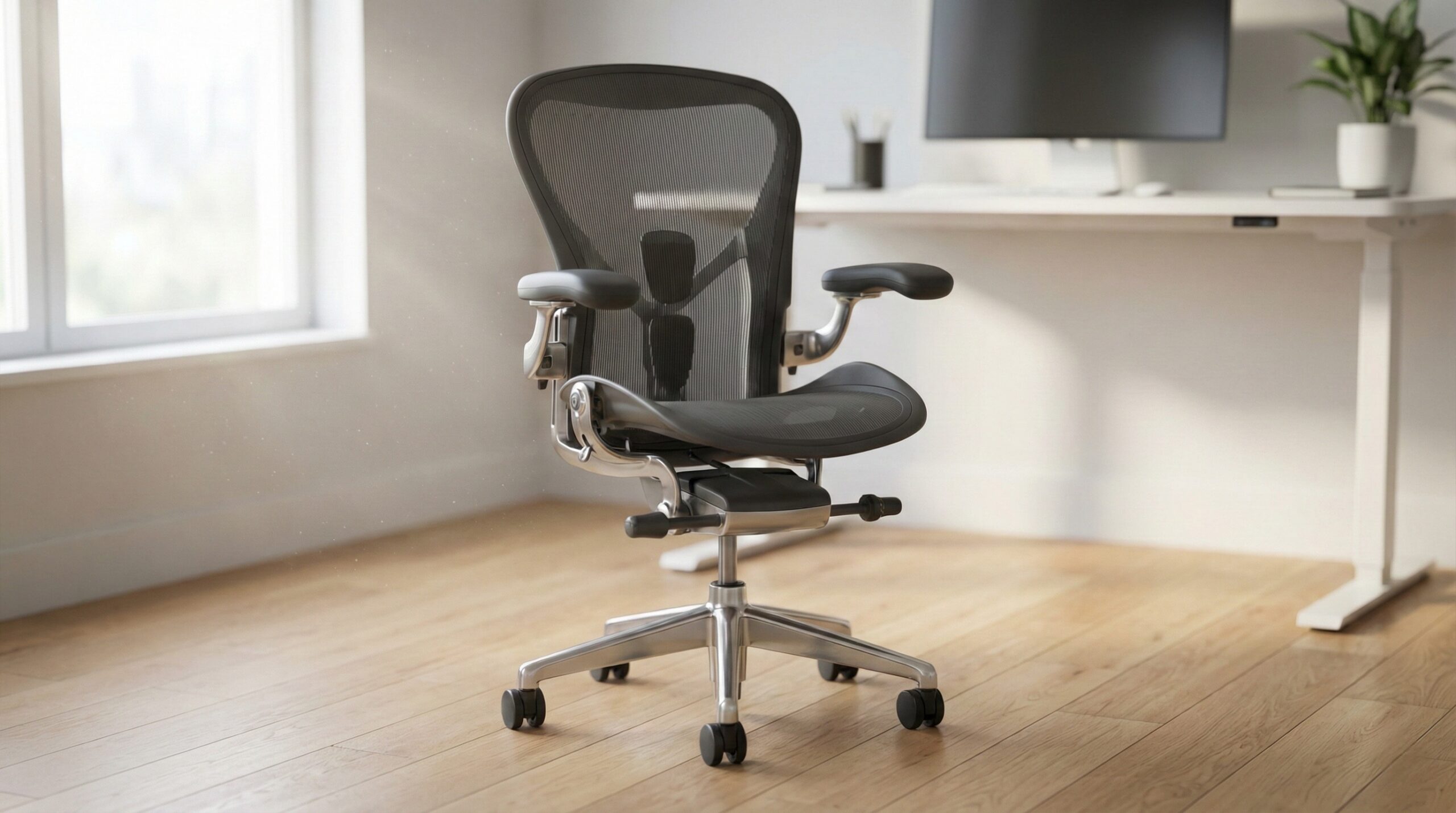
TL;DR
The “best budget” office chair isn’t the one with the most features on the listing — it’s the one that fits your desk height and body so you can sit with relaxed shoulders, feet flat, and elbows near 90°. In this price tier, we prioritize the adjustability that actually changes posture (seat height, usable tilt/recline, and real lumbar support) and we pay close attention to buyer feedback on durability, wobble, and return/assembly friction.
Top Recommended Ergonomic Seating
| Product | Best For | Price | Pros/Cons | Visit |
|---|---|---|---|---|
| COLAMY Ergonomic Mesh Office Chair | Most people working long hours at a standard desk | $250 – $300 | Supportive feel for long days; arm movement may be too loose | Visit Amazon |
| SIHOO M18 Ergonomic Office Chair, High Back Mesh Chair | Shoppers who want a proven, popular budget mesh chair | $125 – $150 | Lots of review volume and broadly liked back support; comfort can be hit-or-miss by body type | Visit Amazon |
Top Pick: Best Overall Ergonomic Seating
COLAMY Ergonomic Mesh Office Chair
Best for: A typical work-from-home setup (laptop + monitor, 8-hour days) where you want a breathable mesh back and enough adjustability to dial in a neutral, “shoulders-down” posture.
The Good
- Support-focused design for long sitting sessions, with buyer feedback specifically mentioning 8–10 hour workdays.
- Mesh-back feel tends to be more forgiving in warmer rooms than faux leather, especially if you run hot.
- Seat comfort gets positive mentions in user reports, which matters more than flashy features when you’re on a budget.
- Multiple adjustments for the money, which is the right direction for budget chairs where fit beats extra “modes.”
The Bad
- Arm movement can be too loose — an issue if you type all day and rely on armrests to keep shoulders relaxed.
- Lower review volume than some budget staples, so there’s less long-term durability signal than mega-sellers.
- Like most chairs in this tier, you should expect some compromises in parts that take abuse (arm pads, tilt hardware) over years of daily use.
4.4/5 across 29 Amazon reviews
“Excellent chair for the asking price. I use this as my work from home chair, so many 8-10 hour days. Many adjustments are available that you’d find useful on chairs with a much higher price.Lumbar is supportive and not too pronounced. The breathable mesh back is nice, though it’s not a true mesh. Somewhere in between fabric and mesh, which I really…” — Verified Amazon buyer (5 stars)
“I’ve been using this daily for about a month now. Comfort wise, it’s pretty decent. The seat cushion is really good. The stiff plastic frame on the backrest hasn’t bothered me at all despite some reviews complaining about it. The armrests, thought quite firm, haven’t been uncomfortable for long stretches. The 4D movement does move too easily, however,…” — Verified Amazon buyer (3 stars)
Typical price: $250 – $300
Our Take: If you want a budget chair that’s trying to do the “right ergonomic things” — breathable back, supportive feel, and real adjustability — this COLAMY is our best overall pick, with the main watch-out being armrest stability.
SIHOO M18 Ergonomic Office Chair, High Back Mesh Chair
Best for: A shared home office or multi-user household where you want a widely purchased, budget-priced mesh chair for everyday computer work (email, spreadsheets, meetings) and you value lots of buyer feedback to sanity-check your purchase.
The Good
- Very high Amazon review count (4.4/5 across 16,509 Amazon reviews), which can be useful for spotting recurring issues and “what to expect” patterns.
- Mesh-back format is a practical choice if your office runs warm or you dislike the sticky feel of bonded leather.
- Commonly chosen as an entry-level ergonomic chair, making it a reasonable starting point if you’re upgrading from a dining chair.
- Budget-friendly pricing that leaves room in your budget for an often-needed add-on like a footrest (if your desk is tall) or a seat cushion (if you need more plushness).
The Bad
- Comfort is subjective and can be hit-or-miss depending on torso length, seat depth preference, and where the lumbar hits your back.
- As with many high-volume budget chairs, consistent quality can vary unit-to-unit — test everything during the return window.
- Don’t assume “high back” automatically means better neck support; if you specifically need a headrest, you may need a different style of chair.
4.4/5 across 16,509 Amazon reviews
“I had an office chair that cost $300 more than this chair – had it for years, then things started breaking down on it. I read about this chair and, wow! I wish I had known about it sooner. It’s more comfortable and it’s not a chore to sit for a couple of hours working on designs. Wonderful design – supports my back well and it’s very stable, easy to adjust.” — Verified Amazon buyer (5 stars)
“I’ve been using this chair for 12+ hours a day for the last 5 or 6 months and so far it is much better than my last chair I bought at Staples with a few problems.First, overall the chair is still comfortable when set properly, the cushion on the bottom is a little worn out but is still comfortable and I find the backrest comfortable except for the lumbar…” — Verified Amazon buyer (3 stars)
Typical price: $125 – $150
Our Take: The SIHOO M18 is the safer “known quantity” budget option thanks to the sheer amount of home office worker reviews — just be ready to return it if the lumbar/seat geometry doesn’t match your body.
FAQ
What’s the minimum you should demand in a budget office chair?
At a minimum, look for seat height adjustment (so feet can rest flat), a usable recline/tilt (so you can change posture during the day), and lumbar support you can actually feel in your lower back. OSHA’s workstation guidance is a good baseline for what “neutral” looks like at a desk — see OSHA computer workstation guidance.
How do I know if a chair fits my desk height?
Start with your desk: when your hands are on the keyboard, your elbows should land around 90° with shoulders relaxed (not shrugged). Then set chair height so your feet stay flat and your thighs are roughly level; if you must raise the chair to reach a tall desk, add a footrest so your legs aren’t dangling (OSHA also emphasizes neutral joint positioning at the workstation: OSHA computer workstation guidance).
Is mesh better than a cushioned seat for long workdays?
Mesh backs are often better for heat and airflow, but “long-day comfort” depends more on whether the seat supports your thighs without creating pressure at the front edge. Evidence on ergonomics and musculoskeletal strain tends to emphasize avoiding static, awkward postures and encouraging small posture changes — see NIOSH ergonomics overview — which is why a functional recline/tilt can matter as much as the upholstery material.
Do “4D” armrests matter on cheap office chairs?
Range of motion matters less than stability. If arm pads slide or wobble, you may unconsciously tense your shoulders to “hold position,” which defeats the point. In budget chairs, simpler arm designs that lock firmly can feel better in real use than a loose multi-direction armrest.
How long should a budget office chair last, and what typically breaks first?
It varies by use and build quality, but buyer feedback commonly flags wear items like arm pads, loosening tilt hardware, and upholstery (especially faux leather) as early failure points. If durability is a big concern, look for brands that reference recognized furniture testing norms; BIFMA provides context on performance and safety standards used in commercial seating (BIFMA standards and resources).
What should I check right after assembly so I don’t miss the return window?
Within the first day or two, confirm the cylinder holds height without slowly sinking, the recline/tilt behaves predictably (no sudden “drop” feeling), and the armrests don’t wobble excessively under light pressure. Re-tighten bolts after a week or two of use (fasteners can settle), and keep the box until you’re sure the chair fits your desk and body.
When should I talk to a professional about chair-related pain?
If you have persistent back, neck, or arm pain — or numbness/tingling — it’s smart to talk with a clinician, and a certified ergonomist or occupational therapist can help you adjust your workstation (chair, desk height, monitor position) as a system. Ergonomics guidance can reduce risk, but it’s not medical treatment, and sometimes the desk/monitor setup is the bigger driver than the chair.
Bottom Line
The COLAMY Ergonomic Mesh Office Chair is our best overall budget pick because it targets the adjustments that matter for day-to-day posture and has user reports that specifically mention long work-from-home days. If you’re more risk-averse and want a chair with an enormous pool of buyer feedback, the SIHOO M18 is a reasonable alternative — but fit is personal, so prioritize easy returns and test it quickly.
Affiliate disclosure: This page includes affiliate links. Purchases through these links support our work at no added cost.