TL;DR
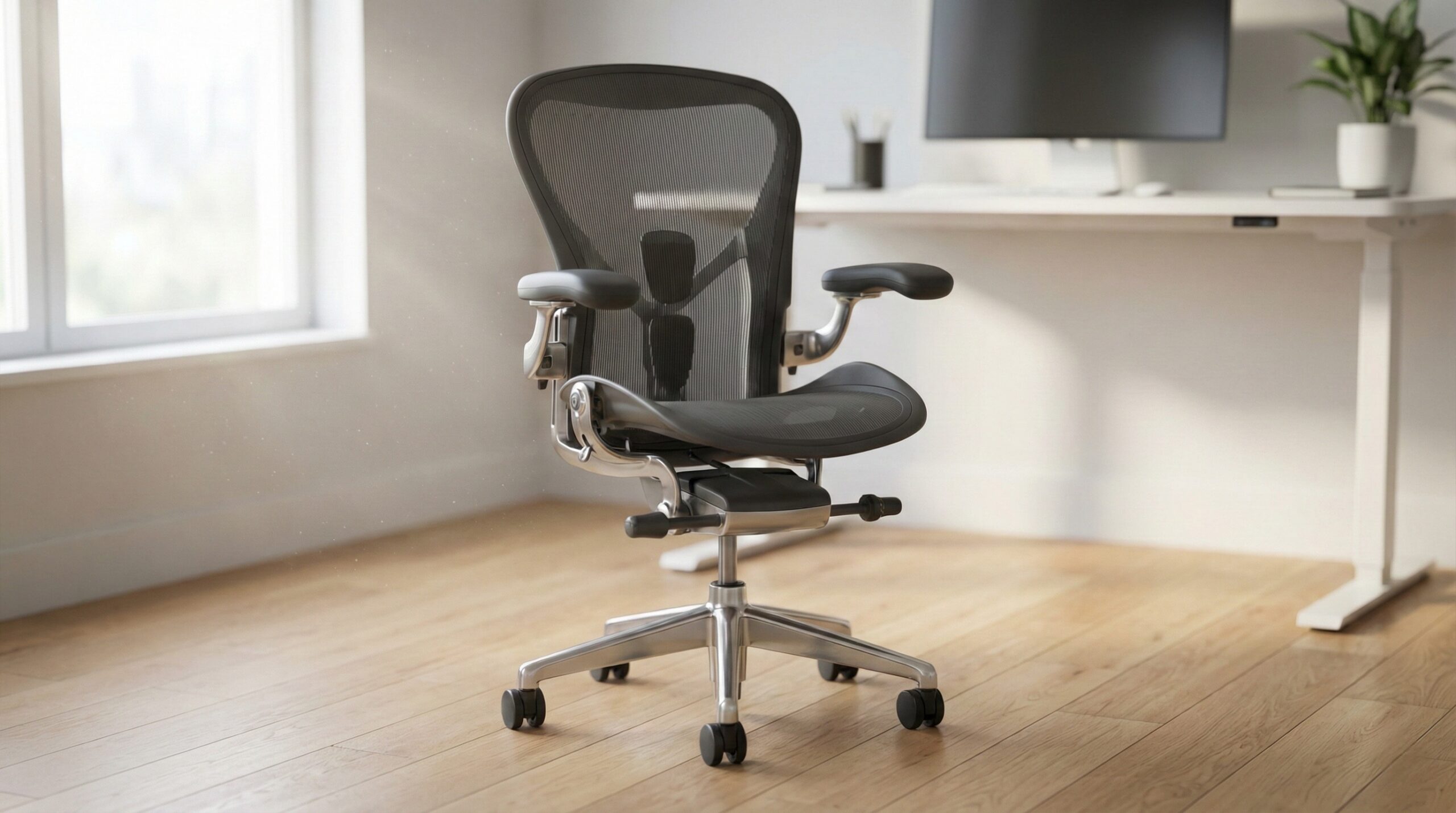
A good high-back office chair supports your whole back — not just your lower back — and it fits your body well enough that you can sit upright, recline, and move without fighting the chair. Prioritize fit (seat depth/width, back height), adjustable lumbar support, and armrest range first; treat “high-back” marketing as a starting point, not a guarantee of neck support.
If you specifically want neck support, make sure the chair includes a real, adjustable headrest or a backrest tall enough to reach the base of your skull — many “high-back” chairs stop at the shoulders.
What a High Back Office Chair Actually Is
In shopping terms, a “high back office chair” usually means the backrest extends higher than a standard task chair — often into the upper back/shoulder-blade area and sometimes toward the neck. In ergonomics terms, though, “high-back” isn’t a single spec. Two chairs can both be labeled high-back and still feel totally different depending on backrest height, lumbar shape, recline mechanics, seat depth, and armrest adjustability.
Here’s the practical way to think about it: a high-back chair is meant to provide more surface area and support for the thoracic (mid/upper) back than a mid-back chair. That can be helpful for long desk days because it gives your shoulder blades somewhere to rest when you recline, and it can feel more “cradling” than a smaller backrest. But it does not automatically mean head or neck support. A lot of “high-back” designs top out around the shoulders — great for upper-back contact, but not tall enough to act like a headrest.
So what actually matters when you’re deciding if a high-back chair will work for you?
- Back height (real measurements, not labels): Ideally you can find a published backrest height or user-height guidance. Without that, you’re guessing.
- Seat depth and seat shape: Evidence-based workstation guidance generally emphasizes fit — your thighs should be supported without the seat edge pressing into the backs of your knees. That typically means leaving a small gap behind the knees when seated all the way back.
- Lumbar support alignment: “High-back” won’t help if the lumbar curve hits the wrong place. Adjustable lumbar height (and ideally firmness) is a safer bet than a fixed lumbar bump for a wide range of bodies.
- Armrest adjustability: Armrests that can set your elbows at a relaxed ~90° can reduce shoulder and neck tension during typing and mousing. If armrests are too high, too wide, or not adjustable enough, they can force shrugged shoulders or awkward reaching.
- Recline and tilt behavior: A chair that reclines smoothly with reasonable tension lets you change posture throughout the day, which matters for comfort. OSHA’s seating guidance for computer workstations also centers on adjustability and neutral posture setup rather than any single “perfect” posture (OSHA computer workstations chair guidance).
Finally, keep expectations realistic: ergonomic seating and good setup can reduce discomfort risk, but they’re not medical treatment. If pain is persistent, worsening, or includes numbness/tingling, it’s worth checking in with a clinician — and a certified ergonomist or occupational therapist can help dial in chair and workstation fit.
Who a High Back Office Chair Fits Best
A high-back office chair is often a strong match if you want more upper-back contact than a mid-back chair provides, or you tend to lean back and appreciate that “supported” feeling behind your shoulder blades. Based on common home-office setup needs and user reports, it tends to fit best in these situations:
- You work long sessions and want more back contact when you recline. A taller backrest can feel steadier when you shift between upright work and leaning back for calls or reading.
- You run warm and want a breathable back. Many high-back chairs use mesh backs, which can help with airflow compared to upholstered backs.
- You’re trying to improve workstation comfort with adjustability. When high-back chairs include usable seat height adjustment, supportive lumbar shaping, and workable armrests, they can make it easier to set up a neutral posture (the kind OSHA and other ergonomics resources generally recommend).
- You want a “desk chair” that also feels like an “executive chair.” High backs often look more substantial, which some people prefer in a home office that doubles as a guest room or shared space.
Real-world comfort still comes down to the exact model and your body proportions. One buyer described needing long-session support: “After I injured my back, I needed a chair that would provide support and comfortability for hours at a time. This chair fit the bill perfectly!” — verified buyer, 5 stars.
If you’re uncertain about fit, a simple rule: prioritize seat depth and lumbar alignment over the “high-back” label. A well-fitting seat and correctly positioned lumbar support usually do more for all-day comfort than an extra couple inches of back height.
Who Should Skip a High Back Office Chair
High-back office chairs aren’t automatically better, and they can be the wrong choice if they push you into poor alignment, don’t fit under your desk, or simply don’t match how you sit. Consider skipping (or being extra cautious) if any of the following sound like you:
- You’re buying “high-back” specifically for neck support. Many high-back chairs stop below the head. If you need head/neck support for reclining, look for an actual adjustable headrest or verified back height specs.
- You need a highly specific fit (very petite or very tall) and the chair lacks key adjustments. Without seat-depth adjustment and adjustable lumbar height, it’s easy for support to hit the wrong spot.
- You dislike firm seats or you’re sensitive to pressure behind the knees. Some chairs get complaints about seat comfort over time, especially if the seat pan is too long or the foam is too firm.
- You’re expecting perfect comfort based on a tiny number of reviews. Sparse review history can make it harder to predict consistency and quality control.
One critical review highlights how expectations can be shaped by limited feedback: “There were 2 reviews for this chair – both 5 out of 5s. So I have to admit, I thought this would be the chair.” — verified buyer, 1 stars.
Also keep durability expectations grounded. Chairs vary widely in build quality; if long-term reliability is a priority, look for models that reference durability testing norms (BIFMA is the common benchmark in the category) and use the chair within its rated capacity (BIFMA standards overview).
Price and Value
High-back office chairs span a huge price range, from budget task chairs to premium ergonomic models. In the midrange, you’ll often see the tradeoff: you may get a taller back and a more “executive” look, but not necessarily the advanced adjustability (true seat-depth adjustment, multi-dimensional armrests, finely tunable lumbar) you’d find in higher-end ergonomic chairs.
For the model we have pricing on here, the Lorell ErgoMesh Series High-Back Black Mesh Chair typically lands around $250–$350. At that price, we consider value to hinge on three things:
- Fit: If the seat depth and lumbar shape happen to match your body well, it can be a comfortable long-session chair for the money.
- Heat management: Mesh-back designs can be a plus if you run warm.
- Expectation setting: In this price band, you may see more mixed feedback on seat comfort and long-hours support than you’d expect from premium ergonomics-focused chairs.
Our take on value: spend for adjustability that you’ll actually use — especially seat depth, lumbar positioning, and armrest height. Those are the features most likely to make the difference between “fine for an hour” and “comfortable for a workday,” which aligns with common ergonomics guidance on chair fit and neutral posture (OSHA computer workstations chair guidance).
Common Mistakes When Trying a High Back Office Chair
Most “this chair hurts” situations aren’t because high-back chairs are bad — they’re because the chair is misfit, misadjusted, or bought for the wrong reason. Here are the most common pitfalls we see in home office worker reviews and day-to-day ergonomics guidance:
- Assuming “high-back” equals head/neck support. If you want a headrest, confirm it’s included and adjustable. Otherwise you may end up with a tall upper-back support that still leaves your neck unsupported.
- Skipping seat-depth fit. If the seat is too long for your thighs, it can press behind your knees and contribute to numbness or fidgeting. If it’s too short, you may feel like you’re sliding forward or missing thigh support.
- Leaving armrests too high. High armrests can push shoulders up (shrugging), which often translates into neck tension. Set armrests so your elbows rest lightly while keeping shoulders relaxed.
- Placing lumbar support in the wrong spot (or accepting a fixed lumbar bump). Lumbar support should meet the natural curve of your lower back — not your mid-back. If it feels like a hard lump, it’s probably not aligned well (or not adjustable enough).
- Buying based on a couple of glowing reviews. Review volume matters because it can reveal consistency issues — especially around comfort and durability over time.
That last point comes through clearly in buyer feedback: “There were 2 reviews for this chair – both 5 out of 5s. So I have to admit, I thought this would be the chair.” — verified buyer, 1 stars.
If you want a quick self-check after assembly, use a simple 5-minute setup routine: set seat height so your feet are flat; adjust seat depth to leave a little space behind the knees; position lumbar to meet your lower-back curve; set armrests so shoulders stay relaxed; then test a small recline to make sure your shoulder blades stay supported without forcing your head forward. For more detail, OSHA’s workstation chair guidance is a solid baseline (OSHA computer workstations chair guidance), and NIOSH has broader context on how posture, repetition, and duration contribute to musculoskeletal strain (NIOSH ergonomics resources).
FAQ
Do I need a headrest on a high back office chair?
Not necessarily. If you mostly work upright and look at a monitor, lumbar support, seat fit, and armrests usually matter more than a headrest. A headrest becomes more useful if you recline often (calls, reading) and want neck support while leaning back — just make sure it’s adjustable so it doesn’t push your head forward.
Is a taller back always better for upper-back pain?
No. A taller back can feel supportive, but pain is often more about fit and setup than back height alone. If lumbar support hits the wrong spot, or armrests force shrugged shoulders, a “taller” chair can still feel bad. Evidence-based ergonomics guidance generally emphasizes adjustability and neutral posture setup over any single chair shape (OSHA computer workstations chair guidance).
What adjustments matter most for all-day sitting?
Seat height, seat depth, lumbar positioning (height/firmness if available), armrest height, and a recline/tilt system you can actually use. If you can only prioritize two, we’d start with seat depth and lumbar alignment because they directly affect pressure behind the knees and lower-back support.
How should a high-back chair fit behind my knees?
When you’re seated all the way back, you generally want a small gap between the seat edge and the back of your knees so circulation isn’t restricted. If the seat presses into the knee area, try reducing seat depth (if adjustable) or consider a different model with a shorter seat pan.
Mesh vs foam: which is better for a high-back office chair?
Mesh backs tend to breathe better and feel cooler, which helps if you run hot. Foam seats often feel more cushioned and can distribute pressure well, but warmth buildup can be higher depending on upholstery. The “better” choice is the one that matches your comfort and temperature needs over long sessions.
What does BIFMA mean for office chair durability?
BIFMA is the main industry body that publishes performance and safety standards for office furniture, including seating. If a chair references BIFMA standards, it’s a sign the product is at least designed with common durability tests in mind (though it doesn’t guarantee you’ll love the fit). You can learn more from the BIFMA standards overview.
Can an ergonomic chair fix my back pain?
A better-fitting chair and workstation setup can reduce discomfort risk, especially when combined with posture variation and breaks, but it’s not a medical treatment. If pain persists, worsens, or includes symptoms like tingling or numbness, consider talking with a clinician; a certified ergonomist or occupational therapist can also help identify setup issues that aren’t obvious.
Looking for these on Amazon? Browse high back office chair on Amazon →
Bottom Line
A high-back office chair can be a smart choice if you want more upper-back support and a more “supported” feel during long workdays — but don’t assume it includes head/neck support unless it has a real headrest or verified back height. Focus on fit and adjustability (seat depth, lumbar alignment, armrests) first, then use the high back as a bonus rather than the main deciding factor.
If you’re trying a high-back chair at home, take five minutes to set it up properly and reassess after a few days — most comfort complaints come down to misadjustment or a seat/back that simply doesn’t match your proportions.
Affiliate disclosure: This page includes affiliate links. Purchases through these links support our work at no added cost.