TL;DR
If you’re looking at the Branch Ergonomic Chair Pro, the “right” buy usually comes down to fit: can you dial in seat height, seat depth, and lumbar height so you can sit neutrally at your desk without pressure points. In the ~$500 tier, long-session comfort tends to be decided more by seat cushion feel over time and armrest geometry/stability than by how many “D’s” the armrests claim.
Before you buy, measure your desk setup and be realistic about what a chair can do: evidence-based ergonomics guidance (OSHA/NIOSH/Cornell) frames chairs as one part of reducing strain — not a guaranteed fix for pain.
What Branch Ergonomic Chair Pro Actually Is
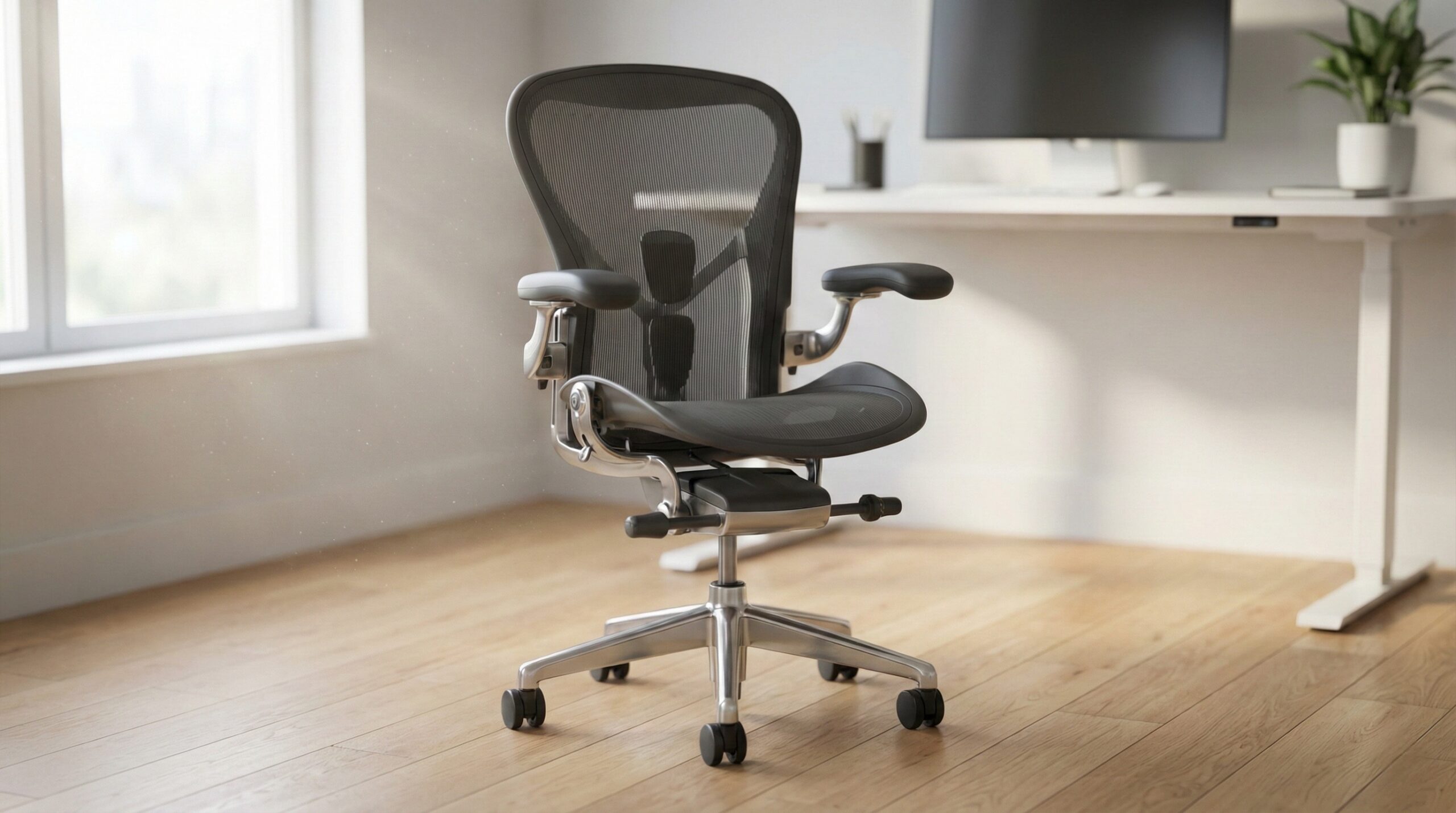
The Branch Ergonomic Chair Pro is a midrange ergonomic task chair aimed at home office workers who want more adjustability and posture support than a basic office chair, without paying premium flagship-chair prices. In practical terms, it’s meant for long desk sessions where you need (1) a stable seat that supports your thighs without cutting into the back of your knees, (2) back support that lands in your lower back instead of pushing your ribs forward, and (3) armrests that help take load off your shoulders while typing and mousing.
It helps to think about “ergonomic chair” as a formula instead of a label:
- Fit range (seat height, seat depth, lumbar height) +
- Support quality (how the seat foam distributes pressure; whether the back support feels present but not aggressive) +
- Control points (armrest height/width/angle; tilt/recline you’ll actually use) +
- Your workstation setup (desk height, keyboard/mouse reach, monitor height) =
- Whether it feels “ergonomic” for you
That last piece matters more than most people expect. OSHA’s workstation guidance emphasizes neutral posture — feet supported, elbows roughly around 90 degrees, wrists not cocked up, and the screen positioned to reduce neck craning. If your desk is too high (or your monitor is too low), even a great chair can end up feeling “wrong” because you’ll compensate with shrugged shoulders, forward head posture, or dangling feet. For a refresher, see OSHA computer workstation guidance.
It’s also worth framing expectations: NIOSH’s ergonomics resources focus on reducing risk factors for musculoskeletal discomfort through setup, variation, and work habits — not on chairs as treatment devices. If you’re buying primarily to address ongoing pain, consider checking your workstation layout first and talking with a certified ergonomist or occupational therapist if symptoms persist. Reference: NIOSH ergonomics and MSD resources.
Finally, when you see durability claims in this category, many commercial-grade chairs reference ANSI/BIFMA performance testing (commonly ANSI/BIFMA X5.1). That’s a useful signal for safety and durability, but it doesn’t guarantee comfort or perfect fit. Standard overview: BIFMA standards information.
Who Branch Ergonomic Chair Pro Fits Best
The Branch Ergonomic Chair Pro tends to make the most sense for home office workers who want a “fit-first” ergonomic chair: not necessarily the plushest seat on day one, but a chair where you can adjust the basics to land in a neutral working posture.
- You can match the chair to your desk height. If the seat height range lets your feet sit flat (or on a footrest) while your elbows stay comfortably near desk height, you’re starting from a good place. This is the core “does it fit” test.
- You benefit from adjustable lumbar height/pressure. If you’ve tried chairs where the lumbar hits too high (or too low), having a range to position it in the small of your back can be the difference between “supportive” and “annoying.”
- You want a task chair for real work hours. If your day is mostly typing, calls, and mouse work, prioritize stable arm support and a backrest that encourages neutral posture rather than a deep lounge recline.
- You’re willing to treat the chair as part of the system. People tend to be happiest when they adjust the chair and the workstation together (monitor height, keyboard/mouse position, foot support), not when they expect the chair to compensate for everything else.
That last point is straight out of mainstream ergonomics guidance. Cornell’s ergonomics resources, for example, consistently emphasize chair adjustment + workstation layout as a pairing — especially around seat height, back support, and arm support. (See Cornell University Ergonomics Web.)
“I bought a chair, they charge you on the spot. You don’t hear anything for couple of weeks (rather than the 5 days they promise to deliver) and when you ask after two weeks they” — Haworth Soji buyer feedback, 1 stars.
Who Should Skip Branch Ergonomic Chair Pro
If your goal is “the most comfortable chair no matter what,” or you already know you’re sensitive to certain pressure points, it’s smart to be picky in this tier. A chair can have a long feature list and still not work for your body.
- You want an ultra-plush seat feel long-term. In midrange ergonomic chairs, some users end up unhappy after a month or two if the foam feel changes, compresses, or creates tailbone/hamstring pressure. If you strongly prefer soft cushioning, you may want to test in person (or buy only where returns are easy).
- You need exceptionally stable, wide-range armrests for task work. “4D/5D” labels don’t guarantee that the armrests will sit close enough together, adjust low enough to clear your desk, or stay stable under load. If you do lots of precision mouse work or lean on armrests, stability and geometry matter a lot.
- You’re buying to fix pain without changing anything else. If your monitor height, keyboard reach, or desk height are off, a new chair can disappoint fast. Ergonomics evidence generally supports a broader approach: posture-neutral setup, microbreaks, and variation, not a single purchase as a cure-all.
- You need “medical-grade” outcomes. Ergonomic chairs are not medical devices. Ongoing numbness, tingling, or severe pain should be evaluated by a clinician; a certified ergonomist or occupational therapist can also help identify workstation drivers.
“I have Haworth Zoey chair and I can say the model has a design defect. After two years the back support of the chair broke. After 3 months back and forth they agreed to change my” — Haworth Soji buyer feedback, 1 stars.
Price and Value
Branch’s Ergonomic Chair Pro generally sits in the midrange ergonomic chair bracket (often mentally pegged around the ~$500 tier). At that price, the value question is less “does it have lots of adjustments?” and more:
- Does it fit my body and desk? If seat height, seat depth, and lumbar height don’t land correctly, the chair won’t feel ergonomic no matter how many knobs it has.
- Will the seat stay comfortable after 30–90 days? User satisfaction tends to swing on pressure distribution and whether the cushion feel holds up.
- Are the armrests usable for my work? Armrest height range, how close they come together, pad comfort, and wobble are all “every day” factors.
- What’s the real total cost? In this category, add-ons like headrests, alternate cylinders for taller/shorter setups, or upgraded casters can change both comfort and budget.
It’s also reasonable to weigh cross-shopped alternatives in the same general tier. Chairs like the Haworth Soji (Quick Ship), Eurotech Vera, and HON Ignition 2.0 are often in the same shopping orbit. The point isn’t that one is universally “better,” but that return policy, warranty terms, parts availability, and how the chair fits your body can matter as much as the headline features.
Common Mistakes When Trying Branch Ergonomic Chair Pro
Most “this chair isn’t ergonomic” stories come from setup and fit mismatches rather than a single defective feature. Based on recurring home office worker reports in this category, here are the mistakes we see most:
- Buying before measuring desk height (and your target posture). Start from the goal: feet supported, thighs roughly parallel to the floor, elbows near desk height without shrugging. If you can’t get that with the chair at your desk, you’ll chase comfort forever. OSHA’s posture targets are a good baseline: OSHA computer workstation guidance.
- Setting seat depth too long (or too short). Too long can press behind your knees and cause numbness; too short can leave your thighs unsupported. A common fitting cue is leaving a small gap behind the knees while still supporting most of the thigh.
- Cranking lumbar too aggressively. Lumbar support should feel present, not like it’s shoving you forward. If you feel forced into an arch, back off pressure/depth and adjust height so it contacts the lower back where you actually need it.
- Ignoring armrest width and stability. People fixate on “4D/5D,” then realize the arms are either too wide for their typing posture or wobbly under load. For desk work, the best armrests are the ones that let shoulders relax and elbows stay close to your sides.
- Not re-tightening hardware after a week. Many chairs benefit from a quick check after initial break-in; it can reduce minor wobble and help prevent new creaks.
- Skipping a footrest when feet don’t comfortably reach. If you raise the seat to match desk height but your feet dangle, you can create front-edge thigh pressure and lower-back fatigue. A simple footrest can solve what feels like a “bad chair” problem.
“I bought a chair, they charge you on the spot. You don’t hear anything for couple of weeks (rather than the 5 days they promise to deliver) and when you ask after two weeks they” — Haworth Soji buyer feedback, 1 stars.
FAQ
How do I know if an ergonomic chair will fit my body?
Start with three measurements/checks: seat height (feet supported while elbows are near desk height), seat depth (a small gap behind the knees while supporting most of the thigh), and lumbar height (support contacts the lower back — not mid-back). Cornell’s practical ergonomics guidance is a helpful reference point for dialing in chair and workstation fit: Cornell University Ergonomics Web.
Can an ergonomic chair fix back pain on its own?
Usually not on its own. Evidence-based ergonomics guidance (including NIOSH) frames chairs as one piece of reducing strain alongside workstation setup (monitor/keyboard/mouse position), movement breaks, and reducing sustained awkward postures. See NIOSH ergonomics and MSD resources. If pain is persistent, severe, or includes numbness/tingling, talk with a clinician; a certified ergonomist or occupational therapist can help assess your setup.
What’s the correct way to set chair height at a computer desk?
A practical target is: feet supported (floor or footrest), thighs roughly parallel to the floor, and shoulders relaxed with elbows around a right angle while your hands are on the keyboard/mouse. If your desk is fixed and high, you may need a footrest after raising seat height to reach the work surface. OSHA’s seated posture and workstation positioning guidance is a solid starting point: OSHA computer workstation guidance.
Are “4D/5D armrests” always better for ergonomics?
No. What matters is whether the armrests adjust low/high enough for your desk, come close enough together for your typing posture, and stay stable under load. Armrests that force your elbows out wide or make you shrug will create fatigue even if they technically have more adjustment directions.
What should I prioritize when shopping for a midrange ergonomic chair?
Prioritize fit (seat height/depth and lumbar height) and long-session comfort (pressure distribution and seat feel after a full day). After that, look at armrest geometry/stability and the return policy/warranty. Durability claims sometimes reference ANSI/BIFMA standards (often X5.1), which can be a useful safety/durability signal: BIFMA standards information.
Do I need a headrest for desk work?
Only if it matches how you sit. Many headrests feel best when you recline; for upright typing, a headrest can be unnecessary or can even encourage a forward head position if it’s not adjustable enough. If you buy one, make sure it can move enough to support you without pushing your head forward.
Looking for these on Amazon? Browse branch ergonomic chair pro on Amazon →
Bottom Line
The Branch Ergonomic Chair Pro is worth considering if you’re approaching it like a fit problem: seat height, seat depth, and lumbar height have to match your body and desk, and armrest geometry/stability has to work for your typing and mouse posture. In the midrange price bracket, long-term comfort is more often about seat feel and usable adjustments than a big feature checklist.
If you’re shopping because of pain, start by correcting workstation basics (monitor height, keyboard/mouse reach, foot support) using resources like OSHA computer workstation guidance, and treat the chair as one part of the solution — not the whole fix.
Affiliate disclosure: This page includes affiliate links. Purchases through these links support our work at no added cost.