TL;DR
If you want the simplest, most universal headset stand, pick a freestanding model with a heavier base, anti-slip pads, and a wide, curved cradle so your headband doesn’t get dented over time. If desk space is your #1 constraint, an under-desk hook (padded + secure mount) usually beats a desktop stand for day-to-day convenience.
Skip paying extra for RGB lights or built-in USB ports unless you truly need power/ports in that exact spot — stability, headband support, and placement matter more.
What a Headset Stand Actually Is
A headset stand is a dedicated “parking spot” for your headphones or gaming headset — typically placed on your desk, mounted under it, or attached to a wall. The basic goal is simple: keep your headset off your desktop (and off your chair arm or the floor), while storing it in a way that protects the headband and ear pads.
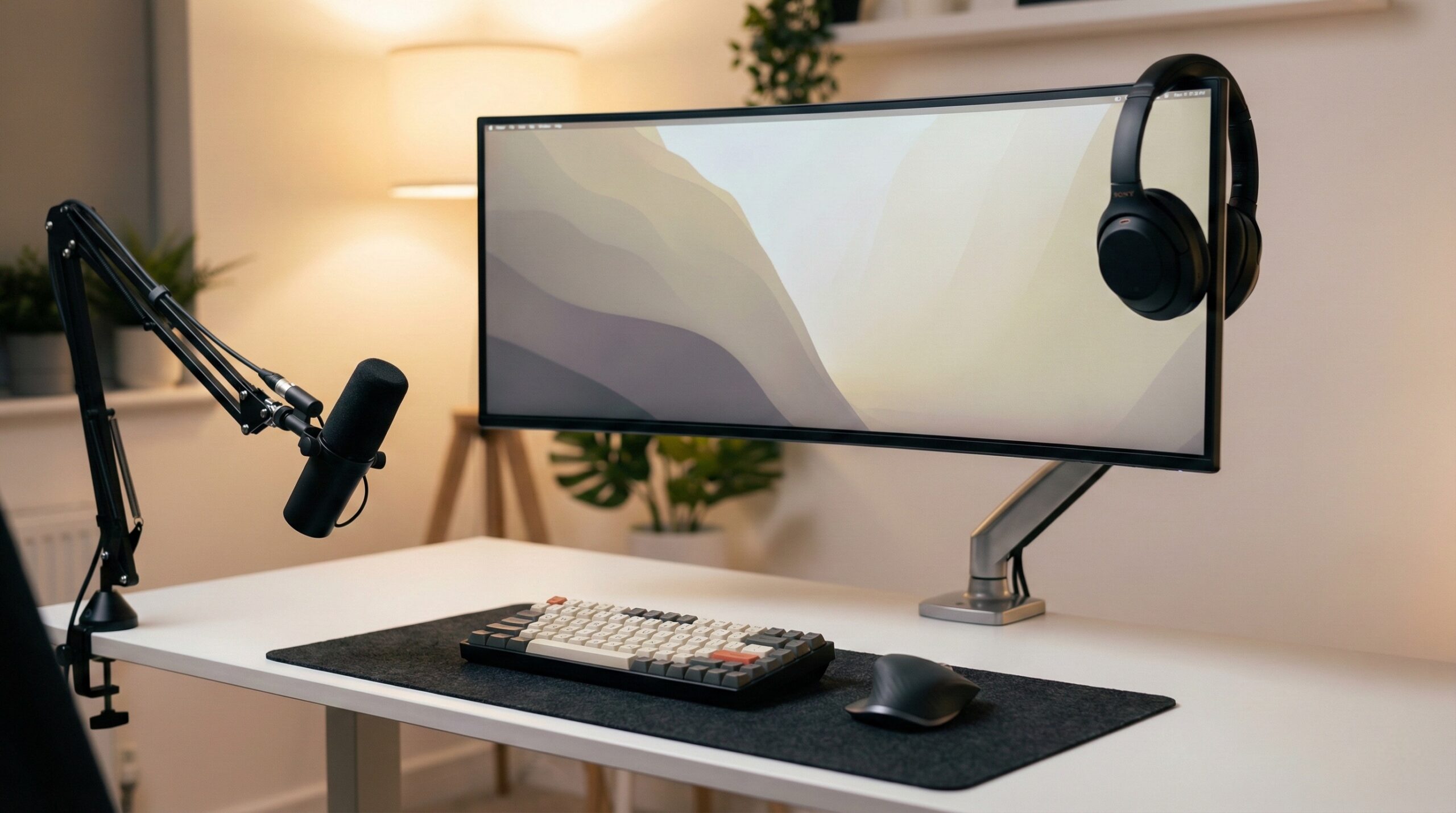
In home office terms, a headset stand is less about looking tidy and more about reducing small daily friction: you stop tossing a headset onto paperwork, crushing ear pads under a notebook, snagging a cable in your mouse area, or knocking your headset off the desk during a call. It’s also an ergonomics-adjacent accessory: if your headset is something you grab multiple times a day, you want it inside a comfortable reach zone so you’re not twisting or reaching awkwardly. Workplace layout guidance from organizations like OSHA generally emphasizes keeping frequently used items within easy reach and maintaining a clutter-minimized workstation; that logic applies to headset storage too (see OSHA computer workstation guidance).
Most headset stands fall into a few styles:
- Freestanding desktop stands: easiest to place anywhere and move around. The trade-off is they occupy desk surface area, so base size and stability matter.
- Under-desk hooks/hangers: best when you want a clear desktop. The trade-off is you have to ensure knee/armrest clearance and use a mount method you trust (adhesive, screws, or clamp).
- Wall mounts: great for small desks or a permanent setup. The trade-off is committing to a fixed location and managing the cable run cleanly.
- Clamp-on stands: a “no-drill, no-adhesive” compromise, but you need a compatible desk thickness and enough edge clearance.
Beyond style, the most important design detail is the headband cradle. A wide, curved cradle spreads the load across a bigger area so you’re less likely to flatten padding or create a crease — especially relevant for heavier headsets. Narrow pegs can concentrate pressure in one spot, and over time some owners report visible dents on cushioned headbands. The other big differentiator is stability: a light stand on a slick desk can slide or tip when you grab the headset one-handed, or when you tug a cable. Evidence-based ergonomics resources from NIOSH (part of the CDC) also emphasize reducing repetitive awkward reaches and improving workstation setup for frequent tasks (see NIOSH ergonomics guidance), which translates here into “put the stand where your hand naturally goes.”
Who a Headset Stand Fits Best
A headset stand tends to be a great fit if any of these sound like your day-to-day:
- You’re on and off calls all day and want one consistent place to put your headset between meetings (without laying it on your keyboard or papers).
- You use a heavier gaming headset and want storage that’s less likely to fall off the desk or get yanked by a cable.
- Your desk gets cluttered fast and you’re trying to keep your primary work zone clear (keyboard/mouse/notebook space).
- You have pets/kids and want a “home base” that’s less likely to end in a drop or chew incident.
- You care about headband longevity (padding, leather/pleather, fabric) and want a wider cradle rather than hanging it over a monitor corner or narrow hook.
Freestanding stands are typically the easiest recommendation for most people because they’re flexible: you can move them as your workspace changes, and you don’t have to commit to drilling or adhesives. If you like warmer materials, a wood stand can also look more “home office” than “gamer accessory.” For example, the URANT wood stand gets praise for straightforward setup: “The item arrives in three pieces, but don’t worry. They screw together extremely easily and without any issues” — verified buyer, 4 stars.
Under-desk or wall-mounted options tend to be best if you’re working with a small desktop or you’re trying to keep the surface as open as possible for writing, drawing, or large mouse movements.
Who Should Skip a Headset Stand
A headset stand isn’t always the right buy. You can probably skip one if:
- You rotate multiple headsets and want dust protection or hidden storage (a drawer, bin, or cabinet can be better).
- Your desk is extremely shallow and any desktop footprint would get in the way; an under-desk hook or wall mount is more practical.
- You frequently change your setup (hot-desking at home, moving between rooms, travel) and don’t want another object to manage.
- You’re tempted by “extras” (RGB, USB hub) but you don’t actually need them where the stand sits — those features can add cost and cable clutter.
Also, not every stand is equally sturdy. If you know you’re rough on gear, have an energetic pet, or you tend to grab your headset quickly with one hand, a lightweight stand can be more annoying than helpful. Wood stands can be a good value, but build consistency can vary between units. One URANT buyer sums up a common concern when you’re shopping budget wood accessories: “Very well made easy to put together definitely a Value for what you pay for it would definitely Recommend this item to Family and Friends” — verified buyer, 5 stars. (That’s positive feedback — but it also hints at the “value tier” reality: you’re buying for practicality and looks, not heirloom furniture tolerances.)
Price and Value
Headset stands are usually inexpensive compared to other desk accessories, but prices vary a lot based on materials, stability, and add-ons:
- Budget wood or basic desktop stands: often around $10–$20. The URANT Solid Walnut Wood Headphone Stand with Storage Base sits in this range, and its value pitch is “clean look + simple function,” plus a base area to corral small items.
- RGB / “gaming aesthetic” stands: more commonly $40–$50. Tilted Nation’s RGB headset stand (both the brand-site version and the Amazon-listed RGB stand) lands in that higher bracket, where you’re paying for lighting design and a more “setup centerpiece” vibe.
What’s “worth it” depends on what problem you’re solving:
- If you mainly want a safe place to put the headset, spend on stability (base weight, anti-slip feet) and a cradle shape that won’t dent your headband.
- If you want zero desktop footprint, you may get more value from an under-desk hanger (even if it’s not as decorative).
- If you want RGB or USB ports, be honest about whether you’ll use those features daily. Otherwise you can end up paying more and adding another cable run for no real benefit.
Common Mistakes When Trying a Headset Stand
- Buying a stand with a narrow “peg” top for a heavy headset. That concentrates pressure on one spot of the headband, and over time can flatten padding or leave a crease. Look for a wider, curved cradle.
- Putting the stand in the wrong reach zone. If you have to lean, twist, or reach around a monitor arm to grab your headset, you’ll stop using the stand and go back to tossing the headset on the desk. OSHA-style workstation layout principles generally point you toward keeping frequently used items within easy reach (OSHA computer workstation guidance).
- Ignoring base footprint. A big base can steal mousepad space and become its own clutter problem — especially on 24–30 inch deep desks.
- Underestimating cable behavior (wired headsets). If your cable drapes across your mousing area, you’ll snag it, pull the stand, or knock it over. If you go desktop stand, prioritize simple cable routing or at least a place to coil slack.
- Not checking assembly/joints on wood stands. If you move your stand often, you want secure fasteners and a stable “mast” connection. As one buyer put it: “The item arrives in three pieces, but don’t worry. They screw together extremely easily and without any issues” — verified buyer, 4 stars. Easy assembly is good, but it’s still worth re-tightening occasionally if you bump it around.
FAQ
Is a headset stand safe for the headband?
Usually, yes — if the top cradle is wide and curved. Narrow hooks/pegs can create a pressure point that may dent padded headbands over time, especially with heavier headsets. If headband longevity matters to you, prioritize a broader contact surface.
Where should I place a headset stand on my desk?
Place it where you can grab and hang the headset without leaning or twisting — typically just outside your keyboard/mouse primary zone. General workstation layout guidance (like OSHA computer workstation guidance) supports keeping frequently used items within easy reach to avoid awkward postures.
Are under-desk adhesive headset hooks reliable long term?
They can be, but reliability depends on surface prep, adhesive quality, and headset weight. Clean the surface thoroughly, give the adhesive time to cure, and avoid textured/dirty surfaces. For heavier headsets or high-traffic desks, screws or a clamp mount are typically more dependable.
How do I keep my headset stand from tipping over?
Choose a stand with a wider/heavier base and anti-slip pads, and position it where you won’t constantly bump it or drag cables across it. If your headset is wired, manage slack so you’re not accidentally pulling the stand when you stand up or roll your chair.
Will a headset stand damage ear pads?
Not if the ear pads hang freely. You want enough height so the pads don’t rest on the desk (which can deform them) and enough clearance so the headset isn’t pressed against a vertical post. If you use a wall mount or under-desk hook, make sure the pads aren’t rubbing against the wall/desk underside.
Is a wood headset stand durable enough for daily use?
It can be, especially if the joints are secure and the finish is sealed. If you move your stand often, check that it uses screws or solid joinery rather than relying on weak glued-only connections. Metal stands tend to handle bumps better, while wood stands often win on looks for a home office.
Do RGB headset stands or built-in USB hubs actually add value?
Only if you’ll use them. RGB is purely aesthetic, and a USB hub is only helpful if you need ports at that exact location and you’re okay with the extra cable run. If your goal is clutter reduction and safe storage, stability and cradle shape matter more than lighting.
Looking for these on Amazon? Browse headset stand on Amazon →
Bottom Line
For most home office setups, a freestanding headset stand with a stable base and a wide cradle is the most practical choice: it reduces desktop mess, gives your headset a consistent home, and helps protect the headband from dents. If you’re short on desk space, an under-desk hook or wall mount can be an even better fit — as long as it’s mounted securely and placed within easy reach.
Affiliate disclosure: This page includes affiliate links. Purchases through these links support our work at no added cost.