TL;DR
A Steelcase standing desk makes the most sense if you want commercial-grade build quality, cleaner cable routing, and a desk you expect to use every day for years rather than a budget-first home office buy. The key is not just buying the brand name, but making sure the desk category, height range, stability, depth, and buying terms actually fit your body and workspace.
What Steelcase Standing Desk Actually Is
A Steelcase standing desk is not one single desk. It is a category that includes full electric sit-stand desks as well as desktop converters, and that distinction matters more than many shoppers expect. If you are replacing your whole workstation, a full sit-stand desk is usually the better fit. If you already like your current desk and just want standing capability, a converter may be enough.
For most home office buyers, the better-known fit is the full electric desk. In the current lineup, the Steelcase Solo Sit-to-Stand Desk is the clearest direct match for people searching for a Steelcase standing desk. It is positioned as a proper sit-stand workstation rather than a temporary add-on, which matters if you spend long hours at your desk and want better cable management, a cleaner look, and more stable support for monitors and accessories.
That said, buying in this category is often more spec-heavy than buying from a direct-to-consumer desk brand. Steelcase products commonly come through dealer channels or configurable workplace listings, so it is smart to verify exact dimensions, desktop depth, finish, controller options, and what is included with delivery and assembly before you commit. Pricing can also vary with size and configuration, which is why shoppers should treat entry pricing as a starting point, not the final number.
Ergonomically, what matters most is fit. Guidance from OSHA computer workstations and Cornell ergonomics research points in the same direction: your desk height should support neutral arm and wrist posture, and your monitor distance and keyboard placement need to work at both seated and standing heights. In plain terms, a premium standing desk is only a good buy if it lowers enough for comfortable seated work, raises enough for comfortable standing work, and gives you enough front-to-back space to place your monitor and keyboard properly.
So when people ask whether a Steelcase standing desk is “good,” the better question is whether it fits their actual setup. A strong standing desk should move smoothly, stay reasonably stable with your real equipment load, and make daily adjustments easy rather than annoying. That is the real category promise here: a workplace-grade desk built for repeated daily use, not just a trendy feature.
Who Steelcase Standing Desk Fits Best
Steelcase standing desks fit best for buyers who want a more office-grade solution than what many low-cost online desks offer. If you work from home full time, keep dual monitors on your desk, care about finish quality, or want something that visually blends with higher-end office furniture, this category makes sense.
It is also a strong fit for people who plan to keep the desk a long time. A cheaper standing desk can be fine for occasional use, but buyers shopping Steelcase are usually paying for long-term daily use, cleaner integration, and a more professional look. If you want your workspace to feel closer to a real office installation than a flat-pack experiment, Steelcase aligns with that goal.
Shared spaces are another good match. If more than one person uses the desk, a height-adjustable setup with dependable controls and enough range to fit different users is more useful than a static desk. A home office that doubles as a guest workspace, study area, or executive workspace is where this category tends to justify itself.
It can also fit buyers who want guidance during the purchase process. Some shoppers prefer one-click checkout, but others want help confirming finish choices, size, cable options, and delivery details. Steelcase’s workplace-oriented approach can be useful if you need that extra planning.
For the current direct-fit option, the Steelcase Solo Sit-to-Stand Desk is the model most likely to suit buyers who want a complete sit-stand workstation rather than a converter. The supplied retail signal is basic, but it still suggests market traction: “[Best Seller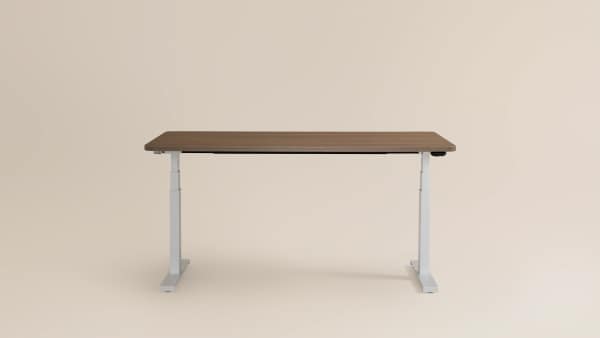 ## Solo Sit-to-Stand Desk Starting at $899]” — store listing best seller on r/unknown
In practical terms, this category is best for someone who wants to get the fundamentals right: seated and standing height fit, enough desktop depth for healthy monitor distance, stable support for monitors and arms, and cable routing that does not become a mess every time the desk moves. If those are your priorities, a Steelcase standing desk is easier to justify than if you are simply trying standing for the first time at the lowest possible price.
Who Should Skip Steelcase Standing Desk
You should probably skip a Steelcase standing desk if your main priority is getting the cheapest possible way to stand while working. These desks are not aimed at bargain hunters first, and the buying process may feel more involved than what you get from mass-market online brands.
It is also not the best fit if you dislike configuration-heavy shopping. Steelcase often sits closer to the commercial furniture world than the impulse-buy consumer world. That can be a plus for some people, but for others it means more quote checking, more specification reading, and more follow-up on shipping, assembly, and return terms than they want to deal with.
Buyers with very simple needs may also be better served elsewhere. If you work on a laptop, use a small single monitor, and only occasionally want to stand, a full premium sit-stand desk may be overkill. A simpler converter or even a less expensive electric desk might be enough.
Shorter or taller users should be cautious too. Premium branding does not guarantee the height range will fit your body. If the desk does not lower enough for seated work or rise enough for comfortable standing posture, it is the wrong desk no matter how nice the finish looks. Research and ergonomics guidance consistently suggest matching desk height to your actual elbow height instead of guessing.
A fair critical note is that the available buyer-facing retail snippet itself reinforces the price-first hesitation some shoppers may have: “[Best Seller ## Solo Sit-to-Stand Desk Starting at $899]” — store listing best seller on r/unknown. Even read generously, “Starting at $899” tells you this is not the low-end path into standing desks.
Finally, skip this category if you expect a standing desk to fix discomfort by itself. Evidence indicates that desk movement helps some people vary posture, but it is not a cure-all. If your chair, monitor height, keyboard position, or standing duration are off, you can still end up with neck, shoulder, wrist, or back strain. In those cases, a certified ergonomist or occupational therapist can be more helpful than upgrading furniture alone.
Price and Value
For Steelcase, value is less about sticker shock and more about whether you will use the desk heavily enough to benefit from its office-grade approach. The one concrete price point available here is the Steelcase Solo Sit-to-Stand Desk listed at Starting at $899. That places it firmly above entry-level standing desks, though still within the broad premium range for a brand with commercial roots.
The important thing to remember is that starting price is rarely the full story. Final cost can shift based on size, desktop finish, control options, accessories, delivery, and installation. If you are comparing Steelcase to consumer-first brands, make sure you compare like for like. A desk quote that includes better finish quality, cleaner cable handling, or delivery support may cost more up front but may also be offering a different ownership experience.
Where Steelcase can justify its price is in long-term use. If the desk becomes your daily workstation for years, a smoother height adjustment experience, more polished look, and better compatibility with office accessories can matter a lot. If your needs are light, though, that premium may not pay off.
Value also depends on ergonomic fit. A cheaper desk that fits your seated and standing posture properly is a better value than an expensive one that does not. Before buying, ask for the exact height range, top depth, weight capacity, and any included cable management. Those are the details that determine whether the price is reasonable for your setup.
We would also look closely at the buying channel. For home office shoppers, commercial-style buying can sometimes mean different return expectations than mainstream online retail. Confirm lead times, assembly requirements, and whether residential delivery is straightforward before you decide that the desk’s higher price is worth it.
Common Mistakes When Trying Steelcase Standing Desk
The most common mistake is buying by brand reputation instead of body fit. Many shoppers assume a premium standing desk will automatically work for them, but the real test is whether the desk reaches your correct seated and standing heights. Measure your seated and standing elbow positions first. That simple step eliminates a lot of bad matches.
Another common mistake is ignoring desktop depth. A wide desk can still be too shallow. If you use an external monitor, you need enough depth to keep the screen at a comfortable viewing distance while leaving room for your keyboard and mouse. Shallow desks often force awkward posture, especially once a monitor arm enters the picture.
People also underestimate how much stability matters once the desk is raised. A desk may feel fine sitting low, then become less confidence-inspiring with dual monitors, a monitor arm, speakers, or regular typing movement at standing height. If you have a heavier setup, make that a priority question before you buy.
Cable management is another frequent miss. Poorly routed cables can snag, limit travel, or create clutter every time the desk moves. That is one reason workplace-oriented desks can appeal to serious users: they often treat cable handling as part of the desk, not an afterthought. Guidance from CDC NIOSH ergonomics and OSHA-backed workstation principles supports the idea that a usable workspace depends on the whole setup, not just one moving surface.
Shoppers can also make the mistake of standing too long too soon. A standing desk is best used for posture variation, not all-day standing. Research suggests alternating positions works better than treating standing as automatically healthier. If you are new to sit-stand work, build up gradually.
Another avoidable error is not checking what comes with delivery and installation. Commercial-style desks can be heavier and less simple to assemble than basic flat-pack options. If you live in a walk-up, have limited space, or do not want a complicated setup day, verify logistics in advance.
The buying process itself can trip people up too. A listing may show a “starting at” figure, but your actual desk can cost more once you choose the right size and options. The clearest cue buyers get here is still the retail snippet: “[Best Seller ## Solo Sit-to-Stand Desk Starting at $899]” — store listing best seller on r/unknown. Treat that as an entry point, not a final quote.
FAQ
Is a Steelcase standing desk worth it?
It can be worth it if you want commercial-grade construction, cleaner workspace integration, and a desk meant for long-term daily use. It is less compelling if your main goal is getting the cheapest standing option possible. The desk is worth the premium only if its height range, stability, workspace size, and buying terms fit your real setup.
How do I know if the height range fits me?
Measure your seated and standing elbow height while wearing your usual work shoes, then compare those measurements to the desk’s minimum and maximum height. You also need to factor in desktop thickness and any keyboard tray or accessories. For setup basics, OSHA computer workstations and Cornell ergonomics research are useful references.
Are Steelcase standing desks stable enough for dual monitors?
They can be, but do not assume stability from brand name alone. Dual monitors, monitor arms, and heavier accessories put more stress on a desk at full standing height. Check the desk’s supported load, ask how it performs with a setup like yours, and prioritize enough desktop depth so your monitors are not cramped.
Is a full sit-stand desk better than a converter?
Usually yes, if you want the best overall experience. A full sit-stand desk typically gives you better stability, more usable work surface, and cleaner cable routing. A converter is the better choice only if you already own a desk you like or want a lower-commitment way to try standing.
Does cable management really matter on a standing desk?
Yes. On a fixed desk, messy cables are annoying. On a standing desk, they can also limit movement, snag during travel, or make the whole setup feel unfinished. Good cable management helps both safety and day-to-day usability, especially if you have multiple devices, a dock, or monitor arms.
Can a standing desk prevent back or neck pain?
Not by itself. Evidence indicates that changing positions can help some people stay more comfortable, but pain and strain often come from the whole workstation setup. Monitor height, chair support, keyboard placement, and how long you stand all matter. Resources from CDC NIOSH ergonomics can help you think about the full picture.
Why is pricing for Steelcase harder to pin down?
Because pricing often depends on configuration. Size, finish, accessories, controller options, delivery, and installation can all affect the total. A “starting at” figure is helpful for orientation, but it is not enough for a true comparison. Ask for the exact configuration in writing before you decide.
What should I verify before ordering for a home office?
Confirm exact dimensions, height range, top depth, cable management options, supported load, warranty terms, lead time, return policy, and what delivery includes. Also make sure your floor is level and your cables will have enough slack during movement. Those details matter more than the logo on the box.
Looking for these on Amazon? Browse steelcase standing desk on Amazon →
Bottom Line
A Steelcase standing desk is a strong option for buyers who want a premium, office-grade sit-stand setup and are willing to spend a bit more time confirming the details. We would buy one for long-term daily use only after checking the height range, stability with your actual monitor load, desk depth, cable routing, and total delivered price.
Affiliate disclosure: This page includes affiliate links. Purchases through these links support our work at no added cost.